

Upflow → Blog → AR collections
AI in Accounts Receivable: From Automation to Intelligence
Alexandre Antoine
|
August 5, 2026
Generate AI summary


Most AR teams aren’t slow because of a lack of effort. They’re slow because they’re doing judgment-intensive work at a volume that doesn’t suit manual processes. Deciding which accounts to prioritize today, reading a customer’s reply to figure out whether it’s a dispute or a delay, matching a payment that arrived with a reference number that doesn’t quite line up: each of these takes real cognitive work, and there are dozens of them every day.
AI changes what’s manageable at that volume. But the gap between what AI in accounts receivable can theoretically do and what most implementations actually deliver is wider than most vendor demos suggest. Here’s what this guide covers:
- What AI does in Accounts Receivable
- The Real Benefits
- The Challenges Worth Knowing About
- How to Implement AI in Your AR Process
With Upflow, your finance team gets AI built into the parts of AR where it actually makes a difference, from drafting outreach to detecting disputes automatically. Book a demo to see how it works.

What AI Does in Accounts Receivable
The clearest way to understand AI’s role in AR is to look at where human judgment currently gets bottlenecked, and where pattern recognition across large datasets can help.
Payment risk prediction: AI can analyze payment behavior across your customer base (payment history, invoice amounts, days-to-pay trends, communication patterns) and flag which accounts are statistically likely to go overdue before they actually do. This shifts collections from reactive to proactive. The result is a ranked, data-driven view of which accounts across your entire portfolio are most likely to miss payment, surfaced before they’re overdue, not after.
Collections prioritization: On any given day, an AR team has more accounts to touch than time allows. AI can rank that list: which customers need immediate follow-up, which ones have already committed to a date, which ones are low-risk and can wait. That prioritization is only as good as the underlying data, but when the data is solid, it meaningfully reduces the time spent figuring out where to start.
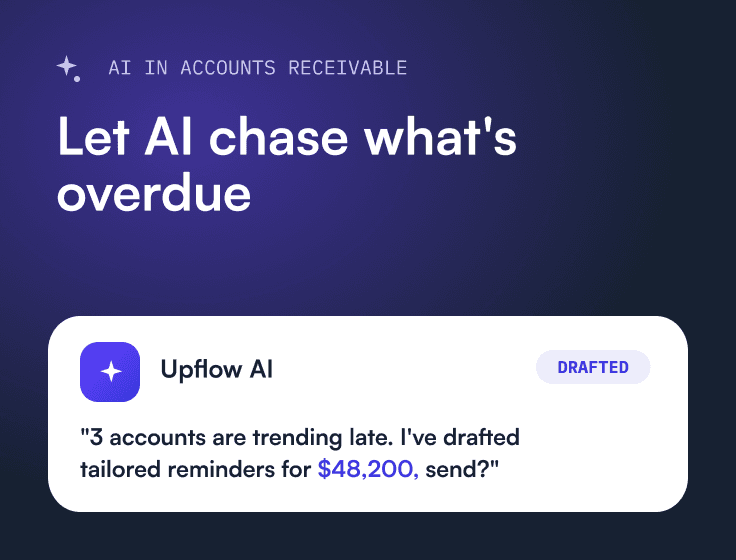
Drafting outreach: Writing a collections email from scratch, 20 times a day, is one of those tasks that looks simple but adds up fast. AI that has context about the customer, their invoice status, their recent communications, and the appropriate tone can draft a usable first version in seconds. The team reviews, adjusts, and sends.
Automating low-judgment workflows: Traditional workflow automation sends scheduled reminders, but someone still has to read the replies. AI goes further: for routine, predictable interactions, it can respond to customers directly, acknowledging a payment confirmation, sharing a payment link, or answering a basic query, within guardrails the team defines. The high-judgment conversations stay with the team; the low-judgment ones get handled.
Reading customer replies: When a customer replies to a reminder saying “we’re processing this for payment on the 15th,” someone has to read that, log the promise-to-pay date, and make sure the right follow-up is scheduled. When they reply with “we’re disputing this invoice because the amount doesn’t match our PO,” someone has to flag it as a dispute and categorize the reason. AI can detect both signals automatically, surfacing a suggested promise-to-pay date or a dispute classification for the team to confirm rather than having to catch and process every reply manually.
Cash application: Matching incoming payments to open invoices sounds straightforward until you’re dealing with partial payments, customers who combine multiple invoices in one transfer, or remittance data that doesn’t quite match what’s in the system. AI handles a meaningful share of that matching automatically, reducing the manual reconciliation workload and the error rate that comes with it.
Answering questions in plain language: Instead of pulling reports to find answers, AI lets finance teams query their AR data conversationally. Ask something like ‘which customers are most at risk this month?’ or ‘what’s driving our DSO increase?’ and get a direct answer, without building a dashboard or exporting a spreadsheet. Upflow’s MCP integration and native Ask Upflow assistant both work this way, turning AR data into something the whole finance team can interrogate in real time.
The Real Benefits
- Fewer things fall through the cracks: In a manual AR process, coverage follows whoever makes the most noise. The accounts that look urgent or belong to a recognizable name get attention; the ones that are actually at risk but haven’t escalated yet don’t. AI applies consistent attention across the full portfolio, including the accounts that would otherwise get deprioritized because there’s no obvious crisis yet.
- The team responds faster: When a customer signals a dispute or a commitment in an email, the value of that information decays quickly if it sits unread in an inbox. AI that reads incoming communications and surfaces the next action immediately keeps the order-to-cash process moving without requiring someone to manually process every reply.
- Finance leaders have something to act on: Instead of building a dashboard or exporting a spreadsheet to answer a question, finance leaders can now just ask. AI lets you query your AR data in plain language: which customers are most at risk, what’s driving DSO up this quarter, which accounts need escalation this week. The answers come back immediately, without anyone having to pull a report.
- The team’s time shifts to work that requires judgment: Drafting a routine follow-up is not where a skilled AR person adds the most value. Getting a difficult customer back on track, negotiating a payment plan, deciding when to escalate: those are the calls that matter. Clearing the repetitive volume work frees the team up for exactly those situations.
The Challenges Worth Knowing About
- Data quality is the ceiling: AI recommendations are only as good as the data they’re built on. If your customer records are incomplete, your invoice history is fragmented across systems, or your communication data isn’t being captured, the outputs reflect that. Before any AI rollout, the unglamorous work of data hygiene tends to determine whether the project succeeds.
- Integration depth matters more than feature count: A platform with impressive AI capabilities that doesn’t sync cleanly with your ERP, your billing system, or your CRM creates more work than it removes. Reconciliation errors, duplicate records, and data that has to be manually re-entered undermine everything the AI was supposed to fix. The question to ask isn’t “what can this tool do?” but “how does it connect to what we already have?”
- Finance teams are right to be skeptical of black boxes: AR decisions have real consequences: for cash flow, for customer relationships, and sometimes for legal exposure. Teams need to understand what the AI is doing and why, and they need to retain meaningful control over outcomes. Systems that operate autonomously without explainability don’t build that trust; they erode it.
- Automation doesn’t automatically handle relationships: Rules-based systems treat every customer the same way. The accounts that need a softer tone, a phone call instead of an email, or a conversation with someone senior: those distinctions require context that pure automation often misses. Bad debt situations, disputed invoices, customers going through financial difficulty: these are exactly where the human layer still has to stay in the loop.
How to Implement AI in Your AR Process
The teams that get the most out of AI in AR tend to follow a similar progression. They don’t start by automating everything. They start by getting the foundation right, then layer AI in where there’s already consistency to build on.
- Start with data and integration: Before enabling any AI features, make sure your ERP or billing system is syncing cleanly with your AR platform, your customer contact records are accurate, and your incoming email replies are being captured. AI that can’t see your data can’t help you. Upflow connects directly to your financial systems of record, including NetSuite, Sage Intacct, QuickBooks, Stripe Billing, and many more, as well as Salesforce, Gmail, and Slack, so the underlying data is structured and accessible from day one.
- Automate the consistent parts first: Payment reminders on a defined schedule, workflow routing based on aging buckets, escalation triggers: these are well-suited to automation because the logic is consistent. Getting these right before introducing AI-powered judgment features means you’re building on a stable base.
- Introduce AI where judgment is involved, with review kept in the loop: This is where the implementation gets interesting, and where the supervised autonomy model matters. The right approach isn’t to let AI make decisions autonomously. It’s to let AI surface recommendations that the team confirms, edits, or rejects. That keeps control where it belongs while dramatically reducing the cognitive load.
Upflow is built around this model throughout. Rather than automating decisions, it surfaces recommendations at each step of the AR process: a draft reminder the team can adjust before sending, a suggested reply to a customer email based on their invoice status and history, a flagged dispute reason when a reply signals a disagreement, a proposed promise-to-pay date when a customer commits to one. The team reviews, edits, and confirms. Nothing goes out or gets logged without a human in the loop.
At a more structural level, teams can configure custom questions Upflow’s AI answers automatically for each customer or invoice, things like “why has this invoice not been paid?” or “is this customer currently responsive?”, drawing on data already in Upflow or from public sources where relevant.
In every case, the team decides. The AI handles the volume; the humans handle the judgment calls. That’s the model that builds trust over time, and the one most finance teams are actually ready for.
The direction of travel is toward more autonomy as that trust is earned. Upflow’s AI vision is explicit about this: the goal is AI agents that can take on more complex actions independently, but with human oversight kept in place until the system has demonstrated it can be relied on. That’s a sensible frame for any finance team evaluating where AI fits in their AR stack: not whether to use it, but how much autonomy to grant it, and when.
What this model also reflects is a broader point about AR that pure automation tools tend to miss. Every invoice represents a customer relationship. The way you follow up on a late payment, the tone you use, the judgment you apply about when to push harder and when to hold back: all of that affects whether that customer stays. Financial relationship management treats AR not as a collections problem but as a customer relationship problem, and AI built with that framing in mind produces different outcomes than AI optimizing purely for collection speed.


Alexandre Antoine
Finance Director at Upflow
Alexandre is the Finance Director at Upflow, where he leads the company’s internal finance and accounting operations. With a background in both strategic finance and financial reporting, Alexandre brings a practical, detail-oriented approach to the complexities of B2B finance.
At Upflow, Alexandre ensures that internal processes from cash management to KPI reporting are optimized for transparency, accuracy, and growth-readiness. He helps build scalable finance systems that support Upflow’s mission to empower other finance teams through better collections and cash flow insights.
Alexandre regularly contributes to Upflow’s blog with in-depth articles on accounting metrics, financial ratios, reporting best practices, and operational benchmarks. His writing provides actionable advice for controllers, FP&A teams, and finance leaders navigating complex financial processes.


Frequently Asked Questions
Can’t find what you’re looking for?
Ask AI
AI in accounts receivable refers to the use of machine learning and natural language processing to automate and improve parts of the collections and invoice management process. This includes predicting which invoices are at risk of going overdue, prioritizing which accounts to contact, drafting collection emails, reading customer replies to detect disputes or payment commitments, and matching incoming payments to open invoices. The goal is to reduce the manual workload on AR teams while improving coverage, consistency, and response speed across the full customer portfolio.
When researching fintech tools for AI-assisted accounts receivable management, five things matter most: integration depth (does it connect cleanly with your ERP, billing system, and CRM?), the control model (does it surface suggestions for humans to confirm, or act autonomously?), the data it works with (relational and communication data, not just transactional), the specific features (payment risk prediction, AI-assisted outreach, reply detection, cash application, and more advanced capabilities like conversational AR querying and agentic workflows), and configurability: the ability to define guardrails the AI operates within, so trust in the system can be earned and extended over time rather than assumed upfront.
The best AI-powered AR platforms for B2B companies combine strong automation capabilities with deep ERP and CRM integrations, and keep human review in the loop rather than operating as black boxes. Upflow is purpose-built for B2B finance teams, with AI features spanning outreach drafting, reply detection, promise-to-pay tracking, dispute classification, and AI-powered custom field automation. It integrates with NetSuite, Sage Intacct, QuickBooks, Stripe Billing, Salesforce, Gmail, Slack, and many more. It is designed around a supervised autonomy model where the team retains control over every AI-generated recommendation.
AI reduces DSO by catching at-risk invoices earlier, enabling faster and more consistent follow-up, and reducing the time between a customer’s payment signal and the AR team’s response. The mechanism is coverage: AI ensures that no account slips through because the team ran out of time, and it speeds up the response loop on every interaction.
No. AI in AR handles volume; it doesn’t replace judgment. The decisions that matter most in collections (when to escalate, how to handle a customer who’s going through financial difficulty, whether to extend terms, how to preserve a relationship while still getting paid) still require human knowledge of the customer and the context. What AI does is clear the low-value repetitive work so the team can focus on exactly those calls. The teams getting the most out of AI are the ones that treat it as a tool for scaling their judgment, not a replacement for it.
Basic AR automation runs on rules: send a reminder at day 7, escalate at day 30, route to collections at day 60. It doesn’t adapt. AI goes further by using pattern recognition across your customer data to make recommendations that vary by account, flagging the customer who historically pays late in Q4, deprioritizing the one who just confirmed a payment date, adjusting outreach tone based on the relationship history. The distinction matters because rules-based systems treat every customer the same way, and in B2B AR, they aren’t.
Related articles