

Accounts Receivable Automation Software for B2B Finance Teams
Accounts Receivable Automation Software
Upflow automates the full AR cycle with AI agents you control: collections, cash application and payments, so B2B finance teams spend less time on manual work and more time on relationships that matter.
Trusted by the world's leading B2B finance teams













What to Look for in Accounts Receivable Automation Software
The right AR automation software should take routine work off your team without taking control away from it.

Multi-Channel Collection Workflows
Look for workflows that combine email, SMS, calls and postal letters, and escalate from a friendly reminder to a formal letter as invoices age. Rules that assign each customer the right workflow based on payment behavior, risk or custom fields from your ERP mean every account gets consistent follow-up without anyone sorting the portfolio by hand.

AI Agents You Control
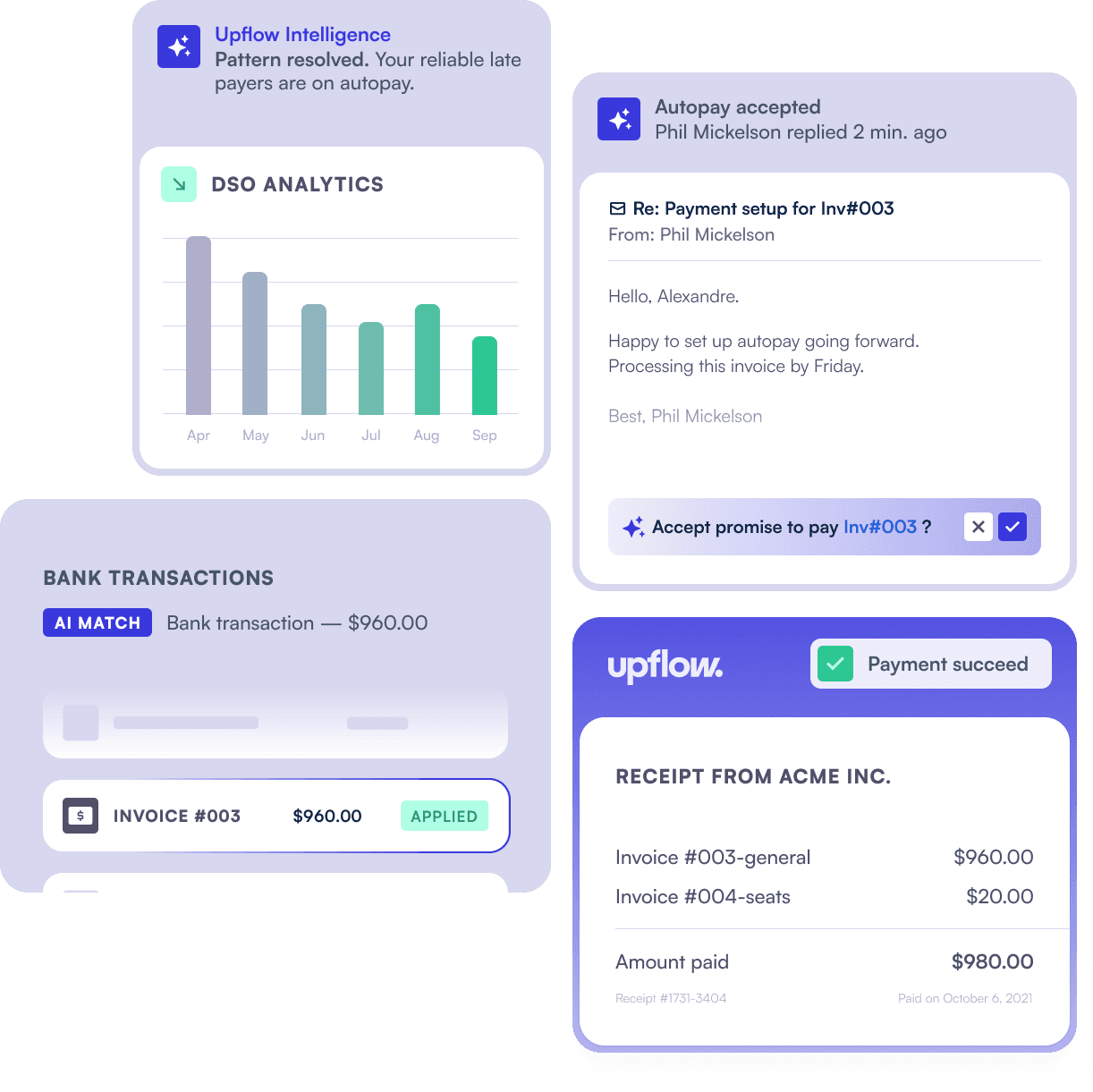
AI agents can now reply to customer emails, log promises to pay and flag disputes on their own. What matters is control: look for software that lets you set each agent skill to off, suggestions only or fully automatic, acts only when it’s confident, and records every agent action on the customer timeline. Upflow’s Collections Agent works this way, so you can start with suggestions and hand over more as it proves reliable.

Automated Cash Application
Cash application should start with bank transactions imported automatically, not uploaded by hand. Look for an agent that applies payments when the match is clear, reads remittance advice to match payments across several invoices, writes applied payments back to your ERP, and leaves anything ambiguous for your team to review.
Two-Way ERP and CRM Sync
Automation is only as good as the data it runs on. Look for two-way integrations with NetSuite, Sage Intacct, QuickBooks or Xero, so reminders stop as soon as an invoice is paid and payments collected online are written back without re-keying. A CRM connection to Salesforce or HubSpot keeps sales and customer success aligned on the same account status.
Branded Payment Portal
Every reminder should carry a link to pay. Look for a portal customers can use to view invoices, download statements and pay by card, ACH, SEPA or BACS direct debit, in full or in part, with Autopay for recurring invoices. White-label options like your own domain, favicon and branding, or embedding the portal in your website, make paying feel like part of your product rather than a third-party checkout.
Real-Time Reporting and AI Access
Look for live DSO, CEI, aging and at-risk tracking rather than reports rebuilt every month-end. Upflow calculates DSO with the Countback method, and lets your team ask questions about receivables in plain language through Ask Upflow, or from Claude and ChatGPT through its MCP server.
How Accounts Receivable Automation Software Like Upflow Works
From invoice synced to payment matched, here is what Upflow automates.
Automated Collections
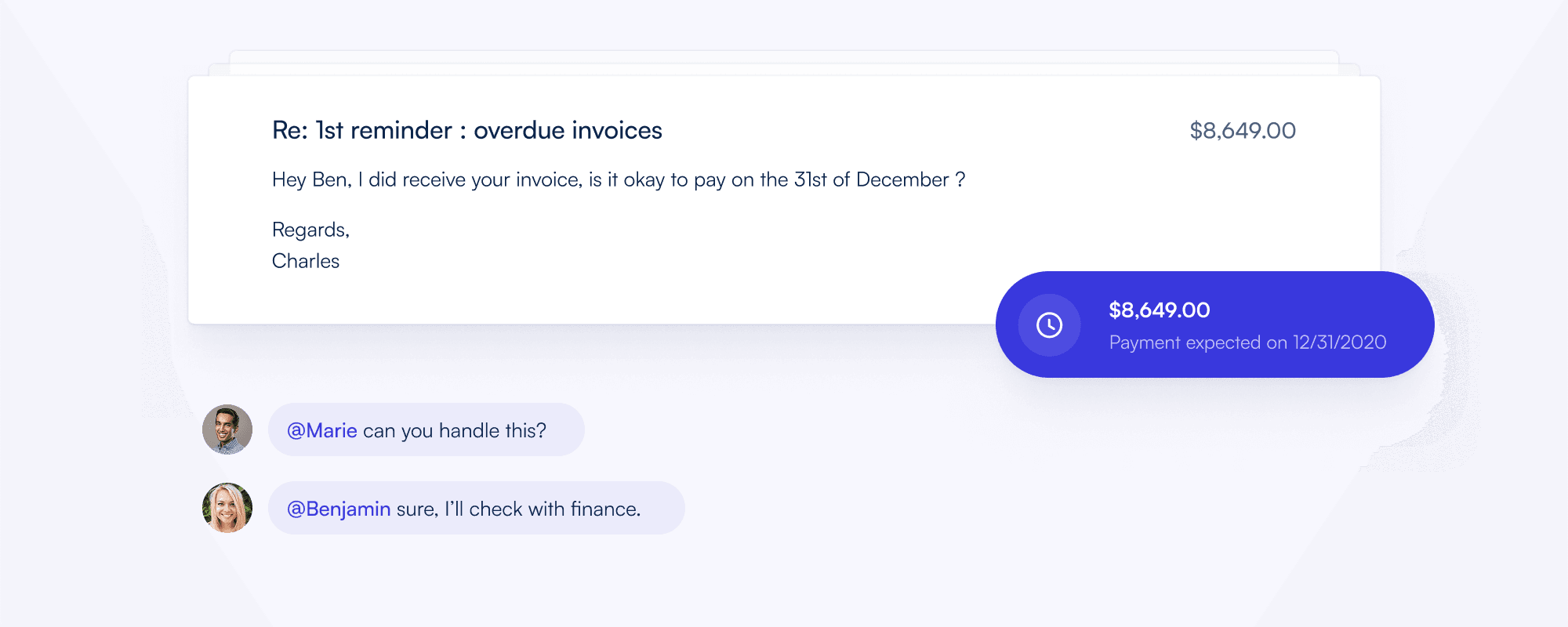
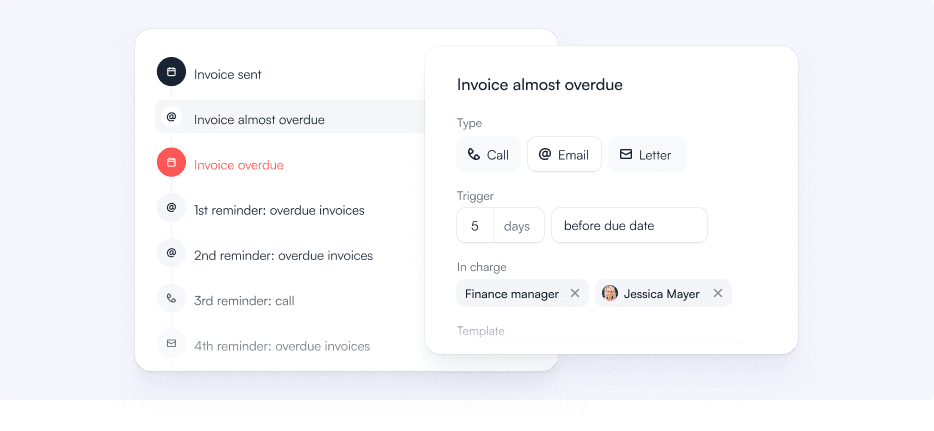
Upflow schedules outreach across email, calls, SMS and postal letters, adapting to each customer’s payment history, invoice age and risk profile, and escalates from a friendly reminder to a formal letter as invoices age. When customers reply, the Collections Agent answers, logs promises to pay and flags disputes. You decide, skill by skill, whether it only suggests or acts on its own, so your team reviews what matters and the agent handles the rest. Consistent follow-up across every account in the portfolio, without the manual workload.
Customer Segmentation
Before your team reaches out, Upflow surfaces what is happening on each account: payment history, recent interactions, dispute status, risk signals. AI autofill can tag each account with fields like reason for non-payment or risk status, based on your own data. Smart Rules then assign the right automation workflow based on those signals. Your team gets a prioritized view of which accounts need human attention and which the automation is already handling.
Collaborative Workflows
Every customer interaction sits on a shared timeline: emails sent, calls logged, tasks assigned, disputes flagged. Finance can tag sales when a customer raises a contract question. Customer success can see an account is overdue before they run a renewal call. Nobody walks into a conversation blind.
Smart Cash Application
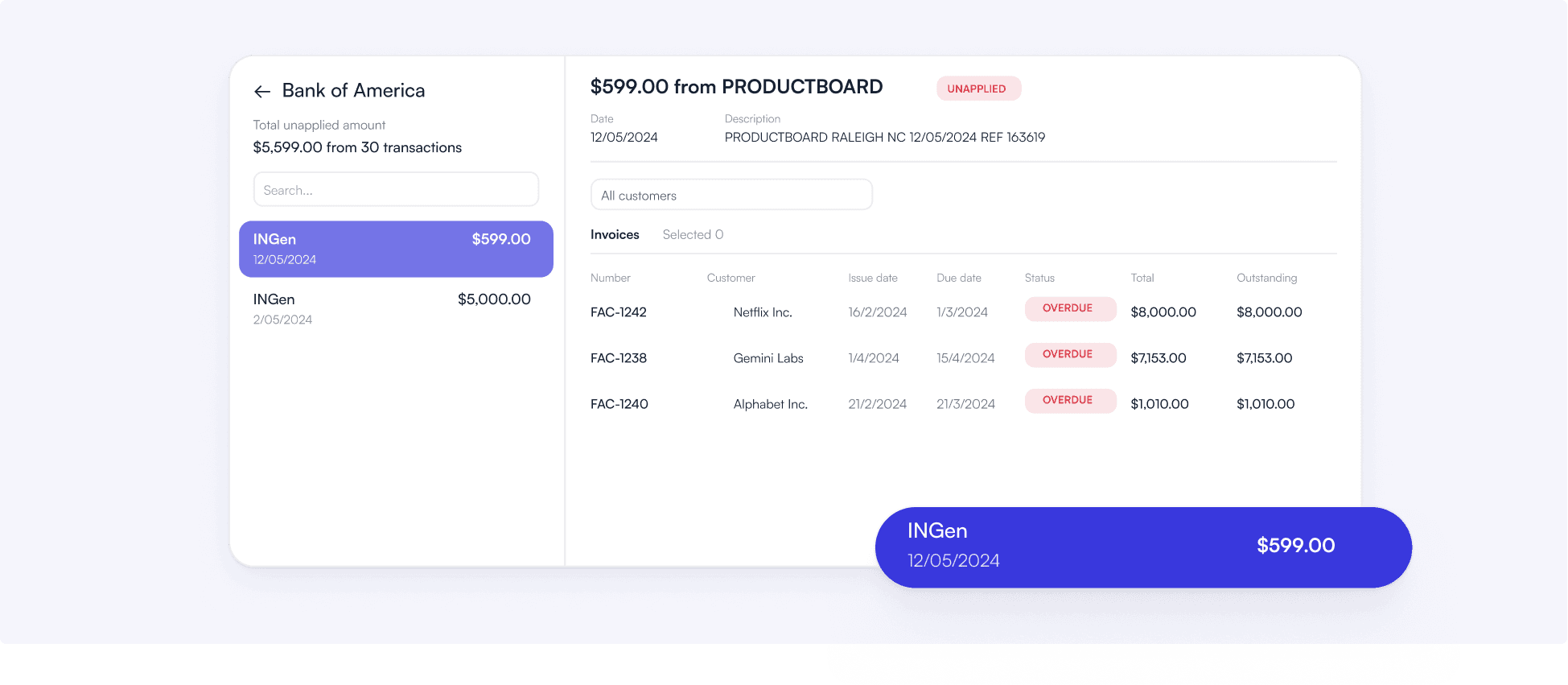
Bank transactions import automatically through a daily bank feed. When a payment comes in, Upflow’s Cash App agent checks whether it maps cleanly to a single open invoice, or to the invoices listed in a customer’s remittance advice. If it does, it applies automatically and writes the payment back to your ERP. If there is any ambiguity, the transaction surfaces as a suggestion for your team to review. Unambiguous matches close without anyone touching them. Anything unclear stays in human hands.
Flexible Payment Options
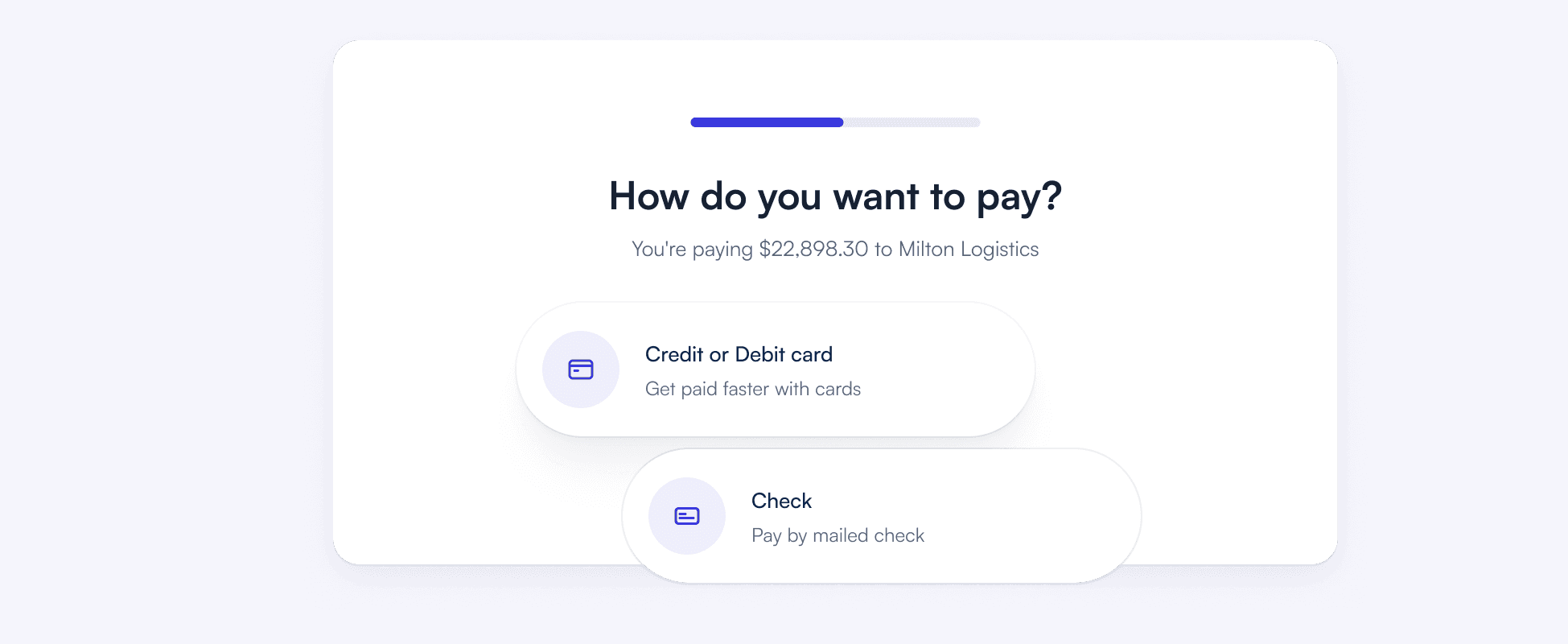
Upflow’s branded customer portal lets customers review outstanding invoices and pay by card, ACH, SEPA or BACS direct debit on their own schedule, in full or in part. Autopay handles recurring accounts. Promise to pay lets customers commit to a date when they cannot pay immediately. Every interaction through the portal is logged on the customer timeline.
Real Time Performance Insights
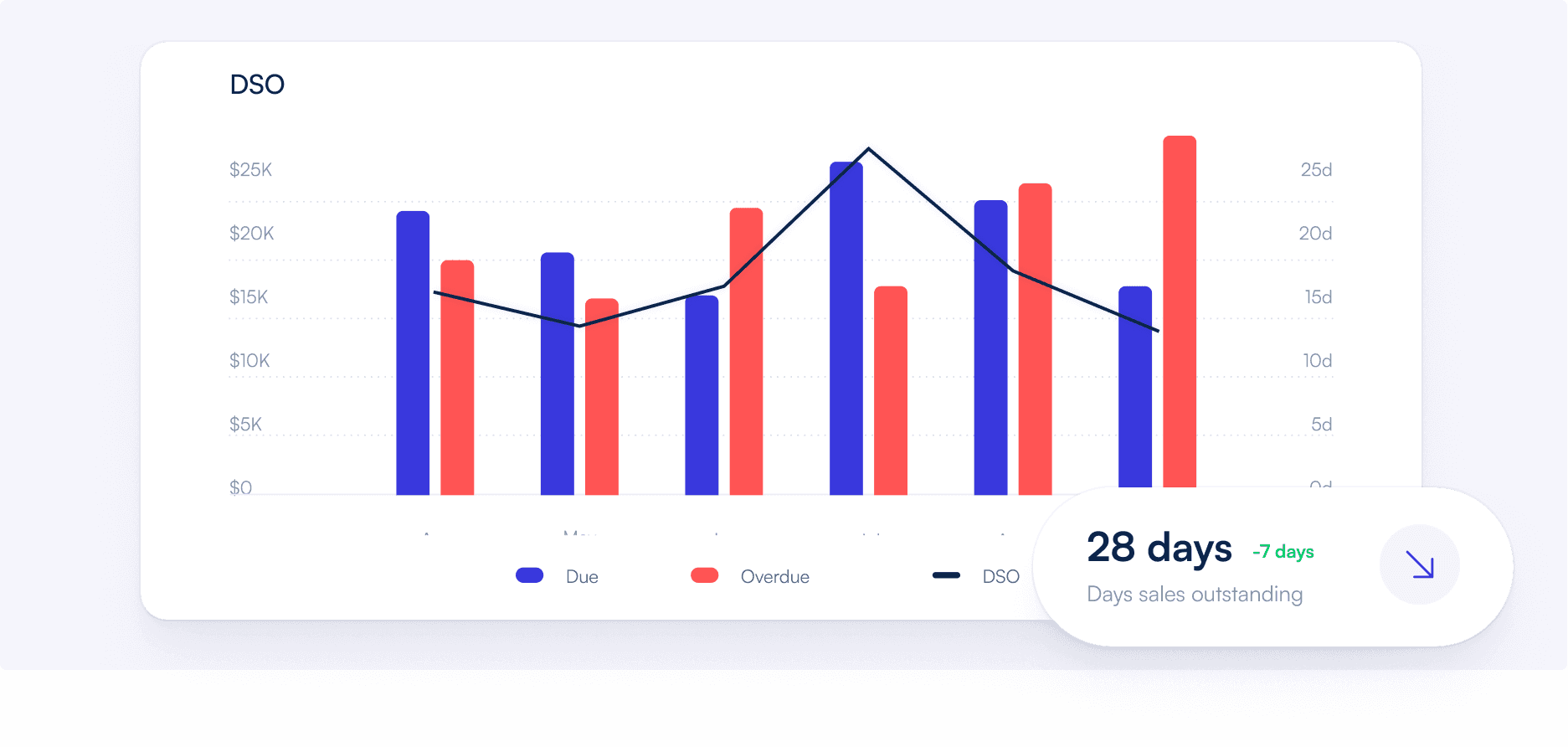
DSO, CEI, aging balances and collection rates update in real time so finance leaders always know where the portfolio stands. Upflow calculates DSO using the Countback method and shows Best Possible DSO alongside it so you can see not just where you are but how far from optimal. Spot at-risk accounts before they become write-offs.
Upflow Accounts Receivable Automation Software (3 Core Capabilities)
Three automation layers that eliminate manual work across the full AR cycle.
Automated Cash Collection
Upflow automates outreach across every account in your portfolio based on payment history and risk, and AI agents handle customer replies, promises to pay and disputes. Your team sets the strategy and how much the agents do on their own. The software executes it consistently.
Real Time AR Analytics
Track DSO, CEI, aging balances and cash forecasts with live dashboards that provide actionable insights across your receivables portfolio.
B2B Payment Experience
Offer secure online payments, partial payments, Autopay and promise to pay features through a branded portal that simplifies collections for your customers.
Accounts Receivable Software That Connects to Your Existing Stack


 NetSuite
 Pennylane
 QuickBooks Online
 Rillet
 Sage Intacct
 Xero
 Chargebee
 Stripe Billing
 Zuora
 Gmail
 Slack
 MCP Server (Claude, ChatGPT, Copilot)
 Professionnal Services
 Upflow APIHubspot
 Salesforce

Billing
CommunicationGmailSlack
GmailSlackCRMHubspotSalesforce
HubspotSalesforceAdvanced Custom Integrations
Accounting & ERP
Plug into your ERP, billing, and CRM systems in minutes. Fast setup, reliable sync, ongoing support.

Real-time sync
No-code setup
Enterprise-grade security
Don't see your tool?
Don't see your tool?
Benefits of Using Accounts Receivable Automation Software Like Upflow
Go beyond reminders. Improve cash flow, gain visibility and strengthen financial relationships.
Reduce DSO
Systematic collection workflows move overdue balances faster and reduce the time between invoice sent and payment received. Upflow shows your DSO, Best Possible DSO and target DSO side by side so improvement is measurable.
Increase Cash Flow Visibility
Access real time dashboards tracking DSO, CEI and aging balances. Identify at risk accounts early and make data driven decisions with confidence.
Eliminate Manual Work
AR automation and AI agents take on the manual work across every stage of the receivables cycle: reminders, customer replies, cash matching and payment tracking, so your team focuses on the accounts that need judgment, not just follow-up.
Strengthen Customer Relationships
Upflow is built around the idea that every payment touchpoint is part of the customer relationship. Personalized outreach and a clean payment experience protect trust while improving collection rates.
Improve Team Collaboration
Align finance, sales and customer success teams in one shared workspace. Centralize communication and ensure consistent follow up across accounts.
Go Live Quickly
Connect your ERP or billing tool in minutes and set everything up in Test Mode before anything reaches customers. Most teams are fully live within a few days to a few weeks.
4.8/5 average rating
from 230+ reviews on G2





Accounts Receivable Automation Software FAQs
Everything You Need to Know About AR Automation Software
Ask AI


Accounts receivable automation software automates the manual work across the full AR cycle: collections reminders, customer replies, cash application, payment processing and performance reporting. Instead of your team chasing every invoice manually, the software runs structured workflows across your entire portfolio, and AI agents handle routine replies and payment matching, surfacing the exceptions that need human judgment.
AR automation reduces DSO by making follow-up consistent: reminders go out on schedule, to the right contact, across every account, without relying on your team to remember. CEI improves because fewer invoices fall through the cracks. Upflow tracks both metrics in real time using the Countback method so improvement is measurable from day one.
The core features are automated collection workflows, customer segmentation with Smart Rules, multi-channel outreach across email, SMS, calls and postal letters, smart cash application, a branded payment portal and real-time DSO and CEI dashboards. The platform should also integrate two-way with your ERP or accounting tool like NetSuite, QuickBooks, Xero or Sage Intacct, so automation always runs on accurate invoice data. Newer platforms add AI agents with controls over how much they do on their own, and an MCP server so your team can query AR data from AI assistants.
Upflow connects to NetSuite, QuickBooks, Xero and Sage Intacct through two-way integrations that sync invoices, payments and customer data automatically. Every automated workflow in Upflow runs on live ERP data, so reminders never go to accounts that have already paid, and cash application matches against your current open invoice list.
Yes, B2B SaaS companies are one of Upflow’s primary use cases. SaaS finance teams deal with high invoice volumes, complex billing structures and customers on different payment terms. Upflow connects to Stripe Billing, Chargebee and Zuora as well as NetSuite and Sage Intacct, captures a card or direct debit before the first invoice so new contracts start on Autopay, and handles follow-up consistently across every account without adding headcount as the business scales.
The main benefits are lower DSO, higher collection rates, less manual work for finance teams and more consistent customer communication. AR automation also gives finance leaders real-time visibility into which accounts are at risk and which collection strategies are working, without building reports from scratch each week.
Upflow is built specifically for B2B finance teams. It automates collections, cash application and payment processing in one platform, with AI agents that handle routine customer replies and payment matching under your team’s control. It connects to the ERPs and billing tools B2B teams already use and gives finance leaders real-time visibility into DSO, CEI and aging balances. On G2, Upflow is a Mid-Market Leader in Accounts Receivable and holds the Best Relationship award in Credit & Collections.
Upflow’s agents take on routine AR work while your team keeps the judgment calls. The Collections Agent handles inbound customer emails: it replies, logs promises to pay, flags disputes and captures remittance advice. The Cash App agent applies bank transactions to invoices when the match is unambiguous, and Ask Upflow answers questions about your receivables in plain language. You set each agent skill to Off, Suggestions only or Auto-mode, so you can start with suggestions and hand over more as the agent proves reliable. In Auto-mode the agent acts only when it’s confident, and every agent action appears on the customer timeline.
Traditional collections rely on someone tracking invoices in spreadsheets, sending reminders by hand and calling when time allows, or on handing overdue accounts to a collection agency. AR automation follows up on every account on a set cadence across email, SMS, calls and letters, applies payments automatically and shows DSO and CEI in real time, so nothing slips through. Unlike a collection agency, it keeps outreach in your own name and tone, so the customer relationship stays with your team.
AR automation makes collections faster and more consistent: reminders on schedule, payments matched automatically, metrics updated in real time. Financial Relationship Management (FRM), the category Upflow pioneered, adds the relationship layer on top: full context on how each customer pays and communicates, coordination between finance, sales and customer success, and a payment experience customers trust. Upflow does both. Automation and AI agents handle the volume, while FRM keeps every reminder, payment and dispute tied to the customer relationship behind it.
Yes. Upflow has an MCP server that connects AI assistants like Claude, ChatGPT and Notion AI to your live AR data. Setup takes a few minutes from your user settings using OAuth sign-in, and your team can then ask about customers, invoices and collections from the assistant they already use, without logging into another tool.
Yes. Upflow maintains an active SOC 2 Type II attestation covering the Security, Availability and Confidentiality criteria. Data is hosted by Amazon Web Services in the EU (Ireland), encrypted in transit with TLS 1.2 or better and at rest with AES-256 or better. Upflow uses continuous backups and database replication to protect against failures, and Cloudflare for DDoS mitigation.
Upflow connects to NetSuite, Sage Intacct, QuickBooks Online, Xero, Rillet and Pennylane for accounting data, Stripe Billing, Chargebee and Zuora for billing, Salesforce and HubSpot for CRM context, and Gmail, Outlook and Slack for customer emails and team alerts. A public API covers other systems, and an MCP server lets your team query live AR data from AI assistants like Claude or ChatGPT. Most connections take minutes, and most teams are fully live within a few days to a few weeks.
Better receivables start with better relationships.
Join the finance teams already collecting smarter and building stronger relationships.