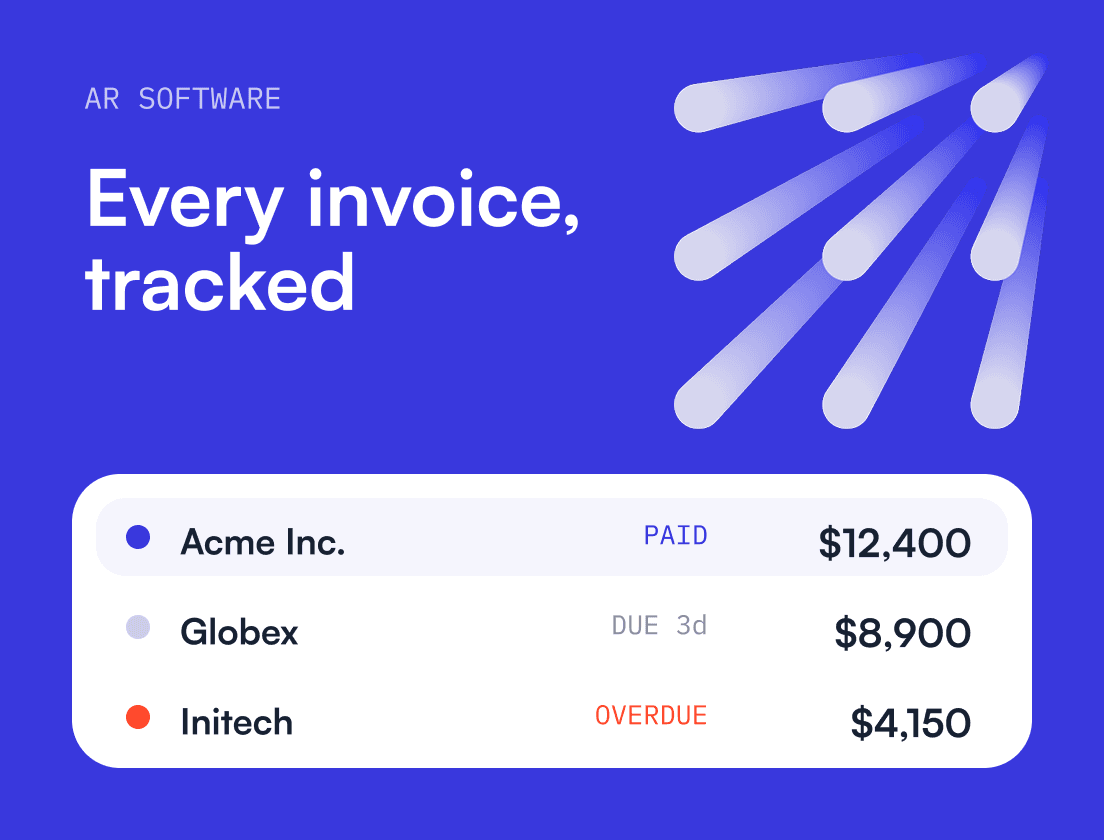
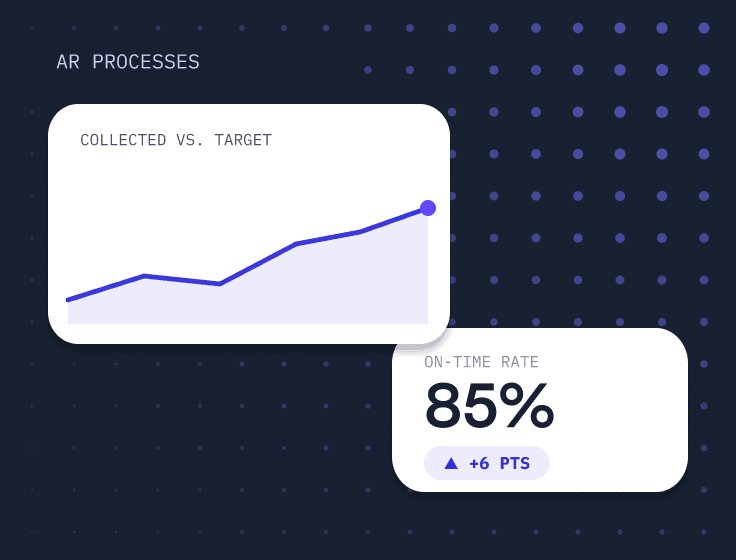
Accounts receivable automation uses software to handle the repeatable work of getting paid: syncing invoices, sending reminders, matching payments and reporting on what’s overdue. Finance teams that automate collect faster, forecast more accurately and spend less time chasing status updates.
Every invoice, reminder and payment is also part of a customer relationship. The teams that get the most out of automation handle those moments with the same care and context they’d bring to a sales or customer success conversation.
For B2B and tech companies, manual AR gets harder with every new customer, and automation lets finance keep up without becoming the bottleneck. In this guide, you’ll learn:
What Is Accounts Receivable (AR) Automation?
Accounts receivable (AR) automation is the use of software and predefined workflows to manage the credit-to-cash cycle with less manual effort and more consistency. In a B2B or tech company, that cycle covers invoicing, payment collection, handling questions and disputes, applying cash to the right invoices, and reporting on performance so finance leaders can forecast cash and manage working capital.
Beyond saving time, AR automation gives you a foundation for better financial relationships with your customers, where every interaction is timely, accurate and consistent. Earlier approaches relied on RPA in accounting to handle rule-based tasks. Today, AI takes it much further.
In practice, AR automation replaces the spreadsheets, inbox searches and tribal knowledge finance teams use to answer questions like these:
- Which invoices are truly at risk this week?
- Which accounts are slow because of a process issue, and which are slow by choice?
- Which customer contacts actually pay the bills, and which ones only approve them?
- What is delaying payment, and who owns the next action internally?
- What is the realistic cash forecast for the next 30, 60 and 90 days?
Where people still matter in AR automation
A common misconception is that AR automation means removing people from collections. For CFOs and finance directors, the goal is to automate what should be automated and keep people focused on the work that needs judgment.
Relationship management, deal context, contract nuance, escalations and dispute resolution all benefit from someone who knows the account. Good automation clears away the noise so your team can spend its time on exceptions and high-value conversations.
Why AR automation matters to finance leaders
If you lead finance in a B2B company, AR shapes:
- Working capital and runway
- Forecast accuracy and credibility with the board
- Customer retention, since billing friction can turn into churn risk
- Efficiency and hiring plans, because AR headcount grows quickly in manual setups
- Audit readiness and internal controls
Revenue only counts once it turns into cash, and the bigger your business gets, the harder manual AR becomes. Automation lets finance keep pace with growth without becoming the bottleneck.
What should finance teams automate first in AR?
Start with tasks that are high in volume, low in judgment and easy to check: invoice sync and status tracking, reminders for low and mid-value accounts, and AR reporting. Add cash application, promise-to-pay tracking and dispute workflows once your data is clean. Keep credit decisions and conversations with strategic accounts led by people.
The biggest practical change is timing. A finance team can spot the invoices likely to be paid late while there is still time to fix the cause, instead of finding out at 30 days overdue.
People stay in charge of the judgment calls. On the Growth-Minded CFO podcast, Nicolas Boucher argued that AI’s role in finance is to augment professionals. In AR, that means escalations, relationship decisions and difficult conversations stay with your team, and AI clears away the work that keeps them from getting to those.
AI also depends on the data underneath it. Gabi Steele, CEO of Preql, explained on the podcast that clean, structured data has to come first. For receivables, that means accurate billing contacts, consistent payment terms, reliable invoice data and a full history of customer interactions. If those are missing, the AI’s recommendations will be wrong in ways that are hard to spot.
How Upflow uses AI in accounts receivable
Upflow’s AI features run on Upflow Intelligence, which learns from each customer’s payment behavior and from how your team works. It handles routine outreach, payment matching and account summaries, and it routes complex accounts to a person. Teams can choose how much it does on its own.
Finance teams can also query their AR data from Claude or Copilot through the Upflow MCP server. Asking “Who should I prioritize this week?” returns a ranked list based on real invoices, aging and communication history.
What are the benefits of accounts receivable automation?
AR automation shortens the time it takes to get paid, makes cash forecasts more reliable, flags risky accounts earlier, cuts manual work and gives customers an easier way to pay. Those gains matter because late payment is common. In the 2026 Atradius Payment Practices Barometer for North America, seven in ten companies reported late payments from B2B customers, and overdue invoices made up an average of 23% of B2B receivables.
1) Lower DSO and more control over working capital
Most B2B companies carry delays they could avoid. Follow-ups happen when someone has time, invoices go out without a PO number, and customers have no easy way to pay. Automation fixes these at scale.
Most of the DSO reduction comes from predictable timing and fewer mistakes. Customers who know what to expect, and can sort out an issue quickly, pay sooner.
Faster, more predictable collection also gives you more room on treasury decisions, such as when to pay vendors, when to draw on a credit facility, and when to offer early payment incentives or adjust terms.
2) More reliable cash forecasting
Manual forecasts lean on verbal updates and due dates, so they tend to be optimistic. Automation tracks what customers actually do: the promise-to-pay dates they give, how quickly they respond, how often they dispute, and whether they pay when they said they would. A forecast built on that history holds up better in a board meeting or a hiring plan.
3) Earlier warning on risky accounts
Automation surfaces the warning signs while you still have time to act. These include repeated broken promises to pay, disputes sitting with no internal owner, a customer whose payment pattern has shifted, or too much exposure concentrated in a few accounts. Catching them early reduces bad debt.
4) Less manual work and a clear audit trail
A lot of manual AR work doesn’t change the outcome. Updating spreadsheets, copying invoice links, searching inbox threads and chasing sales for context take hours every week. Automation removes most of it, and shared notes and task assignment mean finance, sales and customer success stop duplicating outreach.
Every reminder, reply and dispute is also logged. That record supports audits and revenue recognition, and it makes handovers much easier when someone changes roles.
5) A better experience for your customers
Payment is a customer experience touchpoint, and consistency drives a lot of your AR collection performance. When reminders follow your policies and segments, customers get a predictable cadence and fewer surprises. Accurate invoices, a clear portal and easy payment methods remove the friction that leads to escalations. Segmentation also lets larger accounts receive personal messages from someone who knows the relationship.
What are the drawbacks of accounts receivable automation?
The main drawbacks are the setup effort, data problems that surface once you start, the risk of over-automating customer messages, integration work and the cost. All five are manageable if you plan for them before you go live.
1) Upfront effort and change management
AR automation needs process mapping, data cleanup, agreement between finance, sales and customer success, and training. Teams that skip the change management side usually end up back in spreadsheets within a few months. A clear owner, often the CFO or controller, keeps adoption on track.
2) Data quality problems come to the surface
Once invoices and contacts sync into one place, messy data becomes hard to ignore. Typical problems are wrong billing contacts, duplicate accounts, inconsistent payment terms, missing PO requirements and invoice lines that don’t match the contract. Seeing them is useful because you can finally fix them, but budget time for the cleanup.
3) Over-automation and the wrong tone
Automated messages sent without segmentation or human oversight can annoy strategic accounts, escalate too early and create disputes that didn’t need to happen. Segment your customers and decide in advance where a person has to step in, especially before sending collection emails to key accounts.
4) Integration complexity
If your stack includes a billing system, a CRM, a support desk and an accounting tool, connecting them takes real work. Do it in order. Start with accounting and invoice sync, then add CRM context, then payment methods and the portal, and leave advanced workflows for last.
5) Cost, and how to judge the ROI
Software, implementation and training all cost money, so the question for a CFO is whether the return justifies it. The ROI of AR automation software usually comes from four places:
- Hours saved on manual work, multiplied by your team’s loaded cost per hour
- Cash released by a lower DSO, valued at your cost of capital
- Bad debt avoided because risky accounts are flagged earlier
- Fewer cash forecast surprises, such as emergency credit draws or delayed hiring decisions
For many B2B finance teams, a small drop in DSO covers the cost of the tool. Upflow’s ROI calculator estimates the cash and time you could free up each year.
How do you implement accounts receivable automation?
Most rollouts follow the same order: agree on goals, map how AR works today, fix invoices and data, connect your systems, set up playbooks for each customer segment, then keep refining. The early steps take the most discipline, and they decide how much value you get later.
Step 1: Set the business case and success metrics
Decide what success looks like before you configure anything. Good targets are specific and time-bound, for example:
- cut DSO by a set number of days within six months
- reduce the share of past-due invoices older than 30 days
- improve 30-day forecast accuracy
- reduce weekly admin time per collector
- shorten dispute cycle time
Pick metrics your team can track every week, and break them down by customer segment from the start. A blended DSO hides which customers, regions or payment methods are causing the delays.
Step 2: Map your current credit-to-cash workflow
Write down how AR actually runs today, workarounds included. Cover invoice creation and approval, how invoices are delivered and to whom, payment methods, the current reminder cadence, escalation rules, dispute ownership and where your reporting data comes from.
Map cash application as well, since manual payment matching is often where most of the hours go. Note how reconciliation is handled and who signs it off. Credit-to-cash also sits inside the wider order-to-cash process, so include the handoffs from sales and billing.
The finished map usually makes it clear where automation should start.
Step 3: Fix invoice problems before you automate follow-ups
Reminders built on inaccurate invoices only send the errors out faster. Before automating follow-ups, standardize your invoice templates, include PO and contract references, and verify billing contacts when new customers are onboarded. Make sure payment terms such as Net 30 match between contracts and invoices.
Decide when and how invoices are sent, and make renewals, upgrades and prorations easy to read on the invoice itself.
Step 4: Clean your customer and invoice data
Run a short data cleanup before go-live. Confirm the billing, AP and escalation contacts for each account. These are often three different people, and reminders going to the wrong one is one of the most common reasons automation underperforms.
Remove duplicate customers, check payment terms and currencies, and make sure invoice statuses in your source system are accurate. Projects that skip this step tend to stall.
Step 5: Connect your source-of-truth systems
Start with your accounting or ERP system, since that is where invoices live. Then add your billing system if it is separate, your CRM for relationship context, your payment providers, and bank feeds if you need them for cash application.
Connect one system at a time and check the data before adding the next.
Step 6: Segment customers and define playbooks
Segmentation keeps automation from feeling generic. Useful ways to segment include:
- invoice size or ARR
- payment history and average delay
- strategic importance and churn risk
- region and compliance requirements
- contract terms and renewal timing
For each segment, set the reminder frequency, tone, escalation path and internal owner, and decide where a person has to step in. Build those checkpoints in for strategic accounts and for any customer in a sensitive moment, such as a renewal, an expansion or an open dispute.
Step 7: Build templates and escalation rules
Keep payment reminder templates short, clear and on brand, and write them to cut down on back-and-forth. Each one should include the invoice summary and due date, a payment link or portal access, and how to raise a dispute. Overdue reminders should also ask for a promise-to-pay date.
Escalation rules should reflect how your customers actually behave. A typical path moves from email reminders to a collection call or a task for the account owner, then to finance leadership for strategic accounts.
Step 8: Improve the customer payment experience
Give customers portal access, offer payment methods beyond bank transfer where it makes sense, and send account-level reminders instead of one email per invoice. Make the dispute process easy to find and use.
For recurring customers, autopay removes the reminder step altogether. Reducing payment friction is one of the fastest ways to lower DSO.
Step 9: Review and refine every quarter
The cadence you set at launch won’t fit a year later, because payment behavior and your customer base both change. Each quarter, review:
- DSO and aging by segment. Tracking them in an AR dashboard shows where delays are building before they reach the monthly numbers.
- Promise-to-pay reliability. Customers who keep missing the dates they commit to need a different playbook, such as earlier escalation, shorter credit terms or a conversation led by a person.
- Dispute volume and causes. A rise in disputes usually points to an upstream problem, like invoice accuracy or unclear contract terms, so fix it at the source.
- Input from sales and customer success. They know what was promised commercially and which accounts are at risk, context finance often doesn’t have.
- Forecast accuracy. Compare the cash you collected against what you expected. Reliable promise-to-pay data and payment history are what make the forecast hold up, and a forecast you can trust is where AR automation pays off most.
Then adjust your thresholds, cadences and escalation rules based on what you find.
How do you measure whether AR automation is working?
Set a baseline before go-live, then track a short list of metrics every week: DSO, Collection Effectiveness Index (CEI), the share of invoices paid on time, aging, promise-to-pay reliability, dispute cycle time and hours spent on manual work. Break each one down by customer segment, because a blended number hides where the problem is.
Your starting DSO and aging are the numbers everything else gets compared against. You can get both, along with three other core AR metrics, from Upflow’s AR metrics calculator.
Most mid-market finance teams land on a dedicated platform, because the best accounts receivable software for a growing company pairs reliable ERP sync with the segmentation and collaboration an ERP module lacks.
Key features to look for in AR automation software
Reliable accounting and ERP sync. Invoices and customer records should sync cleanly, statuses should update on their own, and your entities, currencies and tax setup should be supported. Everything downstream depends on this.
Workflow flexibility. You need segmentation, custom cadences, escalation rules by account tier, and the option to send specific accounts to a person instead of an automated sequence. A rigid collection workflow underperforms as soon as you have more than one type of customer.
Collaboration. Look for shared account timelines, internal notes and task ownership, with visibility for sales and customer success when they need it.
Customer payment experience. A branded portal, several payment methods and clear invoice visibility all reduce the friction that delays payment.
Analytics a CFO can use. Beyond DSO, you should be able to see aging by segment, promise-to-pay reliability, dispute volumes and cycle times, collector productivity and forecasting support, without exporting anything.
Before the demos, answer a few questions as a team. Do you need basic visibility, or complex workflows and controls? Do you already segment customers, or do you need the tool to help you start? Would standard playbooks be enough, or do you need heavy customization? Does finance work alone, or with sales and customer success at scale?
Buy for the stage you’re at. A tool built for where you hope to be in three years can slow down the implementation you need now.
Questions CFOs should ask in demos
- How does the tool handle account-level versus invoice-level follow-ups?
- How are disputes tracked, and how is internal ownership assigned?
- How does promise-to-pay tracking work, and how does it feed the forecast?
- What controls stop a customer from getting too many messages?
- How are escalations handled for strategic accounts?
- What does success look like at 30, 60 and 90 days?
Where Upflow fits
Upflow is a financial relationship management platform for B2B finance teams. It brings collections, cash application, payments and AR analytics into one place, and gives finance, sales and customer success the same view of every account. Teams automate the routine follow-ups and keep the conversations that affect the relationship with the people who own it.
If you want to see how that would work with your own receivables, book a demo.