


B2B Payment Software
B2B Payment Software for Finance Teams
Upflow is B2B payment software with a branded customer payment portal. Customers pay invoices by card, ACH or wire, every reminder includes a link to pay, and each payment writes back to NetSuite and your ERP automatically.

Trusted by the world’s leading B2B Finance Teams
















What to Look for in B2B Payment Software
The right B2B payment software makes it easy for customers to pay you online, and keeps every payment connected to your invoices, your ERP and your collections process.

Branded Customer Payment Portal
Good B2B payment software gives every customer a self-service portal to view open invoices, pay one or several at once and download account statements. Upflow's portal runs on your colors, your domain and your sender address, so paying feels like part of your brand, not a third-party checkout.

Card, ACH and Wire Payments
B2B customers pay in different ways, and limiting them to one method slows collection. Look for software that accepts credit and debit cards, ACH and wire transfers, plus SEPA and BACS direct debit for customers in Europe and the UK, in the currency each invoice was issued in.

Real-Time ERP Writeback
Every online payment should land in your ERP without re-keying. Upflow writes payments back to NetSuite, Sage Intacct, QuickBooks Online and Xero. With NetSuite, Autopay payments sync in real time and each payout's bank deposit is created automatically.

Autopay and Saved Payment Methods
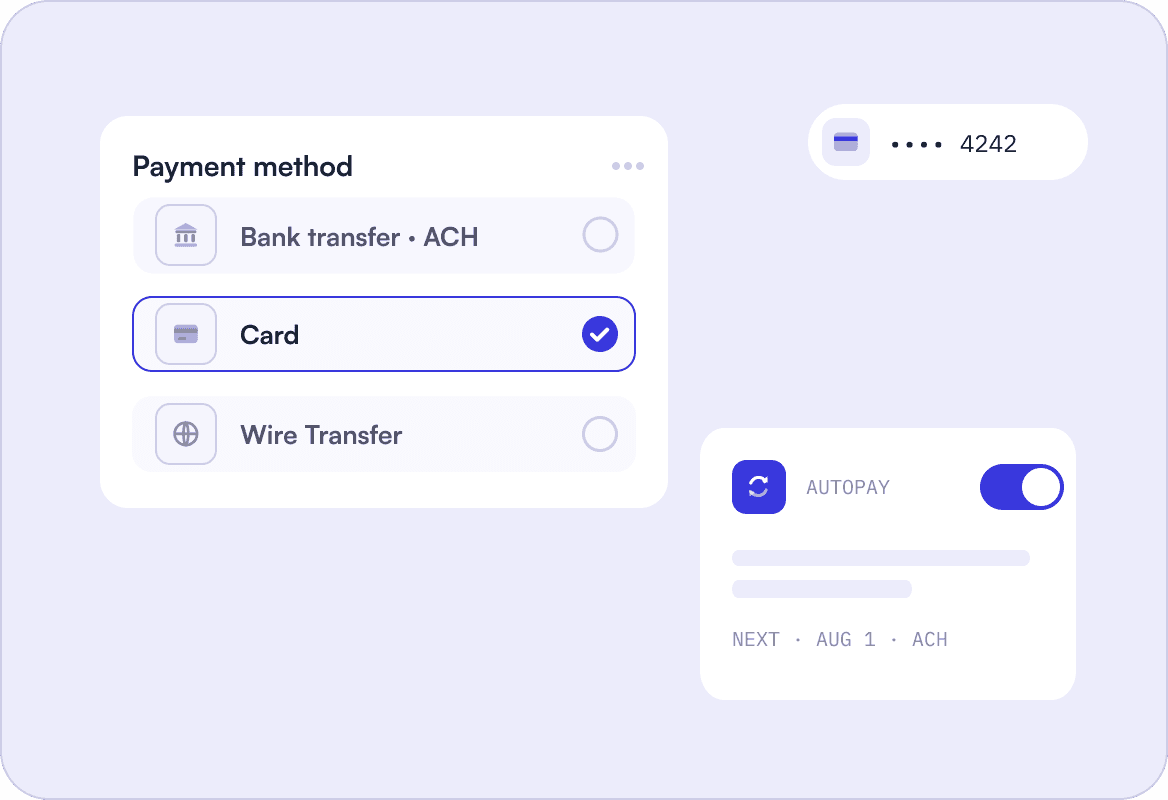
Recurring customers shouldn't have to pay by hand every month. With Upflow, customers save a card or bank account once and invoices are debited automatically on the due date, with a notice sent two days before each debit. You can even capture a payment method before the first invoice is issued.

Partial Payments and Flexible Terms
When a customer can't pay in full, a partial payment beats no payment. The right tool lets customers pay part of an invoice online and set a promise to pay for the rest, so flexible terms and installments don't turn into manual tracking for your team.

Payment Visibility Beyond Finance
Payment status matters to sales and customer success, not just finance. Upflow logs every payment on the customer's timeline and pushes AR status to Salesforce and HubSpot, so account owners know who has paid before a renewal call.
How B2B Payment Software Like Upflow Works
From invoice sent to payment in your ERP, here is how Upflow gets B2B customers paying online.
Branded Payment Portal
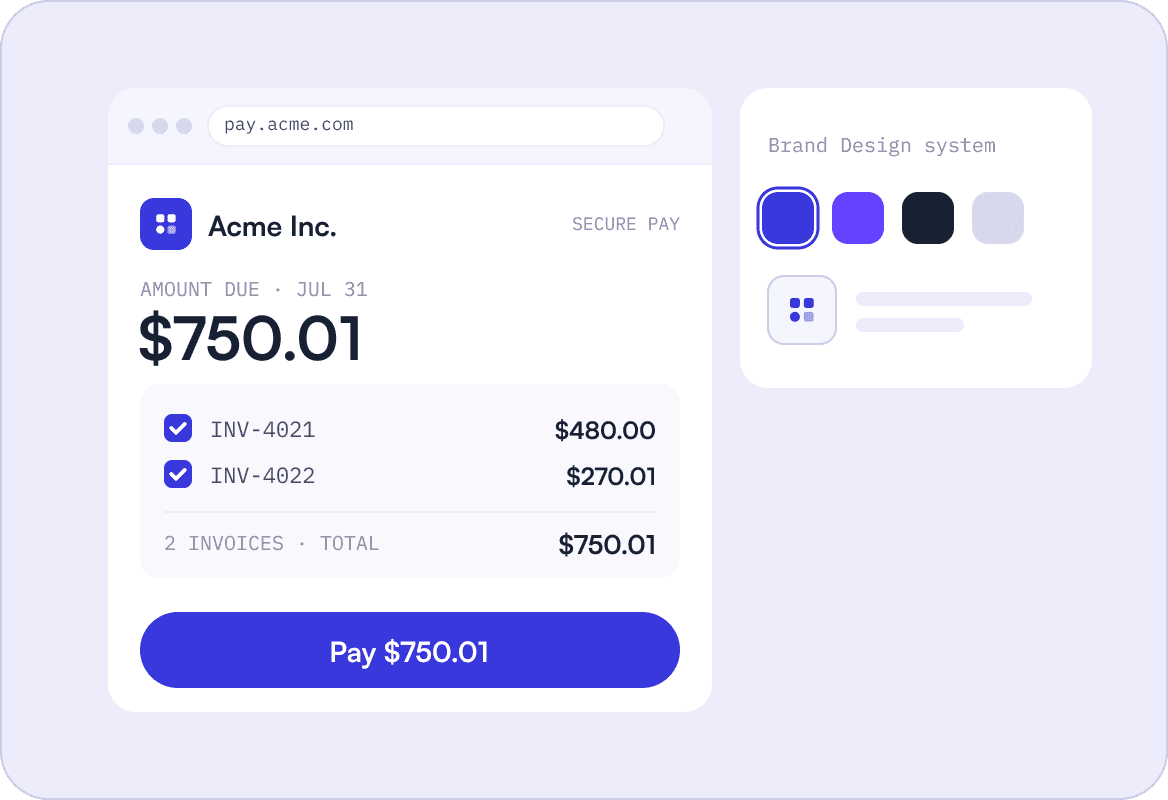
Every customer gets their own portal link, included in your invoice and reminder emails. They see what they owe, pay one or several invoices by card, ACH or wire, save a payment method for Autopay and download statements, all on a portal that uses your colors and your own domain. You can also embed the portal in your app or website, so customers pay without leaving your product.
Payment Intelligence
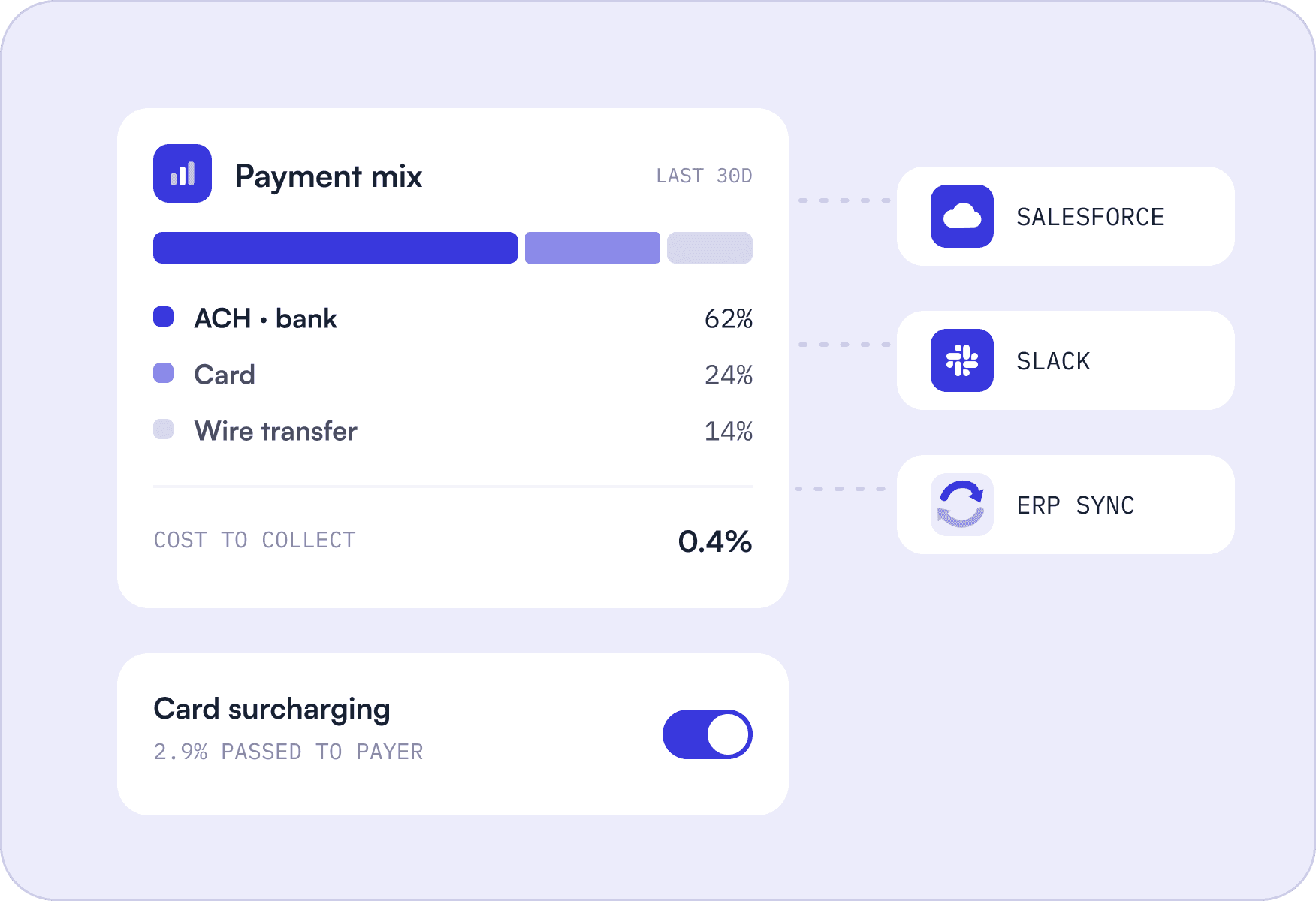
Payments in Upflow sit next to the rest of your AR data. Track your payment mix by method, pass card fees of up to 3% on to customers paying by credit card, and let customers pay part of an invoice when they can't pay in full. Autopay pauses when a customer has unapplied credits, so nobody gets charged twice. Every payment writes back to your ERP, and AR status reaches your sales team in Salesforce.
Fast Activation
Activating payments takes a short verification form that takes under 5 minutes to complete and is usually approved within 24 hours. From there, you switch on cards and direct debits for all your customers in a few clicks, or test them on a smaller group first. Payouts land in your bank account in daily batches, and on NetSuite each deposit is created and matched for you.
Upflow B2B Payment Software
Three capabilities that connect getting paid to the rest of your accounts receivable process.

Payments Built Into Collections
Every reminder includes a link to pay online, and paid invoices drop out of your collection workflows automatically. Your reminders and your payment portal run on the same data.

Cash Application for Every Payment
Portal payments apply to the right invoices instantly. Bank transfers and wires are matched by Upflow's Cash App agent, which reads remittance emails and only auto-applies matches it is confident about.

Payment Analytics
See your payment mix by method, which customers are on Autopay and which payments failed, then measure the effect on DSO alongside the rest of your receivables.
B2B Payment Software That Connects to Your Existing Stack


 NetSuite
 Pennylane
 QuickBooks Online
 Rillet
 Sage Intacct
 Xero
 Chargebee
 Stripe Billing
 Zuora
 Gmail
 Slack
 MCP Server (Claude, ChatGPT, Copilot)
 Professionnal Services
 Upflow APIHubspot
 Salesforce

Billing
CommunicationGmailSlack
GmailSlackCRMHubspotSalesforce
HubspotSalesforceAdvanced Custom Integrations
Accounting & ERP
Payments collected through Upflow write back to NetSuite, Sage Intacct, QuickBooks Online and Xero, and AR status flows to Salesforce and HubSpot. On NetSuite, online payments sync in real time and payout deposits are created automatically.

Real-time sync
No-code setup
Enterprise-grade security
Don't see your tool?
Don't see your tool?
Benefits of Using B2B Payment Software Like Upflow
Get paid faster, spend less on every payment and give customers an easier way to pay.

Get Paid Faster
When customers can pay online in a few clicks, invoices stop waiting on checks and manual transfers. Veryable grew the online share of its payment mix from 3% to 15% after moving payments to Upflow.
More Customers on Autopay
Saved payment methods turn recurring invoices into automatic debits on the due date. Flinks doubled the number of customers signed up to Autopay within two months of migrating to Upflow.

Lower Cost to Collect
Set a card limit that routes large invoices to ACH, and pass card fees of up to 3% on to customers who still choose to pay by credit card. Your payment mix analytics show what each method costs you.

Less Reconciliation Work
Portal payments are applied to the right invoices and written back to your ERP automatically, so your team stops matching payments by hand. On NetSuite, payout deposits are created for you too.

Fewer Payment Questions
Customers check their balance, download statements and find documents like your W-9 on their own, instead of emailing your team to ask what they owe or where to send payment.

Go Live Quickly
Payment activation takes under 5 minutes to submit and is usually approved within 24 hours. Upflow also migrates your existing processor setup for free, so customers keep one place to pay.
4.8/5 average rating
from 230+ reviews on G2





B2B Payment Software FAQs
Everything You Need to Know About B2B Payment Software
Ask AI


B2B payment software lets businesses collect invoice payments from other businesses online, by card, ACH, wire or direct debit. Unlike a payment processor, which only moves the money, B2B payment software also gives customers a portal to view and pay invoices, applies each payment to the right invoice and writes it back to your ERP. Upflow combines all of this with collections and cash application in one platform.
Upflow is accounts receivable software with a built-in, white-label customer payment portal. At a minimum, a portal should let customers see every open invoice, pay one or several at once, save a payment method and download statements. Upflow creates a portal for every customer automatically and adds an invoice payment link to every reminder email. Customers can also set up Autopay, make partial payments, promise to pay or raise a dispute. The portal runs on your brand colors, favicon and own domain, and you can embed it in your app or website.
Upflow lets B2B customers pay invoices by credit or debit card, ACH direct debit and wire transfer. Customers in Europe can pay by SEPA direct debit, and UK customers by BACS direct debit. Payments can be accepted in almost any currency, and you decide which methods each customer sees.
SaaS and tech companies need recurring invoices collected automatically, payments synced to their ERP and a payment portal that matches their brand. Upflow is built for mid-market B2B finance teams: invoices from Stripe Billing, Chargebee, Zuora or your ERP appear in each customer’s portal automatically, customers save a card or bank account for Autopay, and every payment writes back to your ERP. You can capture a payment method before the first invoice is issued, so new contracts start on Autopay. B2B software companies including Lattice, Productboard and Vercel use Upflow for accounts receivable.
Yes. Payments collected through Upflow, including Autopay debits, sync to NetSuite in real time with each payment method mapped to its NetSuite equivalent. Upflow also creates the bank deposit for each payout in NetSuite automatically, and you can add a Pay via Upflow button to the invoice PDFs NetSuite generates. Payments also write back to Netsuite.
Yes. When partial payments are switched on, customers can pay any amount toward an invoice through their Upflow portal by card or direct debit, and set a promise to pay for the remaining balance. This makes flexible terms and ad hoc installments easy to offer without tracking them manually.
Make paying online the easiest option. Include a payment link in every invoice and reminder email, offer the methods your customers prefer, and let them save a payment method for Autopay. With Upflow, Veryable grew the online share of its payment mix from 3% to 15%, and Flinks doubled its Autopay sign-ups within two months.
Yes. Upflow Payments runs on Stripe's infrastructure, which is certified PCI Service Provider Level 1, the highest level of payment security. Upflow itself is SOC 2 Type 2 audited and GDPR compliant, so payment data and customer information are protected end to end.
Yes. Upflow lets you add a surcharge of up to 3% on credit card payments, shown to customers as a separate card fees line at checkout. Debit and prepaid cards are excluded automatically, and surcharging isn't available for merchants based in Connecticut, Maine, Massachusetts or Puerto Rico. You can apply it to all customers, a filtered group or individual accounts.
Getting paid should be the easy part.
Join the B2B finance teams giving customers a better way to pay, with every payment connected to their ERP and collections.