

Upflow → Blog → SaaS Finance
Best SaaS Billing Software in 2026: Subscription & Recurring
Jean-Malo Le Dreff
|
June 22, 2026
Generate AI summary


Choosing the right SaaS billing software is one of the more consequential decisions a finance or ops team makes. Get it wrong and you’re locked into a platform that can’t support your pricing model, paying more than you need to, or rebuilding your billing stack a year later.
The market has also gotten more fragmented. Purpose-built platforms now exist for usage-based billing, merchant-of-record models, international compliance, and teams at every stage of growth. The right answer depends on where you are, how you charge, and how fast that’s likely to change. In this guide, we’ll walk you through:
- Types of SaaS Billing Models
- Why SaaS Businesses Need Billing Software
- How to Choose the Right Automated Billing Software
- The Best SaaS Billing Platforms for Subscription and Recurring Billing
Looking to improve your financial relationships with customers after billing? Upflow integrates seamlessly with your billing software and helps you collect payments faster and reduce manual follow-ups.

Types of SaaS Billing Models
SaaS businesses rarely stick to one-size-fits-all pricing. From self-serve startups to enterprise-level platforms, billing models often evolve with customer needs and product complexity. That’s why SaaS billing software must accommodate a variety of billing structures. Here are the most common models:
Subscription Billing
This is the most familiar model in SaaS, customers pay a fixed amount on a regular schedule (monthly, quarterly, annually). It’s ideal for simple plans with little variation, such as standard tiered pricing or freemium upgrades.
Most often used by: Project management platforms, CRM tools, and productivity suites.
Recurring Billing
Recurring billing includes any repeated charge, but isn’t necessarily tied to a fixed plan. This includes usage-based, metered, or seat-based pricing. It’s popular among SaaS companies with dynamic usage patterns.
Most often used by: Cloud infrastructure, developer tools, or analytics platforms billing by API calls, data volume, or active users.
Hybrid Billing
Many modern SaaS companies blend fixed subscriptions with variable charges. For example, a base monthly fee + per-user or per-GB overages. Hybrid billing is flexible and scalable, but also harder to manage manually, making an automated billing software essential.
Most often used by: Video conferencing tools, file storage providers, or B2B platforms with custom pricing.
Why SaaS Businesses Need Billing Software
No matter which billing model your SaaS uses: subscription, recurring, or hybrid, managing it manually is a recipe for churn, revenue leakage, and wasted time.
SaaS companies tend to have a high volume of transactions, as well as a complex product mix. With subscription management, add-ons, upsells, upgrades and downgrades, tiered plans… issuing each and every invoice manually would be a nightmare, that’s why billing software is a must-have for better financial relationships.
Using billing software allows you to automate your whole billing process and to create specific workflows that do the bulk of the work for you. They’re also great to stay on top of your SaaS metrics.
Most billing platforms also include a payment gateway, which means that your client can pay directly through the platform in a secure manner, using their preferred payment methods.
Advanced SaaS billing solutions also support recurring and subscription billing, plus revenue recognition features to manage deferred revenue and stay compliant.
Clearly, SaaS billing software is indispensable. But how do you choose the one that fits your business best?
How to Choose the Right Automated Billing Software
Switching to new billing software is a big move. Setup time, onboarding, training, and process migration can take effort, and yes there are switching costs. But holding on to outdated or limited software can silently hurt your revenue and stunt your growth.
Adding a billing solution to your SaaS finance stack should be a strategic move. The right timing and the right choice can unlock scale and efficiency across your operations.
Define Your Needs: Present and Future
Before exploring options, map out what your SaaS business really requires from a billing system. Whether you’re running a subscription billing model, a recurring revenue stream, or a hybrid of both, here are key questions to ask:
- Do you need a full subscription billing software, or just invoicing and collections?
- At which stages of the customer lifecycle will billing software provide the most value?
- Do you operate across multiple countries and currencies?
- What’s your current billing volume, and how fast is it projected to grow?
- Do you require built-in dashboards or metrics tracking (e.g., MRR, churn, LTV)?
- Do you need revenue recognition features for compliance?
List out your must-haves and nice-to-haves. A clear understanding of your SaaS billing process today will help you choose a platform that supports tomorrow.
Compare the Top SaaS Billing Solutions
Once you’ve clarified your needs, compare leading billing software platforms on the market. Don’t just compare features, look at pricing models too.
- Some platforms charge a percentage of your billing volume (e.g., 0.75% of revenue)
- Others charge a flat monthly fee, which may scale with usage tiers
Depending on your revenue stage, this can have a significant impact. You’ll find a comparison of the best recurring billing software options later in this article.
Prioritize Integration and Ecosystem Fit
Your SaaS billing software should seamlessly integrate with your existing tools: CRMs, ERPs, analytics platforms, and AR systems like Upflow. Open APIs and pre-built integrations will ensure smoother operations and data consistency.
The best billing software for SaaS doesn’t just automate billing, it becomes a core part of your revenue engine.
The Best SaaS Billing Platforms for Subscription and Recurring Billing
Now that you know how to choose your billing software, let’s have a look at the 8 best we’ve selected for SaaS companies:
1. Stripe Billing
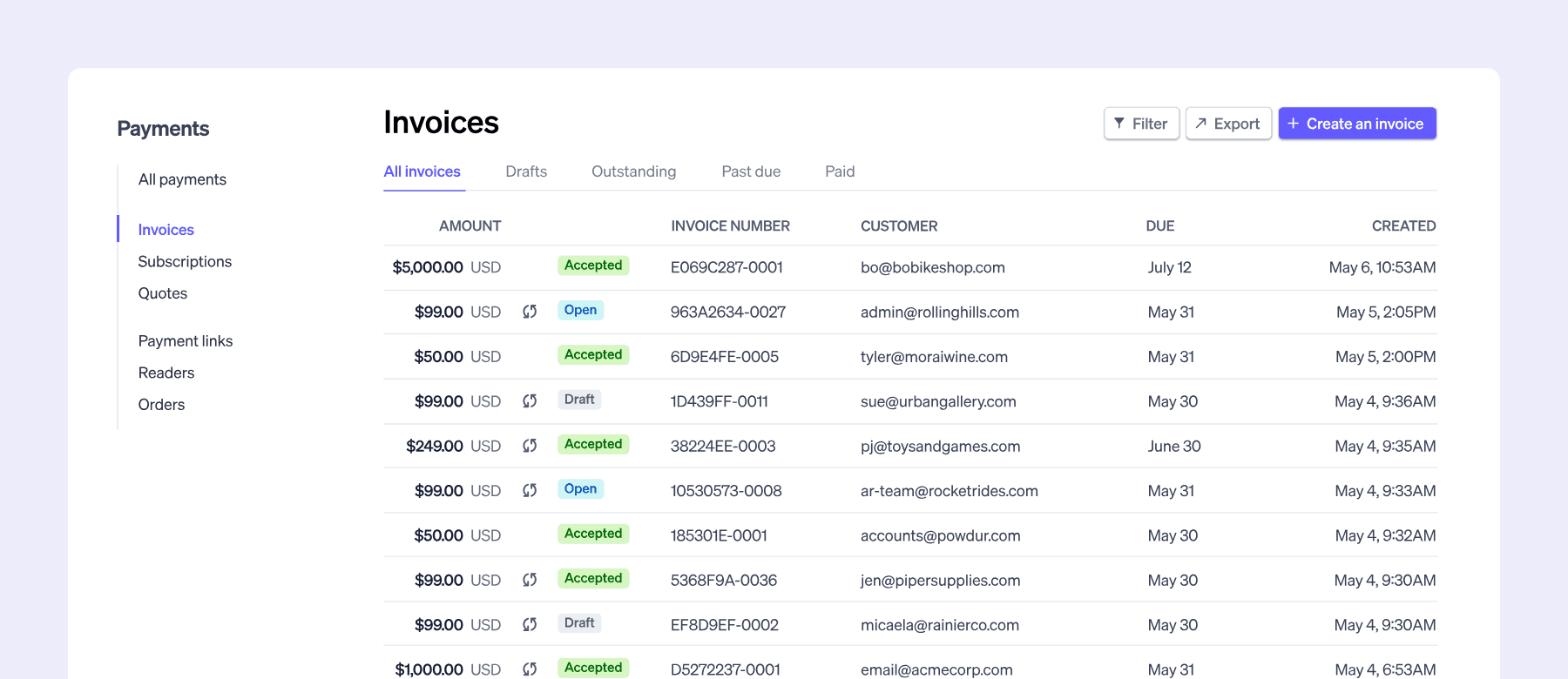
A leader in the payment industry, Stripe doesn’t need introductions anymore. While this billing platform started by offering payment processing, it now comes with specific billing features that make it a great choice for a SaaS business.
Stripe Billing offers many subscription management features in the form of a flexible platform that accommodates various pricing models. Adding new pricing and offers can be done easily.
Stripe has many integrations with card networks and banks as well as a powerful API. Their customer service is 24/7 which, when it comes to billing, is always a plus. They also rely on machine learning to optimize your billing process.
What makes it great: It is a very convenient choice, easy to set up, and can cater to the billing needs of a small business as well as a growing one.
Upflow integrates natively with Stripe Billing, so your invoices flow straight into cash collection without manual work.
Parth Patel on G2
Ex CFO @ casavi GmbH
Stripe Billing pricing:
- 0.7% of billing volume (pay-as-you-go). Annual subscription plans available for more predictable monthly costs. Custom pricing for high-volume businesses.
Note: Prices might vary due to seasonal offers, discounts, or updates. For the most accurate and up-to-date pricing, visit Stripe Billing’s official pricing page.
2. Recurly
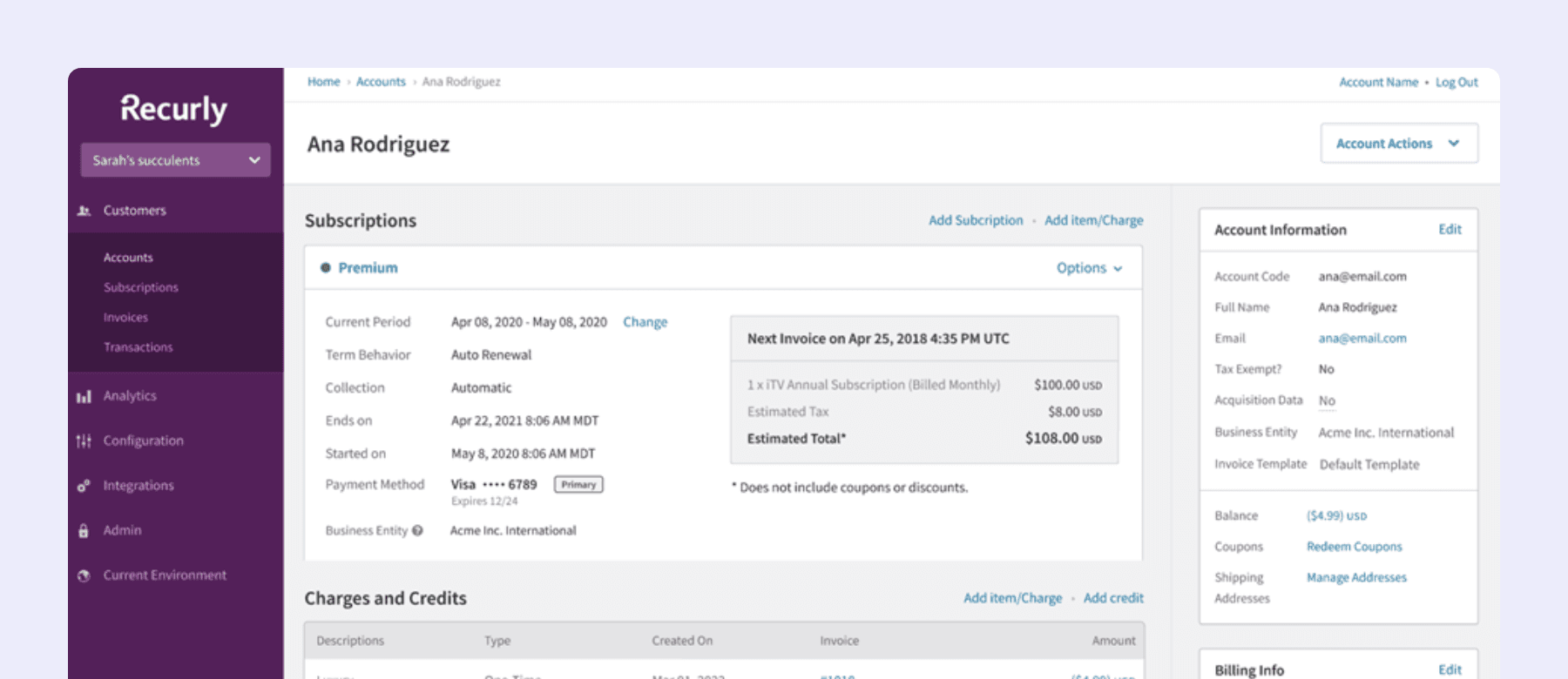
A subscription management platform as well as a billing platform, Recurly offers advanced features for SaaS billing.
Its strength? With Recurly, you can personalize pretty much everything so it matches your needs. Their API is designed with developers in mind, so you can create a billing system that supports various pricing plans and business models.
Their software supports complicated billing models as well as many currencies, languages, and payment methods. It also has many integrations with CRM, payment gateways, and other financial tools.
What makes it great: thanks to machine learning, Recurly has a dunning functionality that prevents churn and recovers your subscribers, increasing your MRR.
Recurly pricing:
- Starter: $249/month + 0.9% of billing volume (first $40K of monthly billings included). 90-day free trial.
- Custom pricing for higher volumes.
For more information, visit Recurly’s official pricing page
3. Chargebee
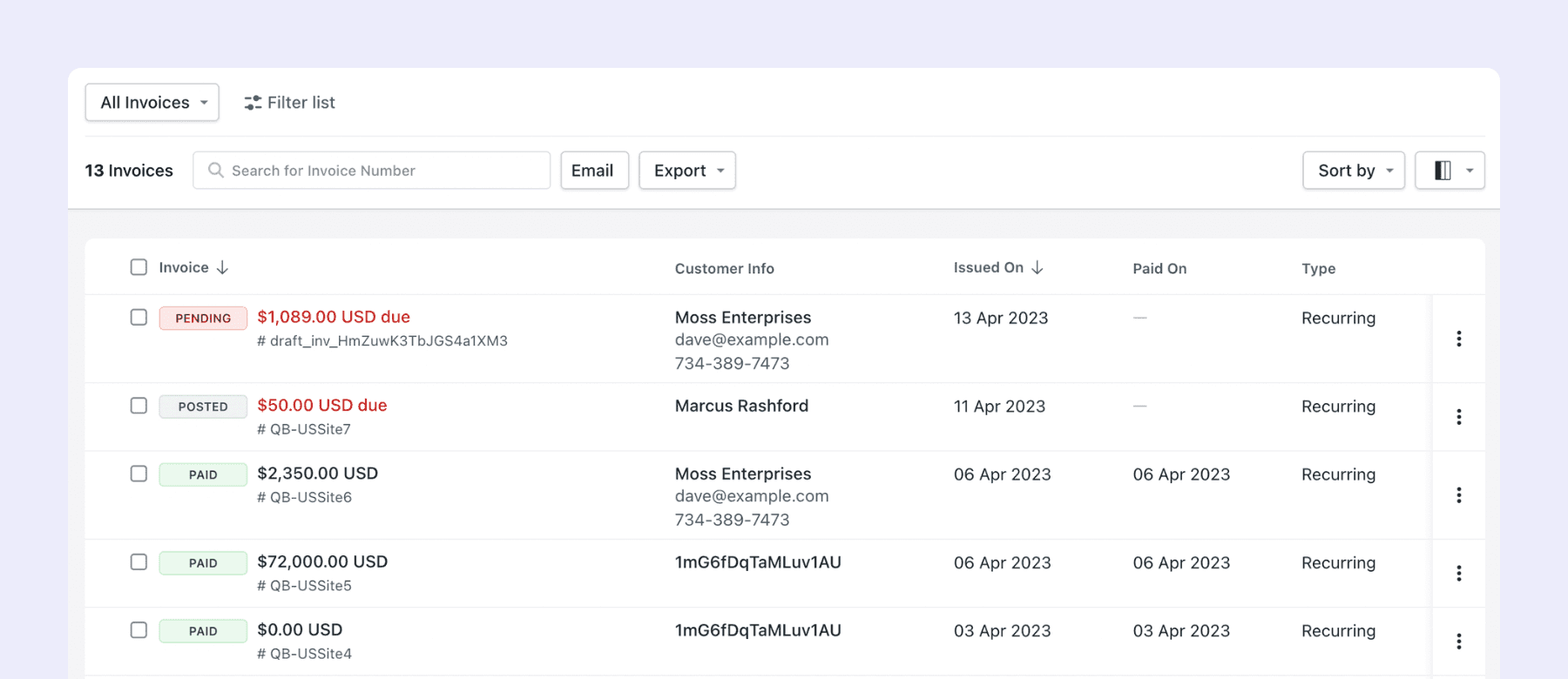
Chargebee is fully tailored to SaaS businesses. It’s a full subscription management platform as well as a billing tool, so it helps you with all the stages of your customer lifecycle. They have great marketing features for subscriber retention.
All online payments and billing can be automated through their platform. They integrate with 30 payment gateways, as well as your CRM, accounting software, and Upflow.
Since they’re dedicated to SaaS businesses, they also keep on launching new features relevant for your business. It grows with you from an SMB to a SaaS business with a more complex pricing strategy.
What makes it great: As an all-in-one software for SaaS subscription businesses, they have built-in marketing tools to reduce your churn rate and support upsell, discounting, and cross-selling, leading to an overall higher MRR.
Upflow integrates directly with Chargebee, so once invoices are issued your team can automate collections without switching tools.
Anonymous reviewer on G2
Chargebee pricing:
- Starter: Free for the first USD 250K of cumulative billing, then 0.75% on billing
- Performance: USD 599/month (USD 7,188/yr) for up to USD 100K billing/month, then 0.75% overage
- Enterprise: Custom pricing
Note: Prices might vary due to seasonal offers, discounts, or updates. For the most accurate and up-to-date pricing, visit Chargebee’s official pricing page
4. Zuora
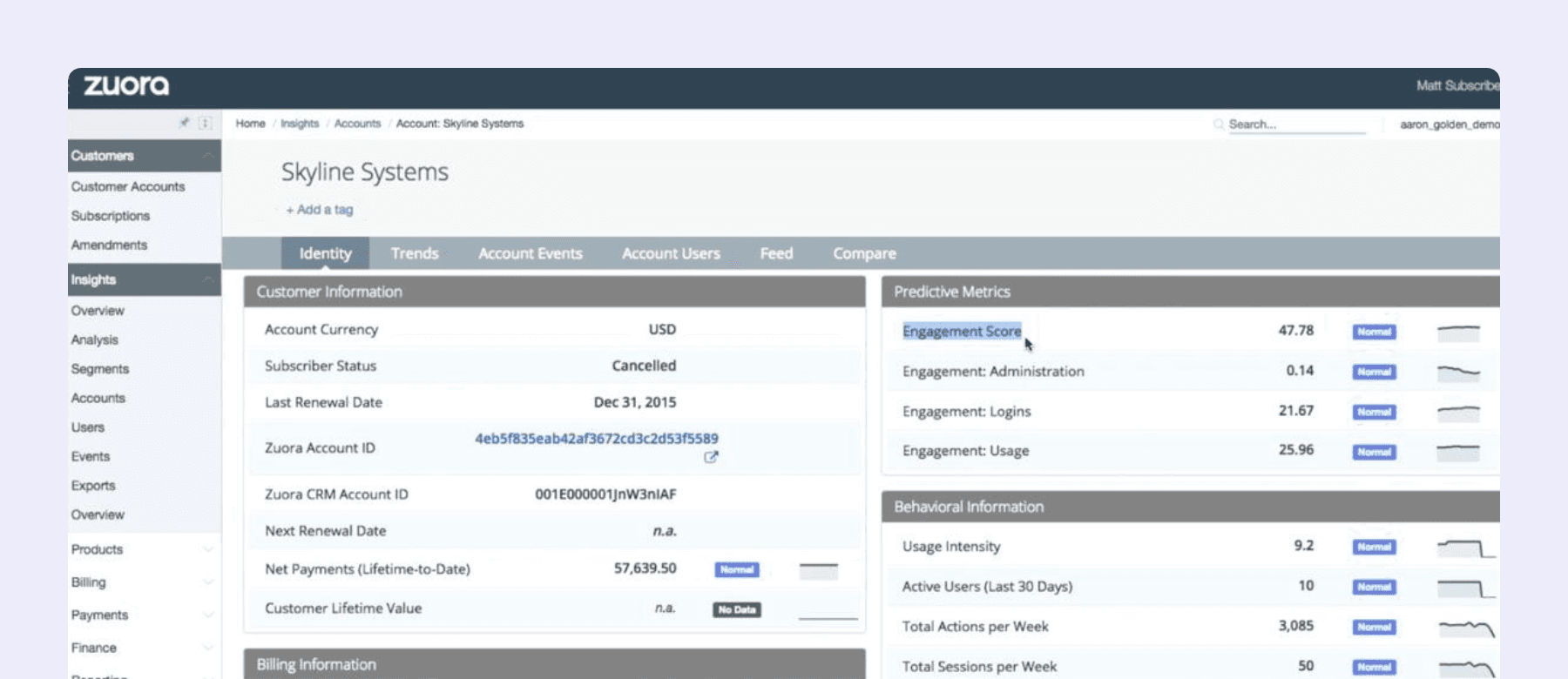
Zuora is a billing solution for subscription-based companies. It’s considered by some as the leading solution for established businesses that want to switch to a subscription model.
It offers customizable billing cycles to maximize recurring revenues as well as many integrations with other financial software and CRMs. It also enables real-time communication with customers, thanks to notifications, emails, and text messages.
Features such as tax, coupon, and trial management or real-time data dashboards are also included.
What makes it great: Zuora is the right choice for your business if you are a large-scale enterprise. It offers specific upper market features and can be considered as the most premium software.
Upflow integrates with Zuora, so your billing data flows directly into your accounts receivable management software and cash collection processes without manual handoffs.
Zuora pricing:
- Custom pricing
For more information, visit Zuora’s official billing software page
5. Maxio
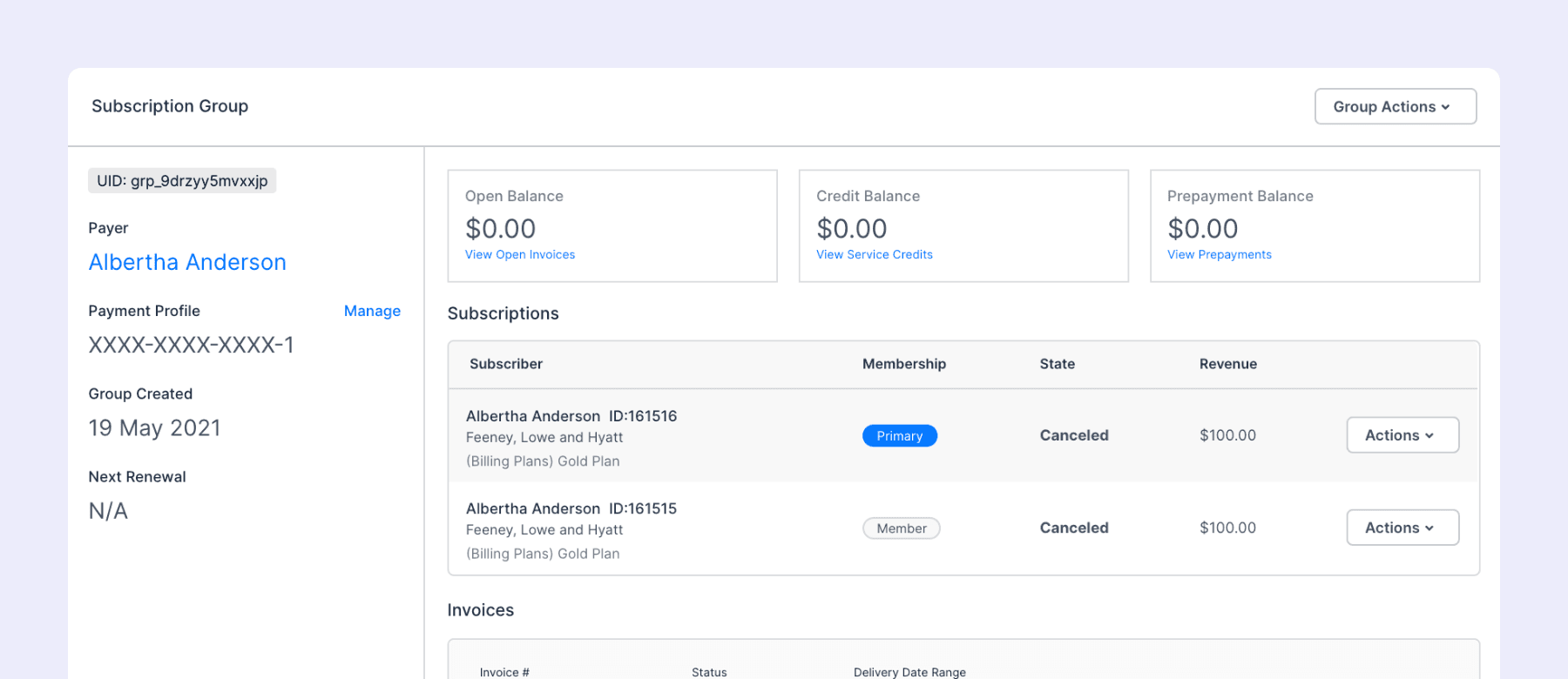
Maxio specifically targets B2B SaaS companies. It combines subscription billing with revenue recognition and financial reporting in a single platform, so your finance team can handle billing, metrics, and compliance without stitching together multiple tools.
Maxio supports recurring, usage-based, and hybrid pricing models. Its dashboards surface MRR, ARR, churn, and customer lifetime value out of the box, and it integrates with your accounting software and CRM to keep data in sync.
What makes it great: For B2B SaaS companies that need billing and financial operations in one place, Maxio removes the gap between what’s invoiced and what’s recognized.
Jean-Thomas Cock
Head of Finance Operations @ parcelLab
Upflow integrates with Maxio, giving your team complete visibility into accounts receivable on top of the billing data Maxio generates.
Maxio pricing:
- Grow: $599/month for up to $100K in monthly billings
- Scale: Custom pricing for higher volumes
- Free 30-day developer sandbox available
Note: Prices might vary due to seasonal offers, discounts, or updates. For the most accurate and up-to-date pricing, visit Maxio’s official pricing page
6. Paddle
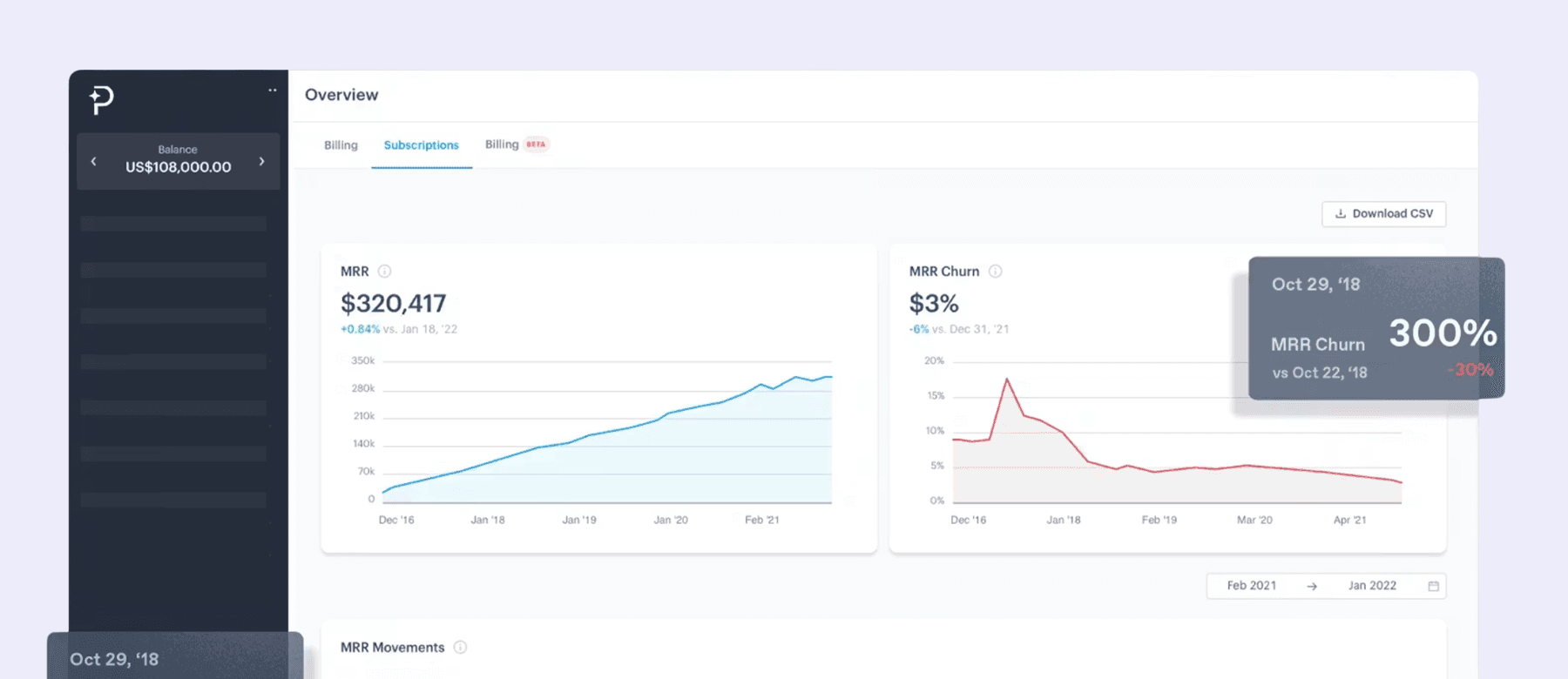
Paddle is a Merchant of Record (MoR), not a standard billing platform. It handles payments, subscription management, tax compliance, and chargeback protection in 200+ countries under a single fee. You never register for tax in individual jurisdictions.
Its subscription management covers recurring billing, plan upgrades and downgrades, proration, dunning, and a built-in customer portal. The acquisition of ProfitWell adds SaaS revenue metrics including MRR, churn, and LTV directly into the platform.
What makes it great: For SaaS companies selling internationally, Paddle removes the compliance burden entirely. One fee covers everything, with no separate gateway or tax tooling required.
Paddle pricing:
- 5% + $0.50 per transaction (all-inclusive, no monthly fee)
- Custom pricing for high-volume businesses
Note: Prices might vary due to seasonal offers, discounts, or updates. For the most accurate and up-to-date pricing, visit Paddle’s official pricing page.
7. Orb
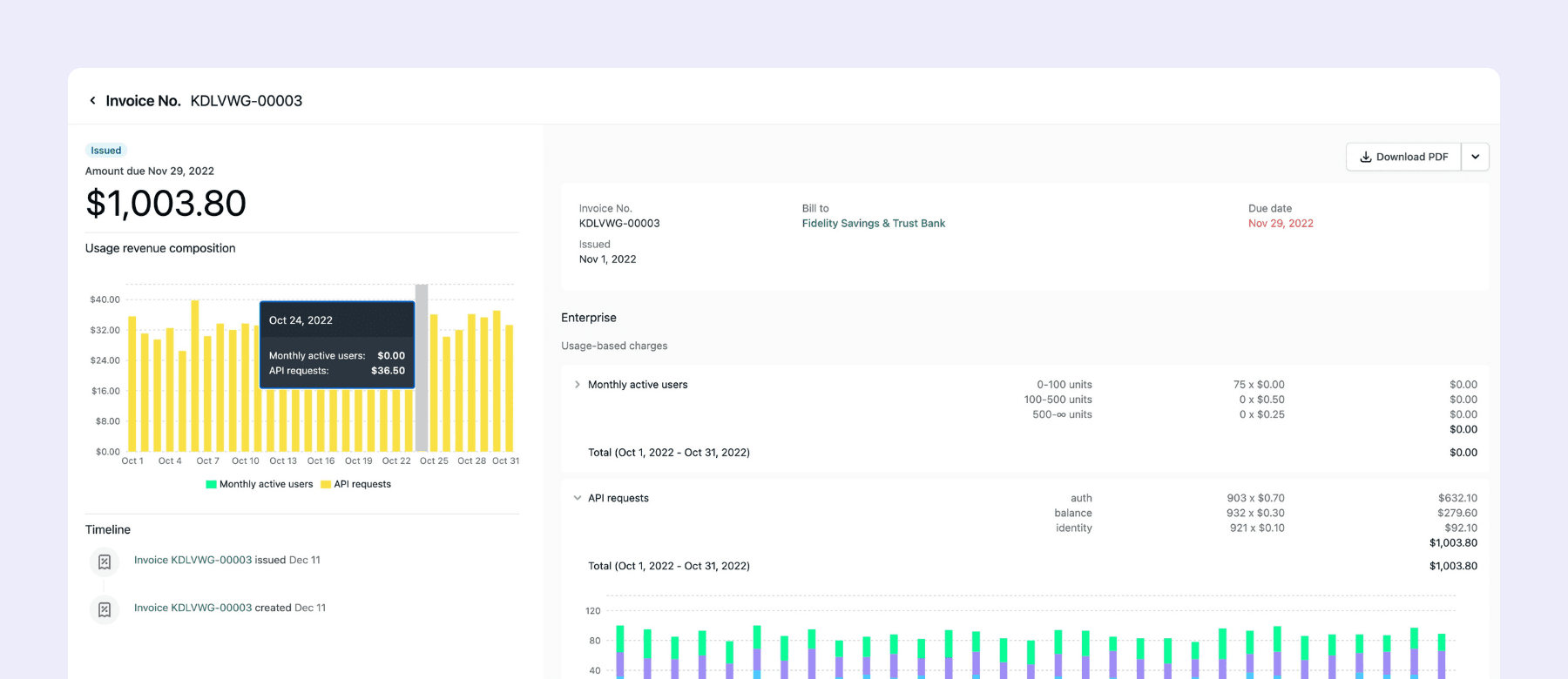
Orb is built specifically for usage-based billing. You define billable metrics using custom SQL, ingest raw usage events via API or S3, and Orb handles the rating, aggregation, and invoicing. It supports per-unit, tiered, volume, prepaid credit, hybrid, and contract-based pricing models.
Finance teams get built-in MRR, ARR, and revenue reporting. It connects natively with Salesforce, Snowflake, NetSuite, and Stripe. Orb is used by Replit, Vercel, Supabase, and Glean.
What makes it great: If your pricing model involves tokens, API calls, compute time, or any metric that varies per customer, Orb handles the complexity that general billing platforms were not designed for.
Orb pricing:
- Custom pricing only. Contact sales for a recommendation.
- A free developer sandbox is available to test before committing.
For the most accurate and up-to-date pricing, visit Orb’s official pricing page.
8. Zoho Billing
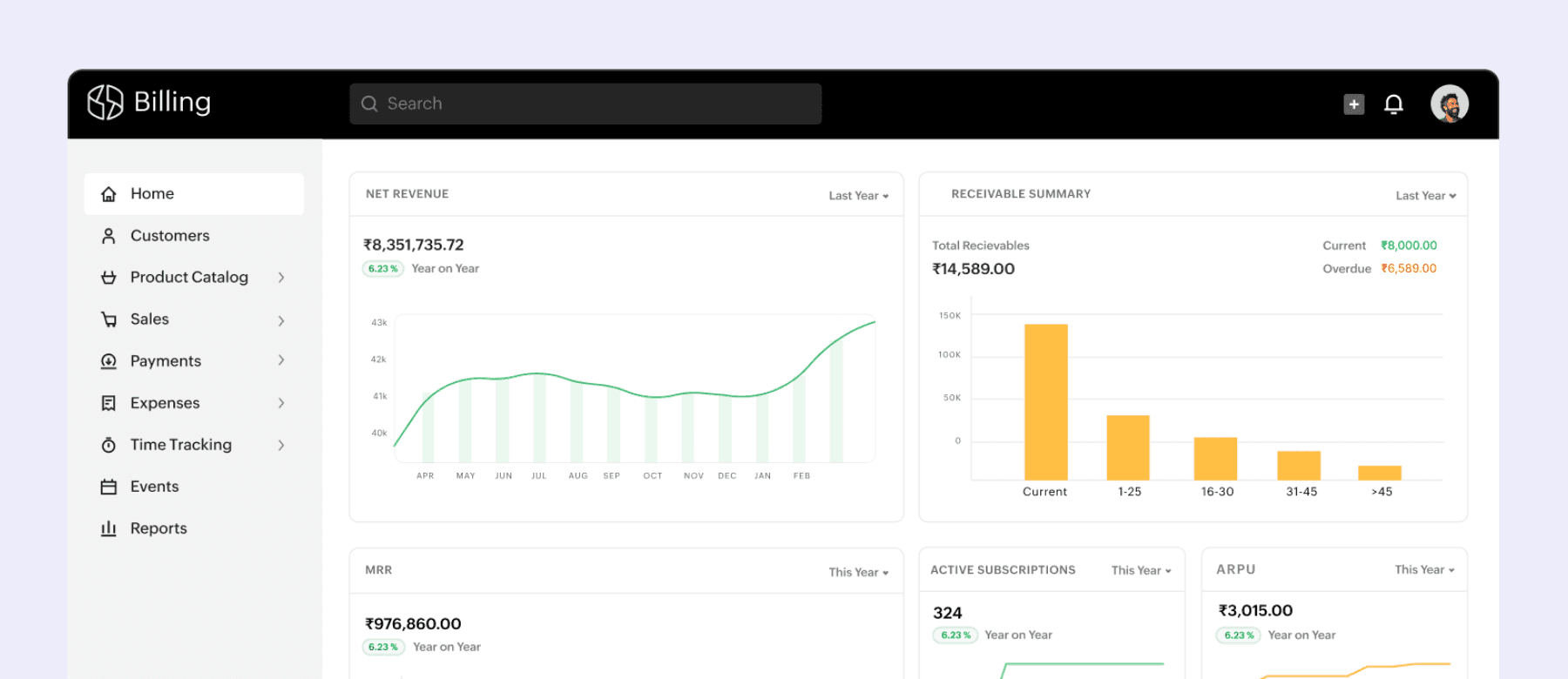
Zoho Billing covers the full subscription lifecycle at a price point accessible to early-stage SaaS teams. It handles recurring billing, usage-based pricing, trials, coupons, proration, and dunning, plus a customer self-service portal for plan and payment management.
It integrates tightly with Zoho CRM, Zoho Books, and Zoho Analytics. Outside the Zoho ecosystem, it connects with Stripe, PayPal, and other payment gateways, with revenue recognition included for compliance.
What makes it great: The most affordable full-featured subscription billing option on this list. The Standard plan covers most of what a pre-Series A SaaS team actually needs.
Zoho Billing pricing:
- Standard: $50/month (or $39/month billed annually)
- Premium: $100/month (or $79/month billed annually)
- Enterprise: Custom pricing, with 0.2% on revenue above $500K/month
Note: Prices might vary due to seasonal offers, discounts, or updates. For the most accurate and up-to-date pricing, visit Zoho Billing’s official pricing page.
Not every billing platform is built for the same stage or pricing model. Here’s a quick summary to help you compare:
By pricing model:
- Pay-as-you-go: Stripe Billing (0.7% of volume), Paddle (5% + $0.50 per transaction)
- Flat monthly: Recurly from $249/month, Chargebee from $599/month, Maxio from $599/month, Zoho Billing from $50/month
- Custom only: Zuora, Orb
By stage:
- Early-stage: Zoho Billing, Chargebee Starter (free to $250K cumulative billing)
- Growth: Stripe Billing, Recurly, Chargebee Performance
- Enterprise: Zuora, Maxio Scale, Orb
Every platform on this list does one job well: getting invoices out the door on a schedule. What none of them were built for is what happens when those invoices don’t get paid on time.
For SaaS companies with a high volume of recurring invoices, that gap adds up fast. A customer on a monthly plan who misses two payments isn’t just a billing problem. It’s a cash flow problem, and billing software has no mechanism to resolve it.
An accounts receivable automation software sits in exactly that gap. Upflow integrates directly with Chargebee, Stripe Billing, Maxio, and Zuora to layer cash collection workflows, AR aging visibility, and payment tracking on top of your existing billing setup. Your billing software handles the invoice. Upflow handles what comes after.
If recurring invoices are going out on schedule but cash flow is still lagging, that’s the gap worth closing.

Jean-Malo Le Dreff
Director of Product Management at Upflow
About the Author
Jean-Malo (JM) is the Director of Product Management at Upflow, where he leads the design and development of the platform’s core features. With a strong product mindset and a deep understanding of user needs, JM ensures Upflow’s tools deliver both functionality and delight to modern finance teams.
At Upflow, he works cross-functionally to translate customer feedback into intuitive, impactful features, especially around integrations, workflows, and platform scalability. His expertise lies in making complex financial processes simpler through thoughtful product design and seamless system connectivity.
JM contributes to Upflow’s blog with practical, product-driven content that helps users get the most value from the platform. He writes in-depth guides on product comparisons, software integrations, and the strategic advantages of using Upflow within a broader finance tech stack.

Summary

Shared
Frequently Asked Questions
Can’t find what you’re looking for?
Ask AI
SaaS billing software is a specialized platform that automates billing operations for software-as-a-service businesses. It supports different pricing models like subscriptions, usage-based billing, and hybrid plans, while also managing invoicing, payments, proration, and revenue recognition.
Subscription billing is a type of recurring billing based on fixed-term plans (monthly, quarterly, annually). Recurring billing can also include variable or usage-based charges, such as billing per API call or per active user.
It depends on your product and customers. If you offer fixed pricing tiers, subscription billing works well. If usage fluctuates (e.g., data or seat-based), recurring or hybrid models are a better fit. Many SaaS companies evolve from simple subscriptions to complex hybrid structures as they scale.
If your current tool can’t support new pricing models, causes manual errors, lacks integration with your tech stack, or struggles with global compliance, it’s time to upgrade. Look for a platform that grows with you.
Key features include: automated invoicing, payment processing, dunning workflows, revenue recognition, multi-currency support, integrations with CRM/ERP, real-time analytics, and flexible pricing model support.
Yes, many platforms offer features like automated dunning, failed payment retries, customizable notifications, and integrations with CRM tools to help you retain customers and recover revenue.
Zuora and Maxio are the strongest options for enterprise B2B SaaS. Zuora is built for large-scale subscription operations with advanced revenue recognition, complex pricing model support, and deep ERP integrations. Maxio combines subscription billing with financial reporting in a single platform, making it a good fit for B2B SaaS teams that need billing and revenue operations in one place. Chargebee’s Performance and Enterprise plans also serve larger teams well. All three integrate directly with Upflow, so your AR and cash collection workflows stay in sync with your billing data as you scale.
Chargebee and Maxio both support usage-based and hybrid pricing models alongside traditional subscriptions, making them practical choices for SaaS teams whose pricing involves variable components. Stripe Billing handles metered billing well for teams already in the Stripe ecosystem. For companies with highly complex usage-based pricing, specialist platforms like Orb go deeper on metered billing natively. Chargebee, Maxio, and Stripe Billing all integrate with Upflow, so once usage-based invoices are generated your team can automate collections and track receivables without manual reconciliation.
Most platforms include MRR, ARR, churn, and LTV dashboards that give finance teams a baseline view of recurring revenue. Maxio offers the most granular revenue analytics of the integration-friendly options, particularly for B2B SaaS with complex pricing. Chargebee and Stripe Billing both include solid reporting for subscription revenue tracking. For a complete picture that covers what’s been billed versus what’s actually been collected, pairing any of these platforms with Upflow gives your finance team cash flow visibility and AR aging data on top of your billing metrics.
The main pricing structures are percentage-of-revenue, flat monthly fee, and per-transaction fee. Chargebee charges a percentage of billing volume on its Starter plan, which works well early on but has a flat Performance tier at $599/month once you scale. Stripe Billing charges 0.7% of billing volume on a pay-as-you-go basis. Maxio starts at $599/month for up to $100K in monthly billings. Zuora is custom-priced based on volume and contract terms. When comparing, factor in your current billing volume, projected growth, and whether the platform charges overages beyond plan limits. All four integrate with Upflow, which handles the collections and AR layer on top of whichever billing platform you choose.
Most leading billing platforms like, Chargebee Zuora, and Stripe Billing offer direct integrations with Upflow. This enables seamless syncing of invoices, payments, and collection workflows.
Related articles