

Cash Application Software
Cash Application Software for Mid-Size and Enterprise Finance Teams
Match payments to invoices automatically, keep your AR aging accurate and give your collections team data they can trust.
Trusted by the world’s leading B2B Finance Teams














What to look for in Cash Application Software
Good cash application software comes down to three things: accurate matching, clean exception handling, and a tight connection to your collections workflow.

Direct Bank Feed Connections
Your tool should pull transactions in from your bank automatically as they arrive. Manual imports create lag between when a customer pays and when that payment shows up in your AR. Look for software that supports multiple bank accounts and currencies out of the box, so teams operating across regions or entities are not managing separate reconciliation processes for each.

Remittance Matching and Partial Payment Handling
Customers do not always pay one invoice at a time. A single bank transaction might cover three invoices, a short payment, or come in from a holding company rather than the entity you invoiced. Look for software that handles these scenarios through configurable rules, so edge cases like currency differences or multi-entity payments get resolved consistently.

Clean Exception Handling
When a match is ambiguous, the software should give your team a clear suggestion and a straightforward interface to confirm, adjust or override it. The right tool is conservative by design: it only applies when it is certain, and surfaces anything uncertain for review rather than guessing. Nothing erodes a customer relationship faster than chasing an invoice that was already paid.
Automatic ERP Writeback
Matched payments need to get back into your ERP without additional manual steps. Look for native integrations that post reconciled transactions automatically to your ERP or accounting system, with enough context (a reference, a memo) for your accounting team to trace them without having to cross-reference a separate system.
Connection to Your Collections Workflow
Cash application does not end at reconciliation. When it is disconnected from collections, your AR aging shows balances that are already paid and your team acts on them. A customer who just paid getting chased damages the relationship. Look for software where cash application and collections share the same data so your outreach is always grounded in what is genuinely owed.
Visibility and Audit Trail
Finance teams need to know exactly what was matched, when, and whether it was applied automatically or manually. Look for clear transaction statuses, filterable views and the ability to unapply and correct any match. When something goes wrong, you should be able to trace it in seconds.
How Cash Application Software Like Upflow Works
Reconcile every payment from bank transaction to closed invoice, automatically
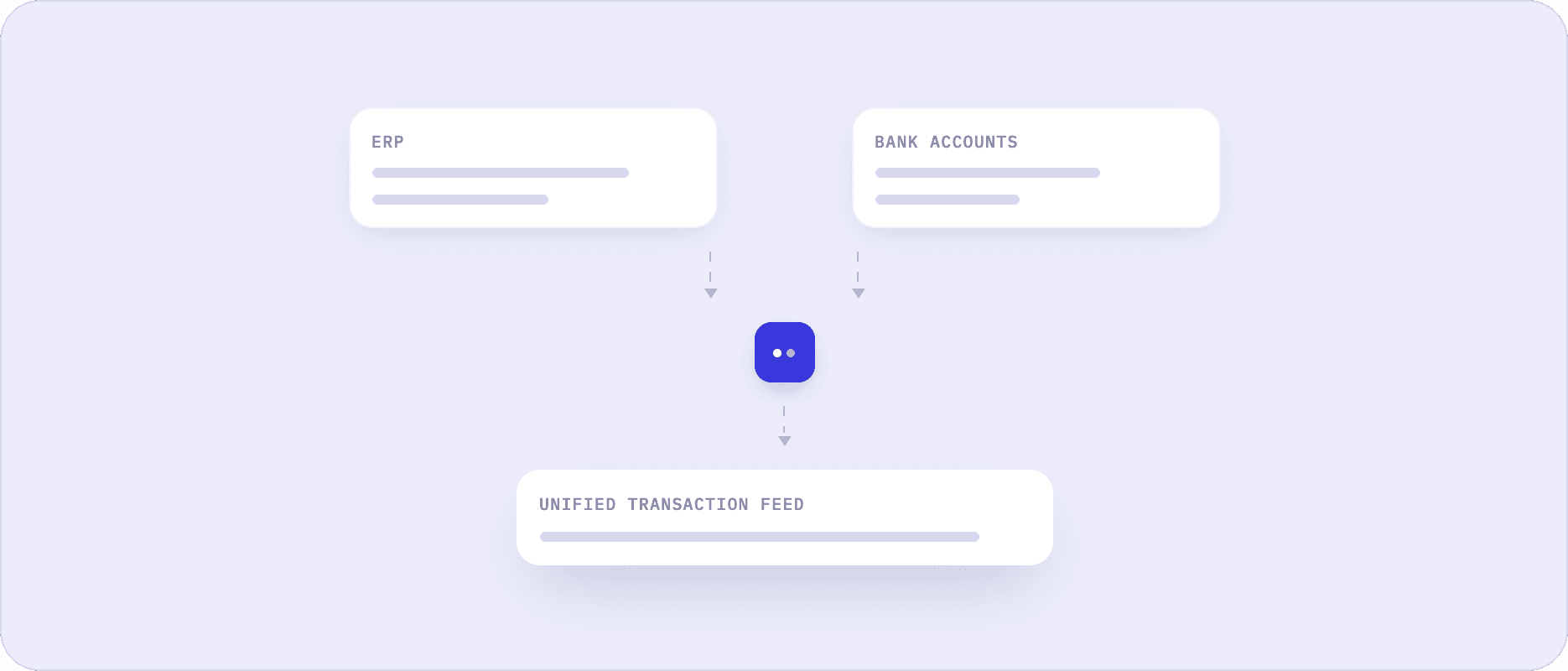
Connect Your ERP and Bank Accounts
Connect your ERP to Upflow first, then link your bank accounts. Invoice data, payment history and customer records sync automatically from that point on. No manual exports, no file uploads.
Import Transactions Automatically
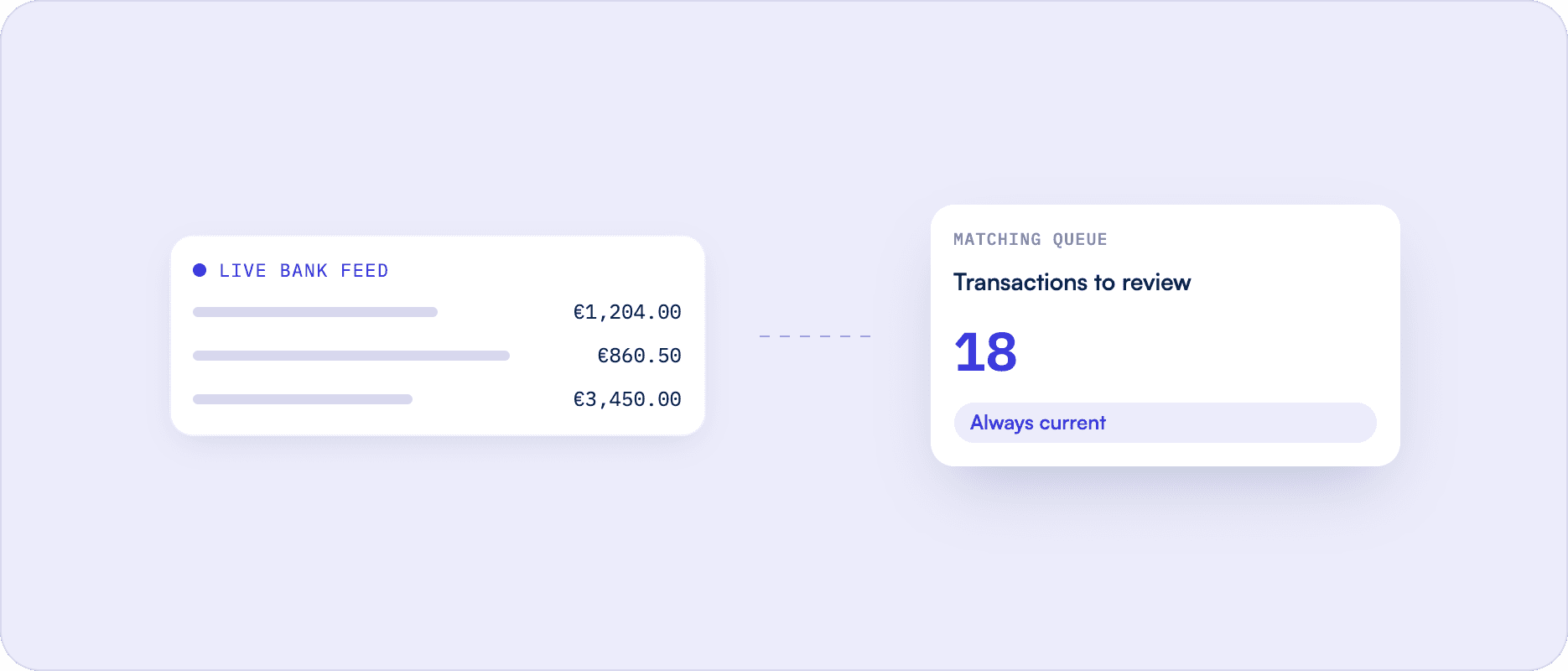
As payments land in your bank, Upflow pulls them in and adds them to your matching queue. Your team always works from a live picture of incoming transactions, not a snapshot that is already a day old.
Match Invoices Accurately
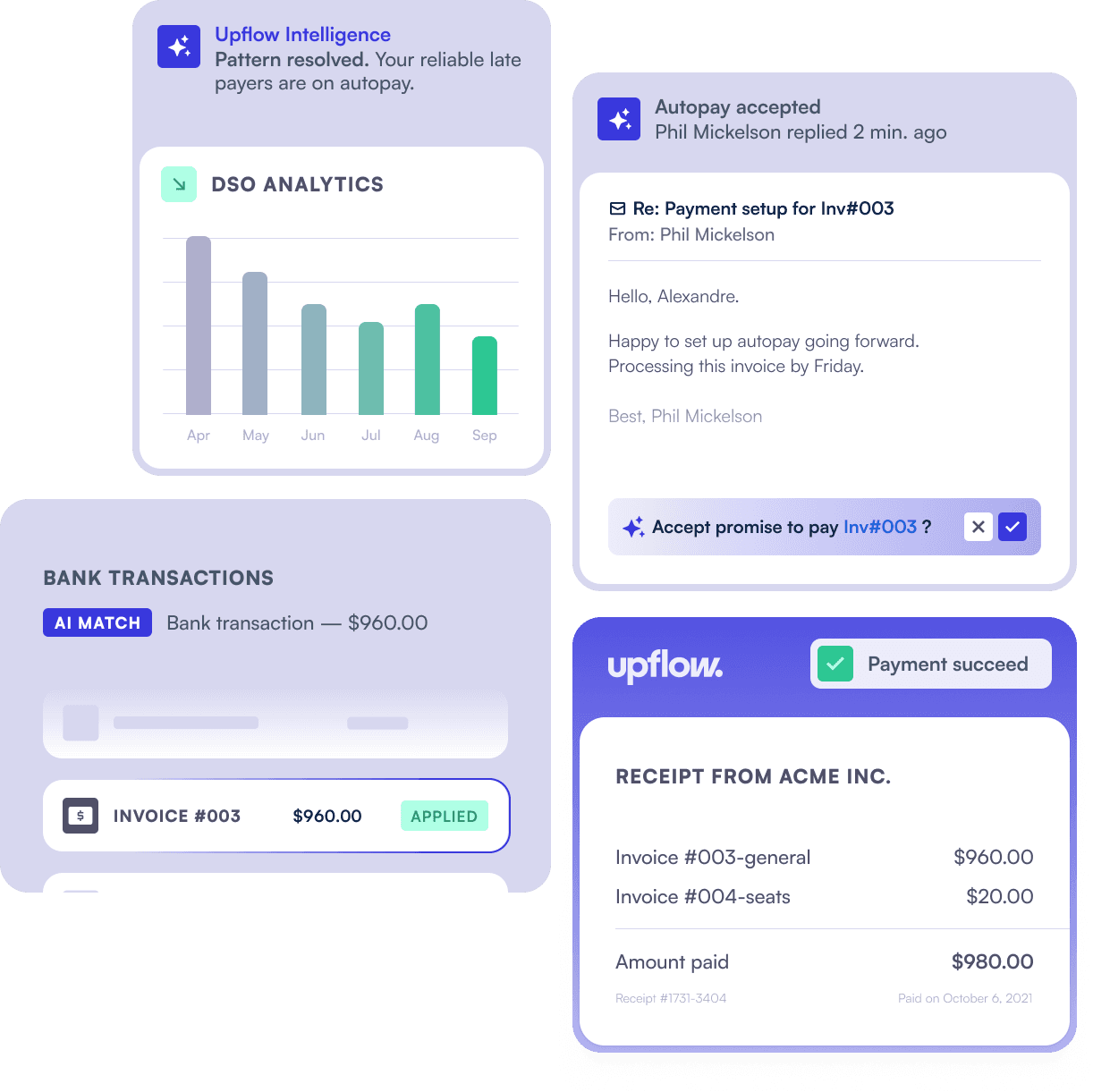
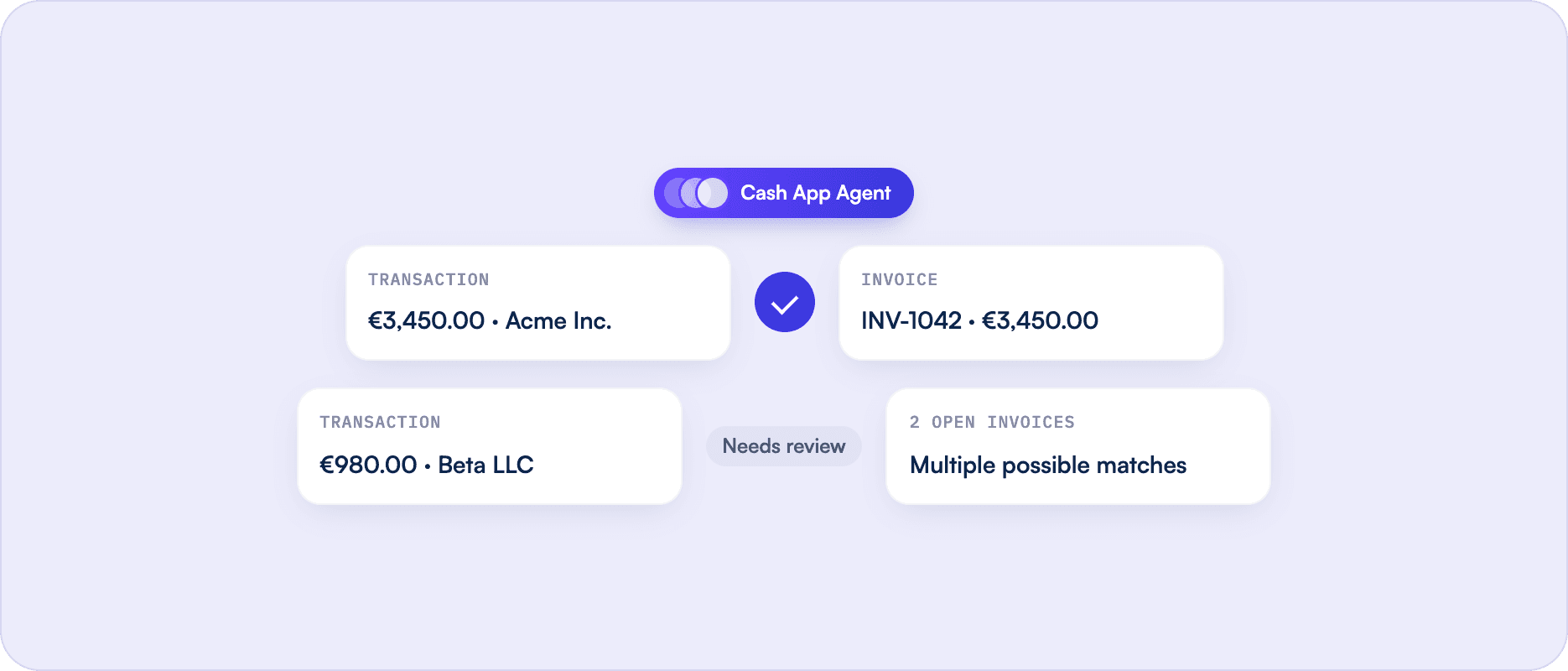
Upflow's Cash App Agent compares each transaction against your open invoices. When the match is clear, the agent applies it automatically. It is conservative by design: anything ambiguous, including partial payments or multi-invoice remittances, surfaces as a suggestion rather than being applied on a guess.
Review Exceptions With Smart Suggestions
Transactions the agent could not match with confidence appear with a suggested match and a clean review interface. Your team confirms, adjusts or overrides in a few clicks. If the agent applies something incorrectly, your team can unapply it in one click.
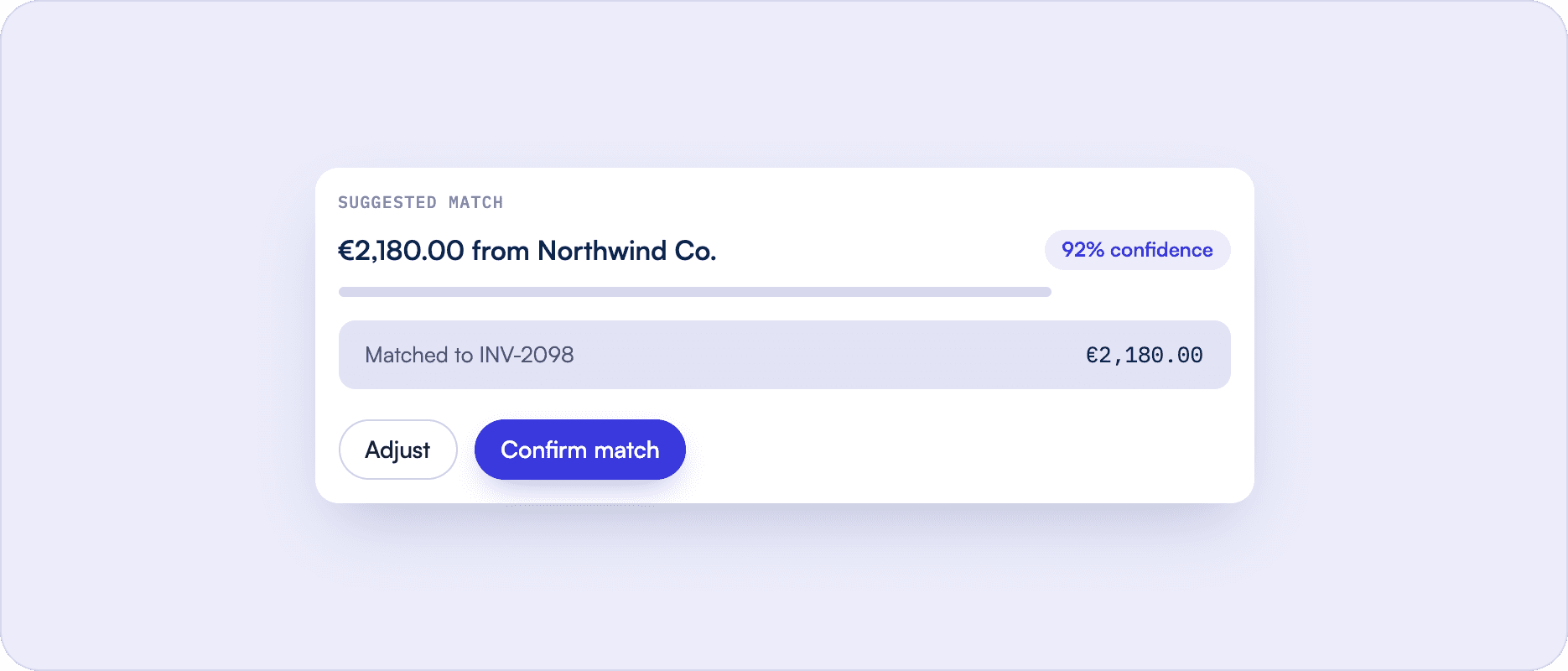
Post Matched Payments to Your ERP
Applied payments sync back to your ERP automatically. Your accounting records stay current without manual entry, and every transaction carries a clear status so your team can trace what was applied automatically versus manually.
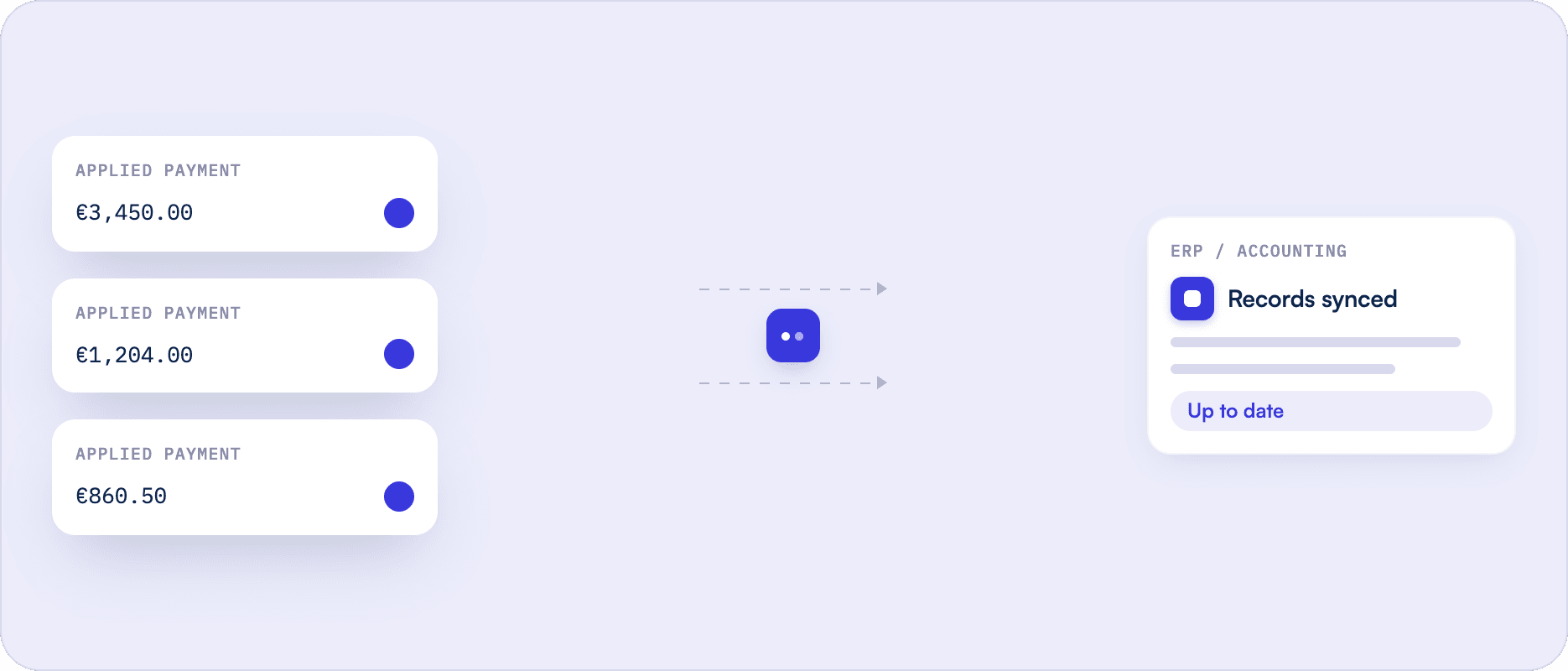
Monitor Reconciliation Status in Real Time
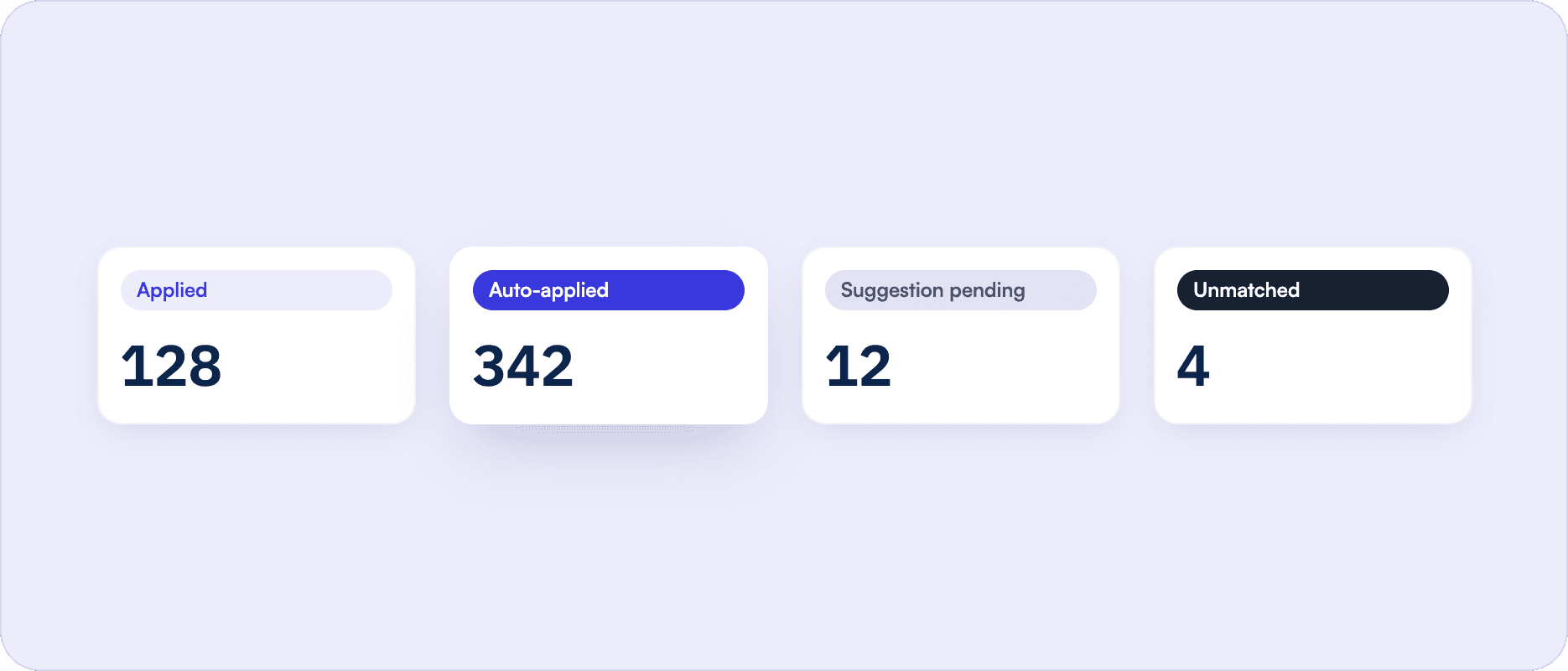
Every transaction carries a status: applied, auto-applied, suggestion pending or unmatched. Your team knows exactly where the queue stands at any point and can filter to any view in one click.
Upflow Cash Application Software
Tools that keep your payment matching accurate and your AR aging honest.
Accurate Payment Matching
Upflow connects to your bank feed and ERP, pulls in transactions automatically and matches them to open invoices. When the match is clear, it applies. When it is not, it surfaces a suggestion. Nothing gets applied on a guess.
Cash App Agent
The Cash App Agent works through your matching queue continuously and handles unambiguous matches automatically. It is conservative by design: anything uncertain surfaces for your team to review rather than being applied on a guess. The judgment stays with your people; the agent handles the volume.
ERP Sync and Full Audit Trail
Every matched payment posts back to your ERP automatically. On NetSuite, auto-applied payments carry a memo so your accounting team can see at a glance what the agent handled. Every transaction has a clear status and a full history.
Cash Application Software That Fits Into Your Finance Stack


 NetSuite
 Pennylane
 QuickBooks Online
 Rillet
 Sage Intacct
 Xero
Xero Chargebee
 Stripe Billing
 Zuora
Zuora Gmail
Gmail Slack
Slack MCP Server (Claude, ChatGPT, Copilot)
 Professionnal Services
 Upflow APIHubspot
 Salesforce

Billing
CommunicationGmailSlack
GmailSlackCRMHubspotSalesforce
HubspotSalesforceAdvanced Custom Integrations
Accounting & ERP
Upflow connects to your bank accounts, ERP (including NetSuite, Sage Intacct and QuickBooks) and CRM tools like Salesforce so payment data flows in, gets matched and posts back out without manual steps in between.

Real-time sync
No-code setup
Enterprise-grace security
Don't see your tool?
Don't see your tool?
Benefits of Using Cash Application Software Like Upflow
Accurate reconciliation, honest AR aging, faster collections.
AR Aging You Can Actually Act On
When cash is applied correctly and promptly, your AR reports reflect what is genuinely outstanding. Collections decisions get made on real data instead of a ledger that is several days behind.
Stop Chasing Customers Who Already Paid
Your team following up on an invoice that was settled last week is not just wasted effort. It signals to the customer that you are not paying attention, and that erodes trust that took time to build. Accurate cash application prevents that scenario entirely.
Resolve Exceptions Without the Investigation
The Cash App Agent surfaces a suggested match for every unmatched transaction. Most exceptions close in a few clicks rather than requiring someone to dig through remittance emails or cross-reference bank statements.
Reconcile Across Banks and Currencies
Upflow connects to multiple bank accounts and handles multi-currency transactions in one place. Finance teams operating across regions or entities get a single reconciliation workflow rather than a separate process for each account or currency.
Replace Manual Processes
If your team is still applying cash in your ERP or tracking matches in a spreadsheet, switching to dedicated software does not mean starting over. Upflow connects to the tools you already use and handles the matching layer on top of them.
ERP Records That Stay Current
Matched payments post to NetSuite, Sage Intacct, QuickBooks and other connected ERPs automatically. No manual entry at close, no reconciling differences between your AR tool and your accounting system.
The best cash application platform, as rated by 200+ happy users






Cash Application Software FAQs
Everything You Need to Know About Cash Application Software
Ask AI


Cash application software matches incoming bank payments to open invoices. It automates the reconciliation process, reduces the time your team spends on manual matching and keeps your AR aging accurate so your team always knows what is genuinely outstanding. For mid-size and enterprise finance teams processing high transaction volumes, dedicated cash application software replaces a process that would otherwise require significant manual effort in an ERP or spreadsheet.
The agent only applies transactions when the match is unambiguous. It is conservative by design: if there is any doubt, the transaction surfaces as a suggestion rather than being applied automatically. The judgment stays with your people. And if the agent applies something incorrectly, your team can unapply it in one click.
When payments are matched and posted quickly, your AR aging reflects what is actually owed. Your collections team follows up on the right invoices and avoids reaching out to customers who have already paid, which protects relationships that took time to build.
Unmatched transactions surface in a review interface with a suggested match. Your team can confirm the suggestion, select a different invoice, enter a partial amount or link the payment to a customer without applying it to a specific invoice, depending on what the situation requires.
Upflow integrates directly with NetSuite, Sage Intacct, QuickBooks and Salesforce, among others. Matched payments post back to your ERP automatically, and Salesforce users get a live view of customer payment status without leaving their CRM.
Tools like Upflow are designed to connect to your existing bank accounts and ERP without a lengthy implementation. Most teams are up and running in days rather than weeks, and you do not need to restructure your existing AR process to get started. Upflow's team supports onboarding and is available throughout.
Most cash application tools focus on match rates and automation volume. Upflow's approach prioritizes accuracy: the agent only applies when it is certain, and surfaces everything else for review. That means fewer errors, fewer awkward customer conversations, and AR aging your collections team can actually trust.
Pricing varies across vendors. Some charge per transaction volume, others by the number of users or connected entities. Upflow offers a free discovery option so finance teams can evaluate the product before committing. For pricing details specific to your team's size and setup, the best path is a direct conversation with the team.
Security is central for us, here at Upflow. We use continuous protection and master-slave replication to protect against any database failures:
- Upflow maintains an active SOC 2 Type II attestation covering the Security, Availability, and Confidentiality criteria.
- Our data centres are hosted in the EU (Ireland) by Amazon Web Services.
- All data is encrypted in transit with TLS 1.2 or better, and at rest using AES 256 or better.
- We use Distributed Denial of Service (DDoS) mitigation services provided by Cloudflare.
Upflow connects to NetSuite, Sage Intacct, Rillet, QuickBooks, Xero, Pennylane, Chargebee and Stripe Billing for ERP and billing data, and syncs with Salesforce, Slack and Gmail to keep finance and sales aligned. Setup takes minutes and your invoice data, payment history and customer records stay consistent across every tool without manual reconciliation.
Full AR visibility, free forever.
Get AR analytics with your live data, benchmarked against best-in-class B2B companies.