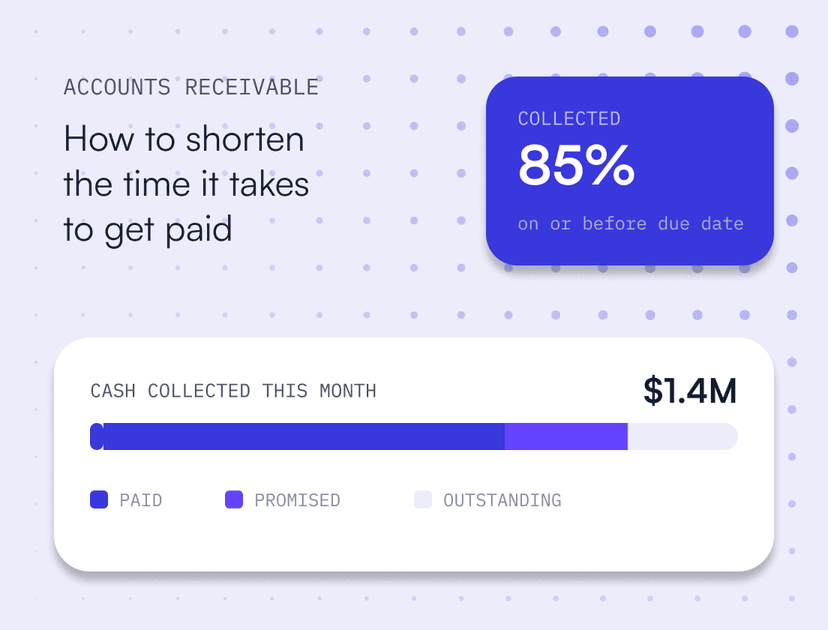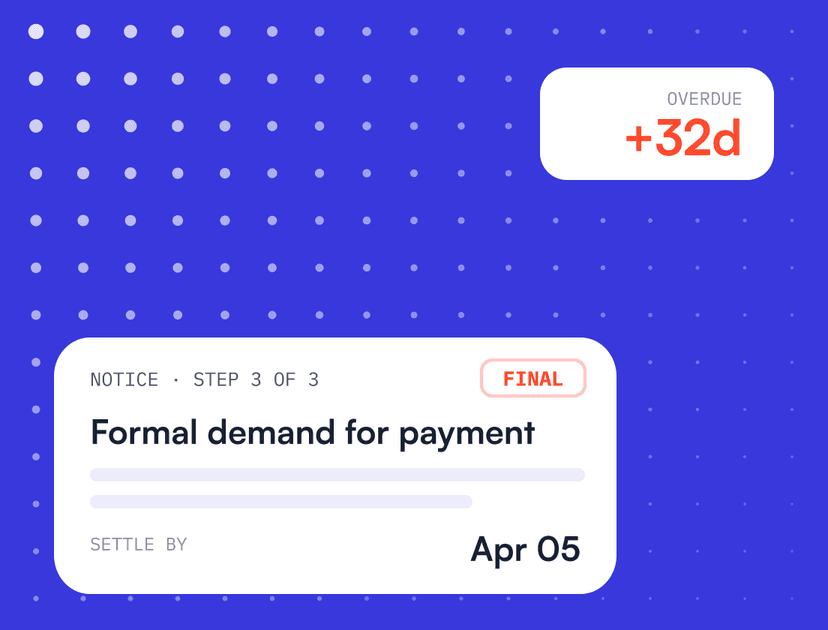


If a payment is stuck and it isn’t a technical issue, there’s usually a bigger problem in the account, and sales or customer success are best placed to find it. How well teams work together is also one of the clearest signs of how mature a company’s AR process is, as Upflow’s 5 maturity stages of cash collection show.
Upflow → Blog → AR collections
Accounts Receivable Management: Process, KPIs and Best Practices
Alexandre Antoine
|
October 22, 2026
Generate AI summary


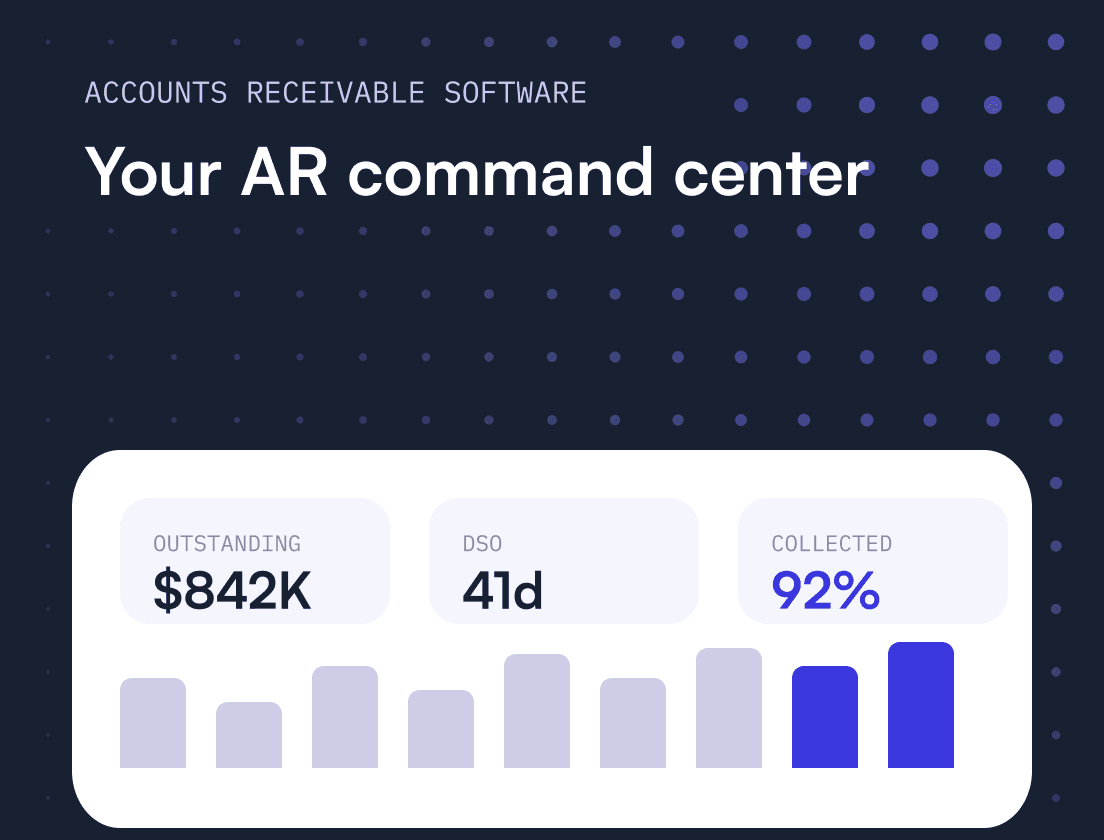
Accounts receivable management is how a business turns completed sales into cash: invoicing customers, tracking what they owe and collecting payment on time. Done well, it shortens DSO, reduces bad debt and gives finance a reliable view of incoming cash. Done poorly, it means chasing payments, writing off revenue and losing visibility into your own cash flow.
Most AR problems come from gaps in the process rather than from customers who refuse to pay, and the teams that collect fastest treat AR as a shared job across finance, sales and customer success. In this guide, you’ll learn:
- What Is Accounts Receivable Management?
- What Are the Steps in the Accounts Receivable Process?
- Which AR KPIs Should a Finance Team Track?
- What Is an Accounts Receivable Management System?
- 8 Accounts Receivable Management Best Practices
- How Does Automation Fit Into AR Management?
Looking to make your accounts receivable management process more efficient? Click the banner below to book a call with one of our experts.

What Is Accounts Receivable Management?
Accounts receivable (AR) management is the set of processes a business uses to invoice customers, track what they owe and collect payment on time. It covers everything from setting credit terms and sending the first invoice to matching the payment and reconciling the books.
In practice, that includes:
- Credit terms and credit checks
- Billing and invoicing
- Payment processing
- Customer communication and collections
- Dispute handling
- Reporting and reconciliation
AR management makes up the back half of the order-to-cash cycle, the stretch that turns completed sales into working capital. For B2B companies, it matters even more because revenue is often recognized long before the cash arrives. Renewals, upsells and expansions all depend on the same customers your AR team is following up with.
Done well, AR management keeps cash flow predictable, reduces overdue invoices and bad debt, and protects customer relationships. Done poorly, it leads to revenue leakage, billing errors and a collections backlog that’s hard to clear.
AR teams work closely with sales and finance to collect revenue, record transactions, verify payments and resolve disputes. Because it involves every team that deals with a customer, AR works best as a shared responsibility across finance, sales and customer success.
What Are the Steps in the Accounts Receivable Process?
The accounts receivable process has six steps: set credit terms, send the invoice, follow up before the due date, escalate collections and resolve disputes, apply the payment, then report and reconcile. Each step affects how quickly, reliably and predictably cash comes into your business.
Most AR problems come from gaps in this process rather than from difficult customers: invoices sent to the wrong contact, follow-ups that start too late, payments that can’t be matched to invoices. Closing those gaps early keeps them from turning into cash flow problems.
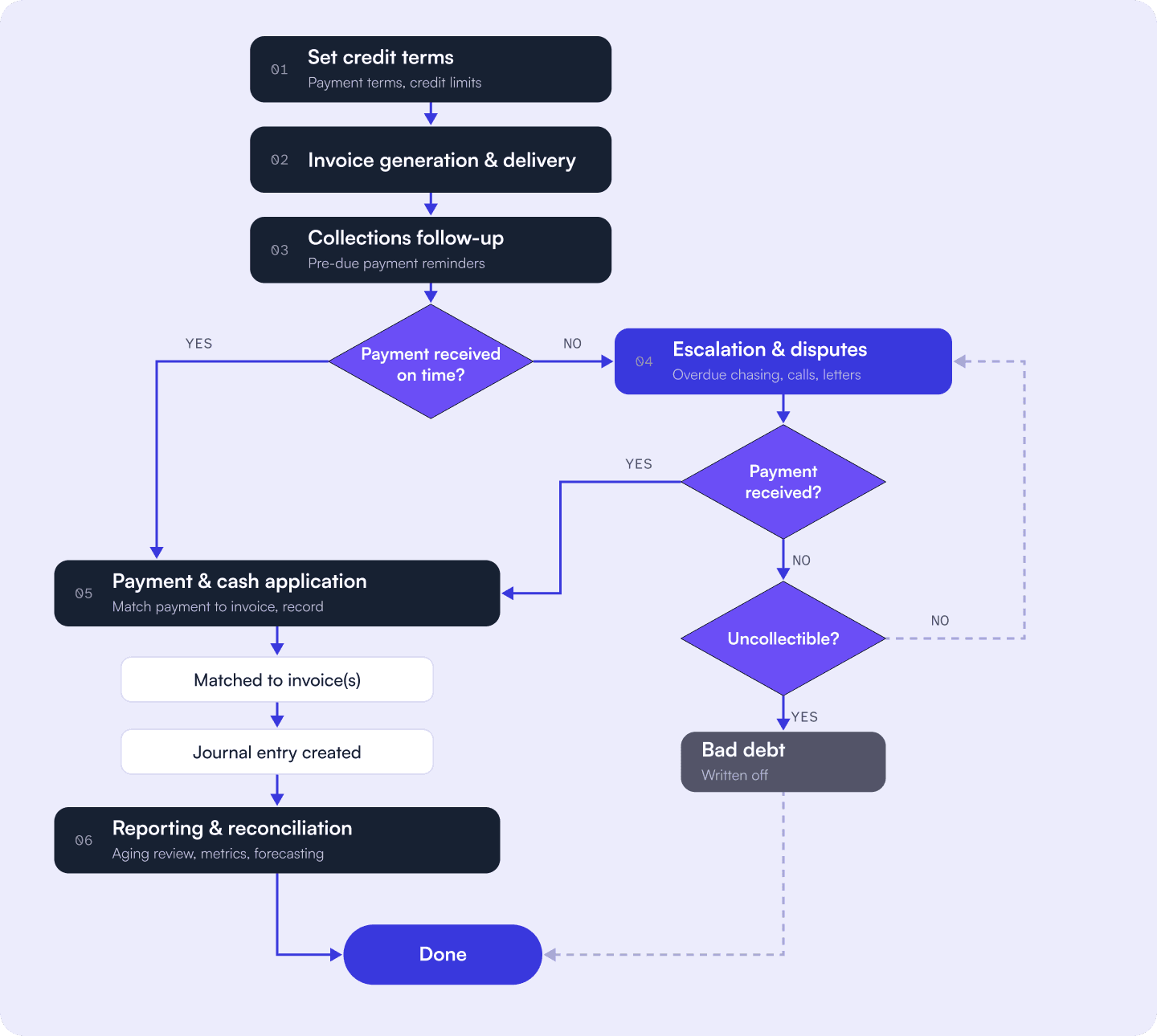
1. Set credit terms. Before the first invoice goes out, agree on payment terms, credit limits and the billing contact. For new or larger customers, a quick credit check helps you decide how much credit to extend and on what terms.
2. Invoice generation and delivery. Send accurate invoices as soon as goods or services are delivered. Include everything the customer needs to pay: the due date, payment terms, accepted payment methods, PO numbers where required and the correct billing contact. A single missing detail can leave an invoice sitting in a customer’s approval queue for weeks.
3. Collections follow-up. Send payment reminders before the due date, on the due date and at regular intervals afterwards. Early reminders catch missing invoices and approval issues while there’s still time to fix them, and every touchpoint should be logged so nothing gets missed.
4. Escalation and disputes. If an invoice goes overdue, follow a documented escalation path, from reminder emails to collection calls and, if needed, a formal collection letter. When a customer raises a dispute, such as a pricing error, a missing PO or a delivery issue, log it, route it to the right person and resolve it quickly, since open disputes are one of the most common reasons payments stall. If an invoice turns out to be unrecoverable, it’s written off as bad debt.
5. Payment and cash application. When a payment arrives, it needs to be matched to the right invoice and recorded in your accounting system. This step, known as cash application, is simple at low volumes but quickly gets harder at scale, especially when customers pay several invoices in one transfer or leave out remittance details.
6. Reporting and reconciliation. Close the loop by reconciling balances and tracking performance against your key AR metrics. Review your AR aging report to see what’s outstanding and for how long, and share the results with leadership to inform cash flow forecasting.
Where the AR Process Usually Breaks Down
Knowing the steps is one thing. In practice, these are the points where the process most often fails:
- Slow or inaccurate invoicing. Late invoices delay the whole payment cycle, and inaccurate ones lead to disputes. Usage-based billing, mid-cycle upgrades and multi-year contracts make accuracy harder still.
- Inconsistent follow-up. Without a systematic collections workflow, some customers get chased and others don’t. Late payments then build up simply because no one followed up.
- No real-time visibility. Many finance teams only see how much is overdue at month-end, when it’s too late to act on it.
- Cash application backlogs. Manual matching is slow and error-prone, and payments that have arrived but aren’t recorded inflate your AR balance.
- Siloed AR data. When AR lives in a spreadsheet or an inbox, sales doesn’t know a key account is 60 days overdue, and customer success doesn’t know a disputed invoice is holding up a renewal.
- Collections that ignore the relationship. Sending the same reminder to every account, whatever its history, gets invoices paid eventually, but often at the cost of goodwill with the customers you most want to renew.
Which AR KPIs Should a Finance Team Track?
The core accounts receivable KPIs are days sales outstanding (DSO), average days delinquent (ADD), AR turnover, the collection effectiveness index (CEI), the share of AR more than 90 days overdue, the bad debt ratio and the dispute rate. Together they show how fast you collect, how much is slipping, and where the process is breaking down.
| KPI | Formula | What good looks like | How often to review |
|---|---|---|---|
| Days sales outstanding (DSO) | (Accounts receivable ÷ Credit sales) × Number of days | Close to your standard payment terms, and stable or falling over time | Monthly, plus a rolling 12-month view |
| Average days delinquent (ADD) | DSO − Best possible DSO | As low as possible. A rising ADD means invoices are being paid later than agreed | Monthly |
| AR turnover ratio | Net credit sales ÷ Average accounts receivable | Higher is better, and steady or rising over time | Quarterly |
| Collection effectiveness index (CEI) | (Beginning AR + Credit sales − Ending total AR) ÷ (Beginning AR + Credit sales − Ending current AR) × 100 | The closer to 100%, the better | Monthly |
| % of AR over 90 days | AR more than 90 days past due ÷ Total AR × 100 | Low and stable. A rising share signals growing collection risk | Weekly |
| Bad debt ratio | Bad debt written off ÷ Total credit sales × 100 | Low, and in line with what your credit policy expects | Quarterly |
| Dispute rate | Invoices disputed ÷ Invoices issued × 100 | Falling over time, with disputes resolved quickly | Monthly |
DSO is the metric most finance teams report first, because it captures how long cash takes to come in. Use the same DSO formula every time, so your trend stays comparable. Across industries, Upflow’s data puts the median DSO at 56 days, but what counts as good depends heavily on your payment terms and sector.
The AR turnover ratio is closely linked to DSO: dividing 365 by your turnover ratio gives you roughly the number of days it takes to collect. Both use net credit sales, so leave out cash sales to avoid flattering the result.
The bad debt ratio looks back at what you’ve already written off. To plan ahead, most companies also set aside an allowance for doubtful accounts: an estimate of the receivables they don’t expect to collect, usually based on aging buckets and past write-offs. Comparing the two each quarter shows whether your credit policy is working, and the bad debt calculation itself takes only a few minutes from your aging report.
No single metric tells the whole story. A falling DSO alongside a rising share of AR over 90 days can mean most customers are paying faster while a few large accounts are getting worse. Track these KPIs together on an AR metrics dashboard, and use your AR aging report to see which customers are behind each number. The same approach works for the wider set of accounts receivable KPIs many teams track.
Want to see where you stand today? Download our free spreadsheet to calculate your key AR metrics in one place.

What Is an Accounts Receivable Management System?
An accounts receivable management system is the combination of processes, policies and tools a business uses to manage receivables from invoice to cash. The exact setup depends on company size and complexity, but most B2B finance teams rely on the same core components.
Invoicing and billing. The foundation of any AR system. You need a reliable way to create accurate invoices, deliver them to the right contact and confirm they’ve been received. Electronic invoicing is the baseline, since paper billing is slow and almost impossible to track at scale.
Payment processing. Customers should be able to pay without friction, which means offering several B2B payment methods and a simple way to settle what they owe. A payment portal that shows every open invoice in one place removes the most common blockers.
Collections workflow. A documented process for following up on outstanding invoices, with reminders at set intervals, escalation rules for overdue accounts and a clear owner for each account. Without one, follow-up becomes inconsistent and payments slip through.
Credit and collections policy. Written rules for extending credit, setting payment terms and handling overdue accounts. A good policy means anyone on the team can look at an account and know what to do next, and it protects you from extending too much credit to high-risk customers.
AR reporting and analytics. Visibility into what’s outstanding, what’s overdue and how the process is performing. At a minimum, that means an AR aging report and a dashboard tracking the KPIs above, so you can spot problems while there’s still time to act.
Integrations. Your AR system needs to connect with your ERP or accounting software, your CRM and your payment providers. Clean integrations keep data flowing between systems automatically, which cuts manual entry and the errors that come with it.
AR automation. The layer that ties everything together. AR automation handles the repetitive work, such as sending reminders, matching payments and flagging overdue accounts, so your team can focus on disputes, complex accounts and customer relationships.
What to Look for in an AR Management System
When you compare tools, check that the system offers:
- Native integrations with your ERP or accounting software, so invoice and payment data sync automatically
- Configurable workflows that let you set different reminder sequences by customer segment, invoice size or payment terms
- A customer-facing payment portal where customers can see and settle every open invoice in one place
- Real-time visibility into what’s outstanding, what’s overdue and how each part of the process is performing
- Cash application that matches payments to invoices automatically, including partial and combined payments
- Shared account views so sales and customer success can see payment status and disputes before they talk to a customer
8 Accounts Receivable Management Best Practices
These eight best practices cover the areas that make the biggest difference to how quickly and reliably you get paid: billing, credit, follow-up, visibility, automation, the customer payment experience and teamwork.
1. Use Electronic Billing and Online Payments
Replace paper invoices and checks with electronic invoicing and online payment options. Paper is easy to lose, slow to process and hard to track.
Connect billing and payments so records update automatically and there’s less room for manual error. With integrated payment processing, customers can click straight from an invoice to pay, the payment is recorded automatically, and follow-ups for late payments can run on a schedule tailored to each customer.
2. Outline Clear Billing Procedures
Document your billing process so everyone follows the same steps. It should cover:
- Billing periods and invoicing dates
- The information every invoice must include, such as PO numbers and billing addresses
- Record-keeping procedures
- Collections procedures for overdue payments
- A regular review of the process
Also record customer-specific details: the billing contact for each account, any unique billing steps, and payment notes. This information is often held by one person, and it’s the first thing lost when they’re out or leave.
3. Set Credit and Collection Policies and Stick to Them
If you extend credit, set clear credit policies upfront so you don’t overextend to high-risk accounts. Anyone in your business should be able to tell whether to grant credit when a customer asks for it.
Clear AR collection policies let you deal with overdue accounts proactively. Send reminders before the due date, so customers know what’s coming and there’s time to fix any issues. If a customer has several past-due invoices, use the next invoice as a chance to remind them of everything outstanding, which keeps things simple for both sides.
4. Collect Payments Proactively
Contact customers on the first day a payment is late, so they know about the balance right away, and make it clear how they can pay. Then set up automatic follow-ups at regular intervals until the account is settled, with each message getting a little firmer as the invoice ages.

5. Track and Manage Your AR Aging
Knowing who owes you money isn’t enough. You also need to know how long they’ve owed it. Your AR aging report splits outstanding invoices into time buckets (current, 1 to 30 days, 31 to 60, 61 to 90 and over 90 days), showing where collection risk is building.
Start by measuring: know, at any time, which invoices are outstanding and for how long. Review your aging report at least weekly, and give accounts moving into the 60-plus day bucket extra attention, since the longer an invoice sits unpaid, the harder it is to collect. Adjust your approach by age, because an invoice 15 days overdue needs a different tone than one at 75 days.
Use the aging data to spot patterns, too. If the same customers keep appearing in the 30-plus day bucket, revisit their payment terms or credit limits. If a particular invoice type keeps generating late payments, fix the process behind it.
6. Set Up Automations
Automate the most repetitive tasks, such as preparing reminder emails, pulling invoices and flagging overdue accounts. That adds consistency to the process and frees your team for work that needs judgment.
"Automating 80% of our payment reminders saves us hours of work and accelerated payments. Our DSO reduced by 18%."


Cédric Pesle
Accounting Manager @ Welcome to the Jungle
Automation also improves what customers receive. Many companies send only a total balance, without listing the open invoices behind it. Automated reminders that list each invoice, with a link to pay, remove that confusion and speed up payment.
7. Make Payments Easy for Customers
Many payment delays happen because customers have trouble receiving, finding or understanding an invoice, or because paying is inconvenient. Late payment often points to a problem with the invoice or payment process rather than a customer who won’t pay.
Fix it by making payment as easy as possible: keep communication consistent, send invoices to the right contact, and offer simple online payment options so customers can pay as soon as they read the invoice.
8. Involve All Teams in the Process
Efficient cash collection needs input from every customer-facing team, not just finance. Sales and customer success talk to customers at key moments, and involving them keeps everyone aligned, avoids duplicate outreach and catches problems that would otherwise delay payment.
A simple split of responsibilities helps:
| Team | Owns | Steps in when |
|---|---|---|
| Finance | Invoicing, reminders, cash application, reporting | Every invoice, from issue to reconciliation |
| Sales | Commercial terms, PO and contract details | A payment is blocked by pricing, terms or a missing PO |
| Customer success | Day-to-day relationship, renewals | A dispute or service issue is holding up payment, or a renewal is at risk |

How Does Automation Fit Into AR Management?
Automation takes over the repetitive parts of AR management, so your team can spend its time on the work that needs judgment. As invoice volumes grow, it’s what keeps follow-up consistent without adding headcount at the same rate.
The highest-impact tasks to automate are invoice delivery, payment reminders, cash application, escalation alerts when invoices reach a set age, and scheduled AR reporting. Each one is predictable, high-volume and easy to check, which makes it a good fit for rules and software. Newer tools also use AI in accounts receivable to predict late payments, prioritize accounts and match payments that don’t have a clear reference.
What automation doesn’t replace is judgment. Complex disputes, high-value accounts and decisions that depend on context still need a person who knows the customer. The goal is to give your team the time to handle those moments well, which is the idea behind Financial Relationship Management: treating every interaction about money as part of the customer relationship.
Teams that automate the routine work typically see faster collections, fewer errors and more time for strategic work. The benefits of accounts receivable software build over time, as cleaner data and consistent follow-up feed into better forecasts and stronger customer relationships.
Where Upflow Fits
Upflow is a Financial Relationship Management platform that helps B2B finance teams manage receivables without losing sight of the relationship behind each invoice. It brings collections, cash application, payments and AR analytics into one place, and gives finance, sales and customer success the same view of every account, so everyone sees payment status, disputes and history before they reach out.
Teams use Upflow’s accounts receivable management software to automate reminders and escalations, give customers a simple way to pay, and track DSO and aging in real time, so they can focus on the accounts and conversations that need a person.


Alexandre Antoine
Finance Director at Upflow
Alexandre is the Finance Director at Upflow, where he leads the company’s internal finance and accounting operations. With a background in both strategic finance and financial reporting, Alexandre brings a practical, detail-oriented approach to the complexities of B2B finance.
At Upflow, Alexandre ensures that internal processes from cash management to KPI reporting are optimized for transparency, accuracy, and growth-readiness. He helps build scalable finance systems that support Upflow’s mission to empower other finance teams through better collections and cash flow insights.
Alexandre regularly contributes to Upflow’s blog with in-depth articles on accounting metrics, financial ratios, reporting best practices, and operational benchmarks. His writing provides actionable advice for controllers, FP&A teams, and finance leaders navigating complex financial processes.

Summary

Shared
FAQs
Can’t find what you’re looking for?
Ask AI
Accounts receivable management is the process a business uses to invoice customers, track what they owe and collect payment on time. It covers credit terms, invoicing, payment reminders, collections, dispute handling, cash application and reporting, with the goal of turning sales into cash quickly and predictably.
Good AR management keeps cash flow predictable, lowers DSO and reduces the risk of bad debt. It also gives finance a reliable view of incoming cash for planning and forecasting, and it protects customer relationships by keeping billing accurate and follow-ups consistent.
The most common challenges are slow or inaccurate invoicing, inconsistent follow-up, limited visibility into overdue balances, cash application backlogs and AR data that sales and customer success can’t see. Most of them come from gaps in the process, so fixing invoicing and follow-up usually has the biggest effect.
The 5 C’s are a framework for deciding how much credit to extend to a customer: character (their track record of paying on time), capacity (their ability to pay), capital (their financial strength), collateral (assets that could secure the debt) and conditions (the economic and industry context). Using them before extending credit reduces the risk of late payments and bad debt later.
Accounts receivable management covers money your customers owe you, and accounts payable management covers money you owe your suppliers. AR focuses on invoicing and collecting payment quickly. AP focuses on paying bills accurately and on time while managing cash outflows. Together, they determine how much cash your business has available day to day.
Finance usually owns accounts receivable, typically through an AR specialist, the controller or the CFO. In practice, AR works best as a shared responsibility. Sales owns commercial terms and contract details, and customer success manages the day-to-day relationship, so both need to be involved when a payment is blocked or a dispute comes up.
Review your AR aging report at least weekly, so you can act on invoices before they move into older buckets. Share a monthly summary with leadership to track trends in DSO, the share of AR over 90 days and collection risk across your customer base.
For most B2B companies, the biggest gains come from the earliest steps: sending accurate invoices to the right contact and reminding customers before the due date. These prevent the delays that cause most late payments. Automating follow-ups and making payment easy usually come next.
Related articles