

Upflow → Blog → Accounting and Software
Automated Cash Application in NetSuite
Jean-Malo Le Dreff
|
September 30, 2026
Generate AI summary


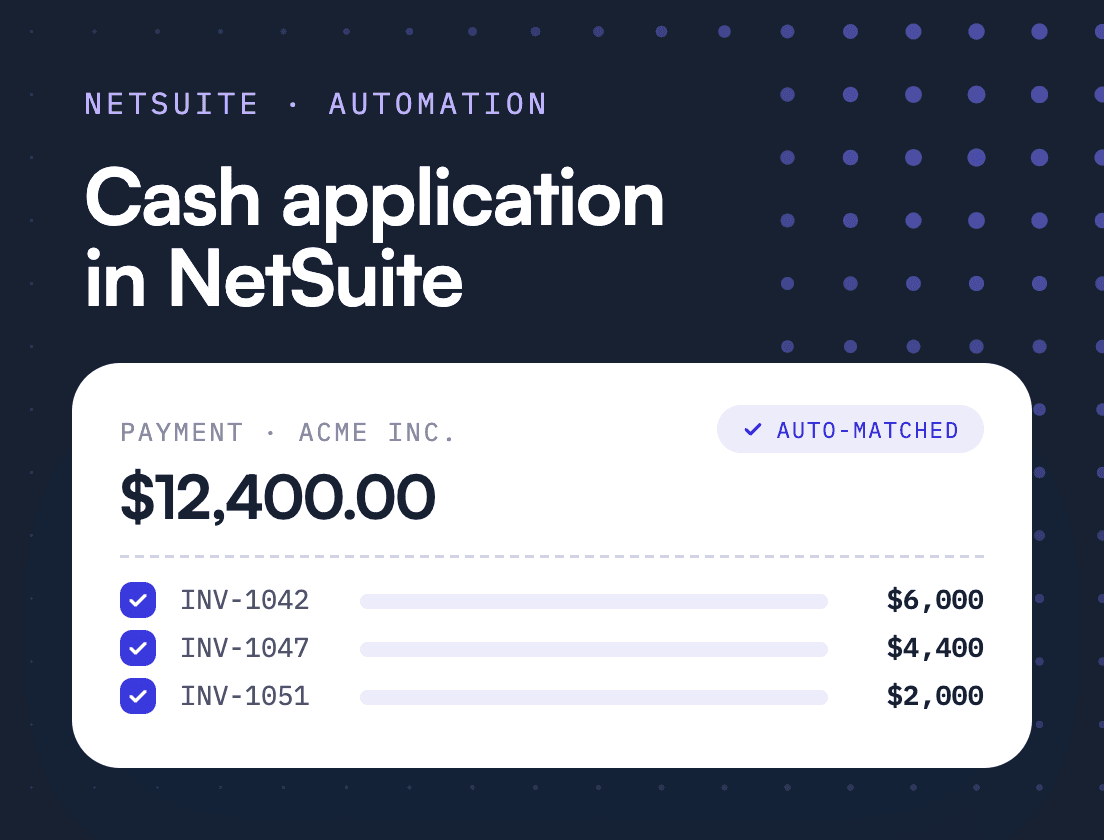
TL;DR: NetSuite can generate and apply customer payments from imported bank lines on its own, and it handles clean, well-referenced payments well. The work that eats an AR team’s week is the other kind: short pays, one wire covering several invoices, parent companies paying for subsidiaries, and remittance sitting in an inbox. Automate for those payments first, because that is where the hours and the posting lag live.
Automated Cash Application in NetSuite: Where Native Matching Stops
Automated cash application is the process of matching incoming customer payments to open invoices, and posting them to the ledger, without a person reading each bank line. In NetSuite, the native Automated Cash Application feature does this for payments whose customer and invoice can be identified from the bank data itself.
That covers the easy payments. The case for extra automation rests on the hard ones, because NetSuite’s own logic hands them back to your team. Those are the payments that hold up close and send collections after customers who have already paid. If you run AR on NetSuite, the useful question is how much of your week goes to the payments the native feature can’t read, and whether that number is growing.
This guide covers what NetSuite does natively, where the manual work piles up, the options for automating the rest and what good looks like.
What does cash application mean in a NetSuite environment?
In NetSuite, cash application is the step between a payment landing in your bank account and the invoice showing as paid. A bank line is imported, a customer payment record is created against the right customer, that payment is applied to one or more open invoices, and the deposit is matched to the bank line for reconciliation.
Each of those steps can happen by hand on the Customer Payment page, or in bulk from imported bank data. The distinction matters because bank reconciliation and cash application are often treated as one job. They are two. Reconciliation proves the cash arrived. Cash application decides which receivable it settles, and only the second one tells collections who still owes you money.
How does NetSuite handle cash application natively?
NetSuite has a native Automated Cash Application feature that turns imported bank lines into customer payments and applies them to open invoices. You review its suggestions before submitting, and anything it can’t match goes to the Match Bank Data page for manual work.
Oracle describes it as a way to “automatically generate a batch of customer payments in NetSuite and apply them to open invoices.” It works on imported bank lines with a positive amount that haven’t already been matched. Here is how the pieces fit.
Customer matching. NetSuite tries three levels. An exact match needs the customer name or invoice numbers in the right fields of the bank line. A preferred match uses customer mapping rules, which remember a customer you picked before based on the Payor and Memo fields. A partial match runs a similarity algorithm comparing Payor and Memo text to customer names. If none of these work, someone selects the customer by hand.
Invoice application. If the bank line names invoices, NetSuite applies the payment to them. If it doesn’t, the Apply Payments Without Invoice Numbers preference decides. The default looks for an invoice whose amount due equals the payment, and if there isn’t one, falls back to the customer’s oldest invoices. The other options are oldest invoice only, or leaving the payment unapplied.
Bank matching. Intelligent Transaction Matching runs system and user rules on imported bank data. With the 2026.1 release, NetSuite added an Enriched Bank Data feature that uses generative AI to extract the entity behind a bank transaction and break ties when several ledger transactions share the same amount. Oracle notes that AI-assisted results “can be erroneous and should always be verified.” These AI features are not available to every account. Oracle limits generative AI availability by region, and the AI transaction matching assistant added in 2026.2 is available only to eligible customers with access to supported AI features. Check with your NetSuite account manager what your license includes before you plan around them. The 2026.2 release also adds payment suggestions for open invoices directly on Match Bank Data.
Bank connectivity. Imports can be automated through the Bank Feeds SuiteApp, or through SFTP with the Auto Bank Statement Import SuiteApp and a parser for formats such as BAI2.
This is a capable toolkit, and it gets better with each release. For a customer who pays one invoice in full with the invoice number in the reference, it needs very little from you.
Where do NetSuite teams get stuck?
Teams get stuck on payments where the bank data doesn’t identify the customer or the invoices, or where the amount doesn’t equal the sum of open items. NetSuite’s documented behavior routes most of these back to a person, and they tend to come from the largest accounts.
A few limits from Oracle’s own documentation are worth knowing before you plan around the native feature:
- A generated payment covers a single customer. Payments spanning several customers need the separate Consolidated Payments feature.
- If a payer has open invoices under its top-level customer or a subcustomer, Oracle notes that those invoices are not listed. Parent companies paying for subsidiaries are a common case in B2B tech.
- Invoice suggestions by amount don’t consider discounts or preallocated amounts.
- The new 2026.2 payment suggestions on Match Bank Data are one-to-one and for the full outstanding amount. Oracle’s 2026.2 release notes state that partial payments and one payment covering several invoices are not supported.
- If mandatory fields like Class, Department or Location are enforced, they aren’t populated on generated payments.
Then there is remittance. Checks still made up 26% of B2B payments in the 2025 AFP Digital Payments Survey, down from 81% in 2004. The shift to ACH and wires is good news for cost and bad news for matching, because the reference data got thinner. A standard CCD+ ACH payment carries one addenda record with 80 characters of free text. Customer AP teams often fill it with a PO number, a truncated invoice number or their own batch ID. The real breakdown arrives separately, as an email or a PDF, in an inbox NetSuite never reads.
A worked example
The numbers here are illustrative. Acme Software Inc. has three open invoices with you: $18,400, $9,250 and $6,100, a total of $33,750. On Tuesday a wire for $33,090 arrives from “ACME HOLDINGS LTD” with the reference “PAYMT 1041 SEPT”.
Walk it through NetSuite’s native logic. There is no customer called Acme Holdings, so no exact match. Unless someone created a mapping rule last time, the partial match might suggest a customer with “Acme” in the name, or nothing, and “1041” isn’t an invoice number. Once someone picks Acme Software by hand, no single invoice equals $33,090, so the default preference applies the payment to the oldest invoices: the first two in full and $5,440 to the third, leaving $660 open.
Meanwhile, Acme’s AP team emailed a remittance advice to your AR inbox explaining that the $660 is a service credit your CS lead agreed in August. Nobody in finance has seen it. If the payment does get applied oldest-first, the $660 sits as an open balance, and your dunning sequence chases it in two weeks. If nobody gets to the payment at all, all three invoices look unpaid.
Any one of these is easy to fix once someone looks. A scale-up billing a few hundred invoices a month sees a version of it most days. And the enterprise accounts, where the relationship matters most, send the messiest payments.
| Payment scenario | What NetSuite does natively | What a dedicated layer adds |
|---|---|---|
| One invoice, full amount, invoice number in reference | Matches and applies automatically | Little. Native handles it well |
| Payer name differs from customer record | Mapping rule if one exists, otherwise partial match or manual pick | Enrichment from customer, invoice and payment history |
| One payment covering several invoices, no references | Applies by amount, then oldest first | Proposes the likely combination of invoices |
| Short payment with a reason in a separate email | Leaves a residual open balance | Reads the remittance and suggests the credit or dispute |
| Parent pays for subsidiary invoices | Subcustomer invoices not listed | Matches across the customer hierarchy |
What does manual cash application cost a finance team?
The direct cost is analyst hours, and it grows with invoice volume, so the only way to keep up is headcount. The larger cost is posting lag, which leaves paid invoices looking open and puts collections to work on the wrong accounts.
The Hackett Group’s 2025 research found a median auto-match rate of 70% among users of dedicated cash application software. Plenty of teams sit well below that. Bryan DeGraw, Senior Research Director at Hackett, said a surprising number of organizations are “accepting automation rates below 40%, taking up to three days to post payments”, with up to 6% of cash sitting unapplied.
Posting lag distorts everything downstream. DSO looks worse than your customers’ actual behavior because cash you already hold still counts as receivable, and the aging report collections works from is wrong by the value of every unapplied payment. Close slips while someone clears the suspense account.
The Cash Collection Book tells the story of a fast-growing SaaS company that found more than twelve percent of its incoming payments landing in suspense each month. By the time anyone reviewed it, three customers had been chased for invoices they had already paid, one a week before its renewal conversation. The renewal started with an apology.
This is why cash application belongs inside Financial Relationship Management (FRM), the discipline of managing the financial relationship with a customer, from the moment payment terms are agreed until cash is collected and reconciled. A payment the customer made correctly and you failed to apply is still a customer experience. A bad one.
What are the options for automating cash application in NetSuite?
Start by getting the most out of NetSuite’s native features. Once exceptions rather than volume become the bottleneck, the choice is between extending NetSuite with SuiteApps and scripts or adding a dedicated cash application or AR platform that posts back to it.
Tune what you already have. Turn on Automated Cash Application and build customer mapping rules for every recurring payer whose bank name differs from the customer record. Pick the invoice application preference that fits how your customers pay, and print the invoice number prominently on every invoice. This costs admin time and nothing else.
Extend NetSuite. Partners and SuiteApps can add lockbox file parsing, custom matching scripts and saved-search workflows. This keeps everything inside the ERP. The trade-off is maintenance: custom rules are brittle when customers change how they pay, and someone has to own the scripts after the consultant leaves.
Add a dedicated platform. Cash application and AR platforms such as Upflow sit between your banks and NetSuite, matching payments with their own logic and posting the results back. The newer platforms use AI agents to work through exceptions and sync with NetSuite in real time, so the finance team reviews edge cases instead of keying in every payment. The trade-off is another system and another integration to monitor, which is why the quality of the NetSuite sync deserves as much scrutiny as the matching engine.
What does good automated cash application look like?
Good automated cash application clears routine payments without anyone touching them and brings your team only the payments that need judgment. Everything posts to NetSuite with a record of why each match was made. Use this checklist against your current process or any tool you evaluate.
- Bank connectivity: every operating account feeds in daily or better, including accounts in other currencies and subsidiaries.
- Payment enrichment: thin bank references get filled in from customer records, open invoices and past payment behavior before matching starts.
- Matching that handles messy payments: split and multi-invoice payments are proposed as specific invoice combinations, not left for oldest-first allocation.
- Exception-only review: your team sees a queue of genuine exceptions with the candidate matches considered, rather than a list of everything.
- Remittance capture: remittance advice from email and PDF, plus lockbox files, is read and attached to the payment it explains.
- Automatic posting with an audit trail: matched payments post to NetSuite as customer payments, and every match is logged with who or what made it.
- Sync monitoring: failed syncs raise an alert, so a payment never exists in one system and not the other.
One discipline sits alongside any tool. The Cash Collection Book recommends a clearing window for unapplied cash, with five business days as a reasonable default, after which anything unmatched is escalated. A suspense account with a deadline is a process. One without a deadline is where cash goes to age quietly.
How does Upflow approach cash application for NetSuite?
Upflow Cash App automates cash application on top of NetSuite, using payment enrichment and AI matching that adapts to how each customer pays, then posting matched payments back to NetSuite automatically. Upflow reports a 98% auto-match rate, and the Cash App Agent is accuracy-first by design. It applies a match on its own only when a payment maps cleanly to an invoice. Anything ambiguous comes to your team as a suggested match to confirm in a click. That is the right default for the risk Oracle flags with AI matching, because a wrong match takes far longer to unwind than a suggestion takes to confirm.
Bank feeds from all your accounts land in one view, and thin bank references get enriched from your customer and invoice records, so a wire from “ACME HOLDINGS LTD” is tied to the right customer before matching starts. The Cash App Agent learns each customer’s payment patterns and works out split and multi-invoice payments without a rules library for your team to maintain. Remittance advice is captured from email and PDF, which is how the $660 service credit in the example gets explained rather than chased. Lockbox and bank exports that don’t arrive through a feed can be brought in by CSV upload.
Reconciled payments post to NetSuite with a full audit trail, and failed syncs raise an alert. Your team reviews only genuine exceptions. Because Upflow runs collections from the same data, a payment applied in the morning stops the reminder that would have gone out that afternoon.


Jean-Malo Le Dreff
Director of Product Management at Upflow
About the Author
Jean-Malo (JM) is the Director of Product Management at Upflow, where he leads the design and development of the platform’s core features. With a strong product mindset and a deep understanding of user needs, JM ensures Upflow’s tools deliver both functionality and delight to modern finance teams.
At Upflow, he works cross-functionally to translate customer feedback into intuitive, impactful features, especially around integrations, workflows, and platform scalability. His expertise lies in making complex financial processes simpler through thoughtful product design and seamless system connectivity.
JM contributes to Upflow’s blog with practical, product-driven content that helps users get the most value from the platform. He writes in-depth guides on product comparisons, software integrations, and the strategic advantages of using Upflow within a broader finance tech stack.

Summary

Shared
Frequently Asked Questions
Can’t find what you’re looking for?
Ask AI
Yes. NetSuite’s native Automated Cash Application feature generates customer payments from imported bank lines and applies them to open invoices. It identifies the customer from the bank line or from mapping rules you create, and suggests invoices based on your accounting preference. It works best for payments with clear references. Payments it can’t match go to the Match Bank Data page for manual handling.
When a payment is less than the invoice total, NetSuite applies what it can and leaves the remainder open on the invoice. You then decide whether the difference is a discount, a deduction, a write-off or a dispute, and record it with a credit memo or by entering it in the Discount Taken field. The hard part is finding the reason, which often sits in a remittance email.
Yes. On the Customer Payment page you can apply one payment across several invoices manually or with Auto Apply. With imported bank lines, NetSuite applies the payment to invoices named in the bank line, or follows the Apply Payments Without Invoice Numbers preference. The 2026.2 payment suggestions on Match Bank Data are one-to-one only, so multi-invoice payments still need review there.
Bank reconciliation confirms that the transactions in your bank statement match the transactions in your ledger. Cash application decides which customer and which invoices a payment settles. You can reconcile a deposit perfectly while the payment sits unapplied, which means your cash is right and your accounts receivable is wrong. Collections works from AR, so cash application is the step that affects who gets chased.
NetSuite’s Automated Cash Application works from bank data and doesn’t document reading remittance advice from email or PDF, so many teams have someone read the AR inbox and key in the details. The alternatives are a SuiteApp or script that parses structured lockbox files, or a cash application platform that reads emails and PDFs and attaches the invoice breakdown to the matching bank line before it is applied.
A well-built integration shouldn’t. Ask how the tool checks for existing customer payments before posting and whether it stores the NetSuite internal ID of every payment it creates. Also ask what happens when a sync fails partway. A common cause of duplicates is two processes posting the same payment, such as a tool and a manual import running in parallel, so switch one off before turning the other on.
Related articles