

Upflow → Blog → B2B payments
Embedded Payments in B2B: Put the Pay Button inside Every Invoice
Côme Chevallier
|
November 20, 2026
Generate AI summary


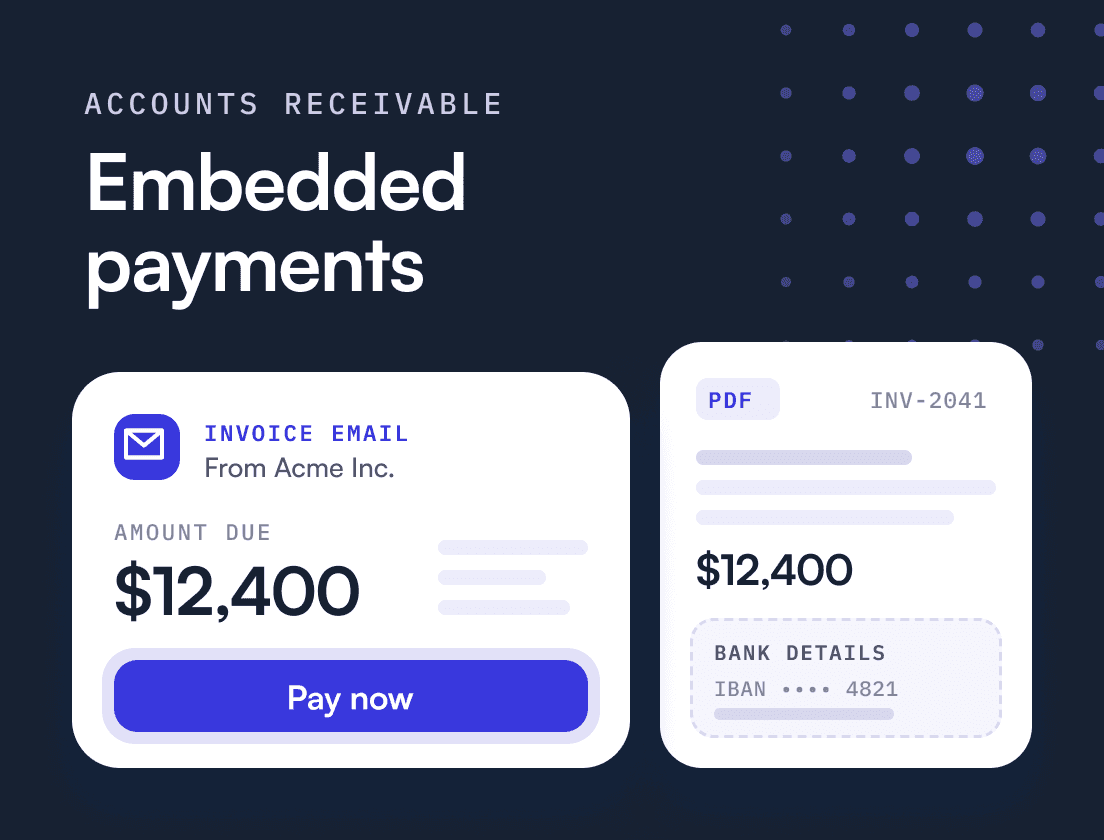
TL;DR: Embedded payments are payment capabilities built into software or documents a customer already uses, so they can pay without leaving to log in to their bank. For a B2B finance team, that means a way to pay inside every invoice, reminder and portal page. The payoff comes from two things: fewer steps between reading an invoice and paying it, and payments that arrive already matched to the invoice. Both matter far more than the number of payment methods you offer.
In B2B accounts receivable, embedded payments mean the customer can pay from the invoice email, the reminder or your customer portal, in the same moment they see what they owe, instead of leaving to arrange the payment somewhere else.
If you run finance at a B2B tech company and your customers pay against PDF invoices by bank transfer, two questions matter. How many steps sit between your customer reading the invoice and paying it? And when the money lands, can your team post it without detective work? Get those two right and the choice of card processor becomes one of the smaller decisions in the project.
What are embedded payments?
Embedded payments are payments that happen inside the experience where the buying or billing already takes place. Stripe describes them as payment functions built into a website or software so customers are not sent elsewhere to complete the transaction.
The term has two meanings.
The first is the platform meaning. A vertical software company lets its own users accept payments inside the product and usually earns revenue on that volume.
The second is the receivables meaning. A B2B company builds payment into its own billing so its customers can pay invoices without leaving the email or portal they are reading. The goal is to get paid sooner, with less work on each payment.
This article is about the second meaning.
What are some examples of embedded payments?
On the platform side, think of restaurant or gym management software that lets those businesses take payments from their own customers inside the same tool they run on.
In B2B accounts receivable, the examples sit inside the invoices, emails and portals a customer already opens. A few from Upflow customers:
- Paying selected invoices in a portal. Vesta Home, a Los Angeles home staging and furniture company, gives its customers a portal where they see what they owe, select the invoices to pay and pay by card or ACH. Card fees are passed through at checkout instead of being added to invoices by hand, and Upflow matches each payment to its invoices. The share of Vesta’s payment volume coming through Upflow rose to 35%, up from about 20% a year earlier.
- Autopay on the due date. Walnut, which builds interactive product demos for software companies, used its customer portal to move customers onto online payment and autopay, so more invoices are paid on the exact due date. Receipts through autopay grew 24 times over.
- Autopay through a billing integration. Invicti, a web application security company, introduced automated payments through Upflow’s Stripe integration, and payments received through autopay increased 17 times over.
- A portal link instead of a status email. At iziwork Italy, a digital staffing agency, clients have a branded portal with their invoices, overdues and payment options. When a client asks where things stand, the team sends the portal link instead of writing an update.
In each case, the customer pays from something they already have open instead of arranging the payment somewhere else.
What are the key differences between integrated and embedded payments?
Integrated payments connect your payment processing to your back office, so payments flow into your ERP and accounting system without manual entry. Embedded payments put the act of paying inside your customer’s workflow. One faces inward, the other faces the customer.
A finance team needs both, because either one on its own leaves half the problem in place. A company can have a payment page that customers find easy while every payment is still matched by hand, or clean reconciliation behind a payment page nobody can find. From Zero to Collected, Upflow’s book on building a collection function, makes exactly this point about progress being uneven across dimensions.
| Question | Embedded payments | Integrated payments |
|---|---|---|
| Who it serves | The customer paying | The finance team posting |
| Where it lives | Invoice email, reminder, portal | Processor to ERP and accounting system |
| Problem it solves | Friction at the moment of payment | Manual entry and reconciliation |
| What failure looks like | Customer opens a PDF and types bank details into their own bank | Payments sit in a bank feed waiting to be matched |
Why do so many B2B invoices stall at the last step?
They stall because the customer is handed a task instead of a button. The typical B2B invoice still arrives from a noreply address at a billing system the customer does not recognize, as a PDF with bank details printed near the bottom. To pay it, someone has to open the attachment, find the bank details and set up the transfer in their own banking portal. That is an instruction to go and arrange a payment, and it gets set aside for later.
On The Growth-Minded CFO podcast, Alex Louisy, co-founder and CEO of Upflow, recalls a CFO who said their company designed every customer touchpoint with care except the invoice, which was a poor experience for the people receiving it.
The habits behind that PDF are slowly fading. The Association for Financial Professionals (AFP) found that checks made up 26% of B2B payments in 2025, down from 33% in 2022 and 81% in 2004. Researchers at the Federal Reserve Bank of Cleveland counted ACH at 41% of the number of US B2B payments in 2024, up from 25% in 2015, while checks fell from 32% to 13%. Your customers are increasingly ready to pay electronically. The question is whether your invoice gives them a way to do it in one move.
No consumer business would ship a checkout that asked the buyer to wire money manually. In B2B, it is still the default.
Where should payment be embedded in the AR process?
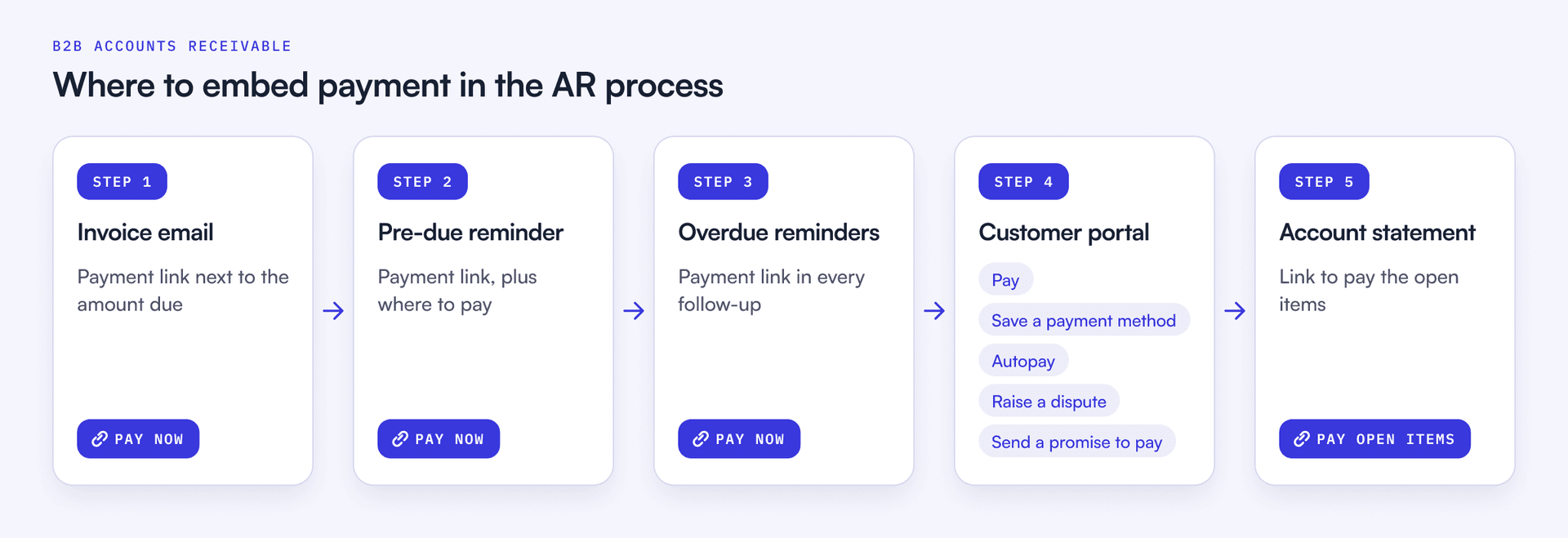
Payment belongs at every point where a customer is looking at what they owe. That means five places, and most teams cover one or two.
- The invoice email. A payment link next to the amount due, so the customer can pay while the invoice is in front of them. Send it from your own domain, not your billing system’s, so the customer knows who is billing them and the email reaches the inbox.
- The pre-due reminder. A short note a few days before the due date that shows a new customer where to pay and what the payment page looks like. It is also the cheapest moment to catch a wrong amount or a missing PO number.
- Every overdue reminder. Each follow-up should link straight to payment. The fewer steps between the email and the payment, the more invoices clear without anyone chasing them.
- The customer portal. A secure space the customer opens from a link, with no account to create, where the customer sees their full balance, picks the invoices to clear, pays, saves a payment method, sets up autopay, raises a dispute or sends a promise to pay.
- The account statement. Larger customers reconcile against statements. A statement with a link to pay the open items turns a reconciliation exercise into a payment.
Embedding payment at these points is where an AR platform does most of its work. Upflow, for example, gives each of your customers a branded, white-label portal where they can select open invoices and pay by card or by ACH, SEPA or Bacs direct debit, then save the payment method and enroll in autopay. A customer portal link can go into any reminder or invoice email template, and teams on NetSuite can add a pay button to the invoice PDFs NetSuite generates, so the payment step travels with the messages the customer receives.
Taken together, this is the payment layer of Financial Relationship Management (FRM), the discipline of managing the financial relationship with a customer from the moment payment terms are agreed until cash is collected and reconciled. One of the shifts behind FRM is that the payment experience now shapes the customer’s experience of the business. The invoice is a customer touchpoint like any other.
One exception deserves its own plan. Many enterprise customers will only process invoices submitted through their own AP portal, often with a purchase order number attached. You cannot embed a pay button in someone else’s procurement system, so for those accounts the job is getting the invoice into their portal correctly and on time, then making sure remittance comes back clean.
Which payment methods should you embed, and who pays the fees?
Embed the methods your customers are already set up to use, and steer recurring revenue toward the cheapest one that can run on autopay. For most B2B tech companies that means ACH in the US, SEPA Direct Debit or SEPA transfer in Europe, and Bacs in the UK, with card for the customers who want it and wire for the ones who need it.
The cost differences are large. The Cleveland Fed brief puts median per-transaction fees at $0.25 to $0.50 for ACH and about $7 a side for wire, while card acceptance costs the receiver a percentage: 2.0% to 2.5% for credit and 1.0% to 1.5% for debit.
| Method | Typical receiver cost | Average US B2B payment (2024) | Best use |
|---|---|---|---|
| ACH | $0.25 to $0.50 per payment | $8,084 | Recurring invoices on autopay |
| Credit card | 2.0% to 2.5% of value | $275 | Smaller invoices, customers who insist on card |
| Debit card | 1.0% to 1.5% of value | $119 | Small one-off invoices |
| Wire | About $7 per side | About $3.19 million | Large or cross-border payments |
Does accepting cards pay for itself through faster payment?
On large invoices, rarely. Take a $10,000 invoice. A 2.5% card fee costs $250. If card gets you paid 20 days sooner and your cost of capital is 8%, those 20 days are worth $10,000 × 8% × 20 ÷ 365, or about $44. For the speed alone to cover the fee, card would have to bring the cash in far earlier. The break-even rule:
Break-even days = card fee ÷ annual cost of capital × 365, so 2.5% ÷ 8% × 365 = about 114 days.
Card earns its place through convenience and the customers who will not pay any other way, so price it accordingly.
That is the case for surcharging, which lets the customer who wants card convenience cover its cost. The rules depend on where you sell. In the US, Visa caps a credit card surcharge at the lower of your merchant discount rate or 3%, does not allow surcharges on debit or prepaid cards, and requires 30 days’ notice to your acquirer; some states restrict or prohibit surcharging altogether. In June 2026 a US court gave preliminary approval to a Visa and Mastercard merchant settlement that would give merchants more surcharging options and let them choose whether to accept commercial cards. In the UK, commercial transactions and corporate cards sit outside the consumer surcharge ban, but government guidance says fees cannot exceed your cost of accepting the payment. Check with your processor and counsel before you switch it on.
Autopay is where the economics settle. A customer who has just paid through your portal has already entered a payment method, so that is the moment to ask them to save it and enroll in autopay. After that, each invoice is charged on its due date without a reminder or a payment to match by hand. For a recurring revenue base, that is the outcome worth designing for.
What changes for the finance team once payment is embedded?
Two things change, and the second matters more than most teams expect.
The first is speed. Invoices stop stalling after the customer has already decided to pay.
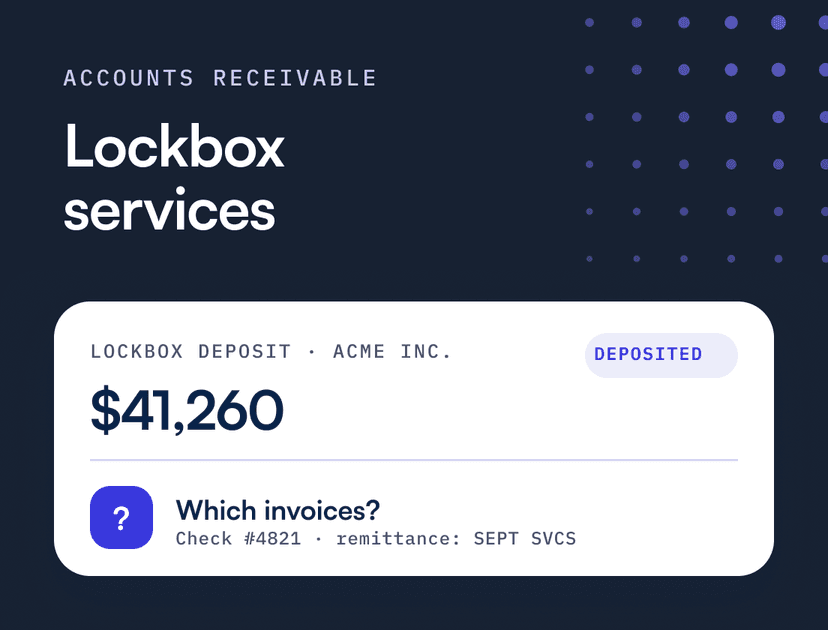
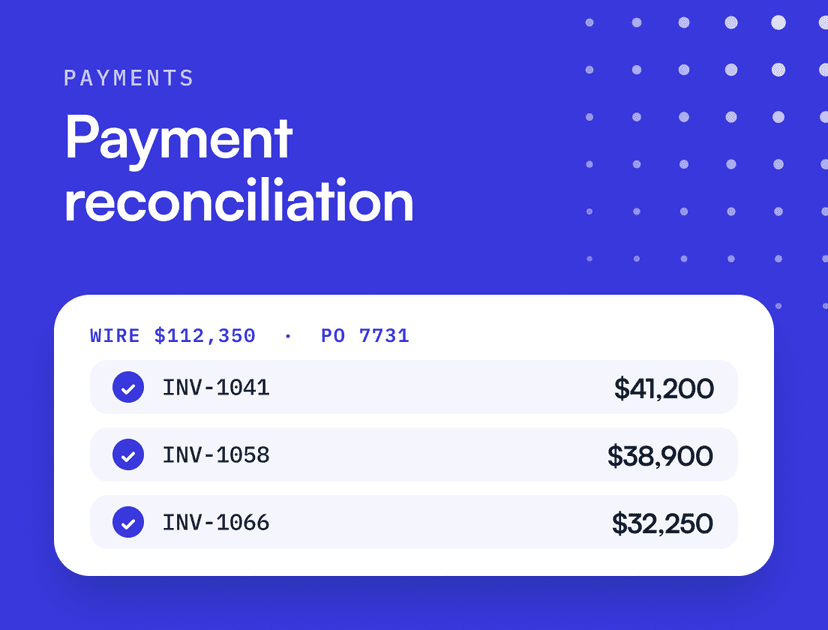
The second is cash application. A wire or ACH credit arrives with whatever the customer typed in the reference field, often a partial invoice number, an internal PO that means nothing to your billing system, or nothing at all. A payment made through your portal is different, because the customer selected the invoices before the money moved. The match is done before the payment lands, and your team gets a payment it can record in the ledger straight away rather than one it has to investigate.
Flinks, a financial data connectivity company, is a good example. Its VP Finance, Virgile Coutu-Fleury, had receivables in one system and payment processing in another, so every returning payment was reconciled manually. The bigger problem was on the customer side: very few customers had a payment method saved, so nearly every invoice had to be paid by hand at the customer, cycle after cycle, starting from nothing. DSO was 49 days.
The fix was to bring payments into the same system as AR, with reconciliation into NetSuite automated, and to systematically prompt customers to save a payment method during onboarding and opt into autopay. Over six months with Upflow, DSO fell from 49 to 28 days, a 43% drop. After moving its card payments onto Upflow, Flinks doubled the number of customers on autopay within two months. “Timing is everything with collections,” as Virgile puts it.
The embedded side only pays off fully when the integrated side is in place. In Upflow, a payment collected through the portal is written back to NetSuite or Sage Intacct as a customer payment applied to the invoices it covers, and in NetSuite the daily deposits and processing fees are recorded too. The payment shows up as applied cash in the ledger instead of a line in a bank feed. Payments that still arrive outside the portal go through the usual cash application work of matching each one to invoices from whatever remittance comes with it.
How do you handle objections from your customers’ AP teams?
Most objections come from AP teams doing their job well, so answer them on their terms.
“We do not click payment links in emails.” This is a reasonable rule. The AFP found that 63% of organizations were hit by business email compromise attempts in 2024, and 45% cited vendor impersonation, 11 percentage points more than in the previous survey. Send every invoice from your own domain, keep the portal on a URL the customer sees every cycle, and give them a named contact who can confirm it during onboarding. A consistent, branded payment page is easier to trust than a PDF whose bank details anyone could edit.
“We only pay through our AP portal.” Then their portal is the channel. Submit there, with the PO.
“We will not pay card fees.” Fine. Offer ACH or SEPA at no surcharge. Bank payments cost you far less to accept than card, so this works in your favor too.
“We pay on our payment run.” Autopay and scheduled payments fit a payment run better than anything manual does. Agree the run date once and let the payment settle on it every cycle.
What should an embedded payment setup include?
Judge any setup by what happens on both sides of the payment.
- Payment links in invoices and every reminder, sent from your own domain
- A branded customer portal with balance, invoice copies, dispute and promise-to-pay options
- Local payment rails for each market you bill in (ACH, SEPA, Bacs) plus card and wire
- Saved payment methods and autopay
- Payments across several invoices at once, plus partial payments on a single invoice, that post to your ERP already allocated
- Two-way sync with your ERP, so payments post as applied cash instead of waiting in a bank feed
- Card surcharging, switched on only where it is allowed
- PCI DSS compliance, usually through a Level 1 payment processor, which your customers’ security teams will ask about
How do you measure whether embedded payments are working?
Track the share of invoices paid through an embedded link or portal, and read it next to DSO and cash application time. If online payment share rises and DSO does not move, the friction was somewhere else, usually upstream in terms, billing or the wrong contact.
| Metric | How to calculate | What a good trend looks like |
|---|---|---|
| Online payment share | Invoices paid via link or portal ÷ all invoices paid | Rising every quarter |
| Autopay adoption | Recurring customers on autopay ÷ all recurring customers | Rising, concentrated in your largest recurring accounts |
| DSO | AR balance ÷ revenue × days in period | Falling toward your average payment terms |
| Time to apply cash | Days from payment received to payment applied in the ERP | Falling as portal share rises |
| Unapplied cash | Value of payments received but not matched | Shrinking |
To estimate the impact, convert DSO into cash. A company with $60 million in annual revenue carries about $164,000 of receivables for each day of DSO ($60 million ÷ 365). Taking five days out of the gap between due date and payment frees roughly $822,000 of cash. That number belongs in the business case, not the processor’s fee schedule.
The finance teams that get the most from embedded payments treat the payment step as part of the customer relationship. The customer was ready to pay. Make it easy, and make it count.
See how Upflow puts a pay button in your invoices and reminders.


Côme Chevallier
Director of Financial Services at Upflow
About the Author
Côme is the Director of Financial Services at Upflow, where he leads the development of cutting-edge solutions at the intersection of technology, finance, and customer experience. He plays a key role in shaping the vision and execution of Payments by Upflow, Upflow’s next-generation B2B payment platform.
At Upflow, Côme focuses on delivering frictionless, secure, and intuitive payment experiences that bring the best of B2C e-commerce to B2B transactions. From modern payment infrastructure to AR financing, his work helps finance teams streamline collections, enhance customer satisfaction, and unlock greater cash flow efficiency.
Known for his insights into fintech innovation, payment optimization, and regulatory navigation, Côme is a regular contributor to Upflow’s blog. He shares expert perspectives on how finance teams can use modern tools to enhance cash flow, improve customer experiences, and future-proof their payment operations.

Summary

Shared
Frequently Asked Questions
Can’t find what you’re looking for?
Ask AI
Embedded payments are payment capabilities built into software, a website or a document the customer is already using, so they can pay without leaving to go to their bank or a separate payment site. For software platforms, it means letting users accept payments inside the product. For a B2B finance team, it means customers can pay invoices directly from the invoice email, a reminder or a customer portal.
A restaurant taking payments from diners inside its restaurant management software is the classic platform example. In B2B accounts receivable, an example is Vesta Home: its customers open a branded portal, select the invoices to clear and pay by card or ACH, and Upflow matches each payment to those invoices.
Embedded payments put the act of paying inside the customer’s workflow, such as the invoice email or portal. Integrated payments connect your payment processing to your ERP and accounting system so payments post without manual entry. Embedded payments reduce friction for the customer, while integrated payments reduce work for the finance team. A strong AR setup needs both, because each fixes a different bottleneck.
Yes, and B2B is where the gap is widest. Many B2B invoices still arrive as PDFs with bank details, which forces the customer to arrange payment themselves. Embedding a payment link and portal access in invoices and reminders lets customers pay by ACH, SEPA, Bacs or card in one step. Enterprise accounts that require AP portal submission need a separate route.
It depends on your margins and where you sell. Card acceptance typically costs the receiver 2.0% to 2.5% for credit cards, far more than ACH. In the US, Visa caps credit card surcharges at 3% or your merchant discount rate, whichever is lower, bans surcharges on debit, and some states restrict them. In the UK, commercial card surcharges are allowed up to your cost. Offering a free bank payment option alongside a surcharged card option usually works best.
Related articles